Jump to section
- Setting Up Your Environment for Gumtree Scraping
- Installing Python and Required Libraries
- Choosing the Right Tools and IDE
- Extracting Data from Gumtree Search Listings
- Inspecting Gumtree’s HTML Structure
- Writing Code to Scrape Listings
- Navigating Pagination and Scraping Multiple Pages
- Extracting Pagination Links
- Managing Request Timing and IP Addresses
- Scraping Detailed Data from Product Pages
- Accessing Product Page URLs
- Extracting Product Details
- Storing and Exporting Scraped Data
- Saving Data in CSV or JSON Formats
- Organizing Data for Analysis
- Optimizing and Scaling Your Scraping Operations
- Handling Dynamic Content and JavaScript
- Using Proxies and Rotating IPs
- Monitoring and Debugging Your Scraping Scripts
- Conclusion
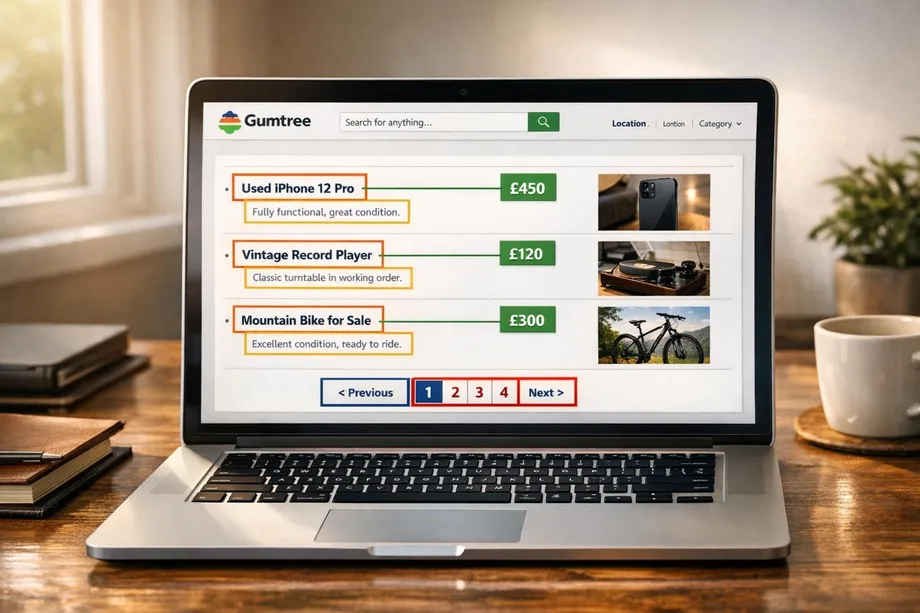
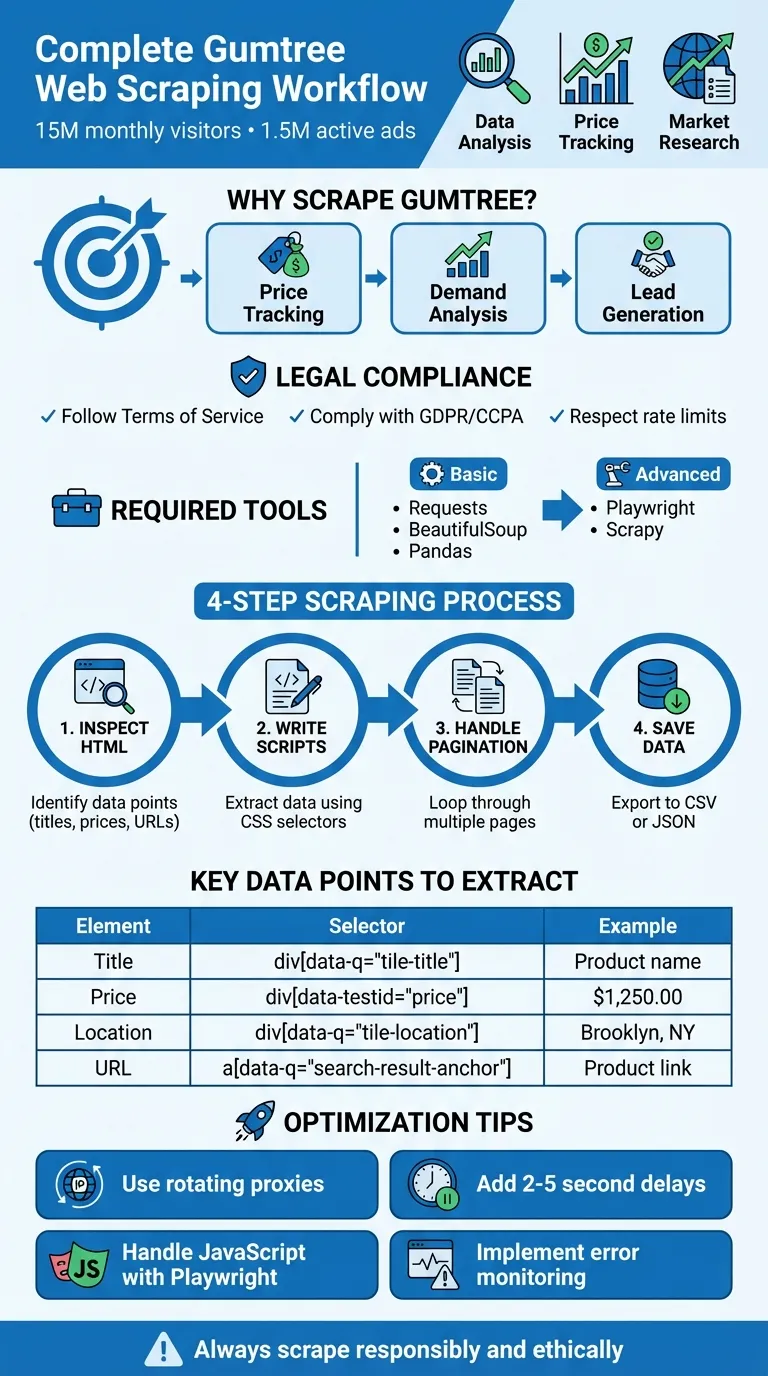
Scraping Gumtree data can help businesses and researchers analyze market trends, track pricing, and gather local insights. But doing it effectively requires the right tools, legal awareness, and technical setup. Here’s a beginner’s guide to web scraping and a quick rundown of the process:
-
Why Scrape Gumtree?
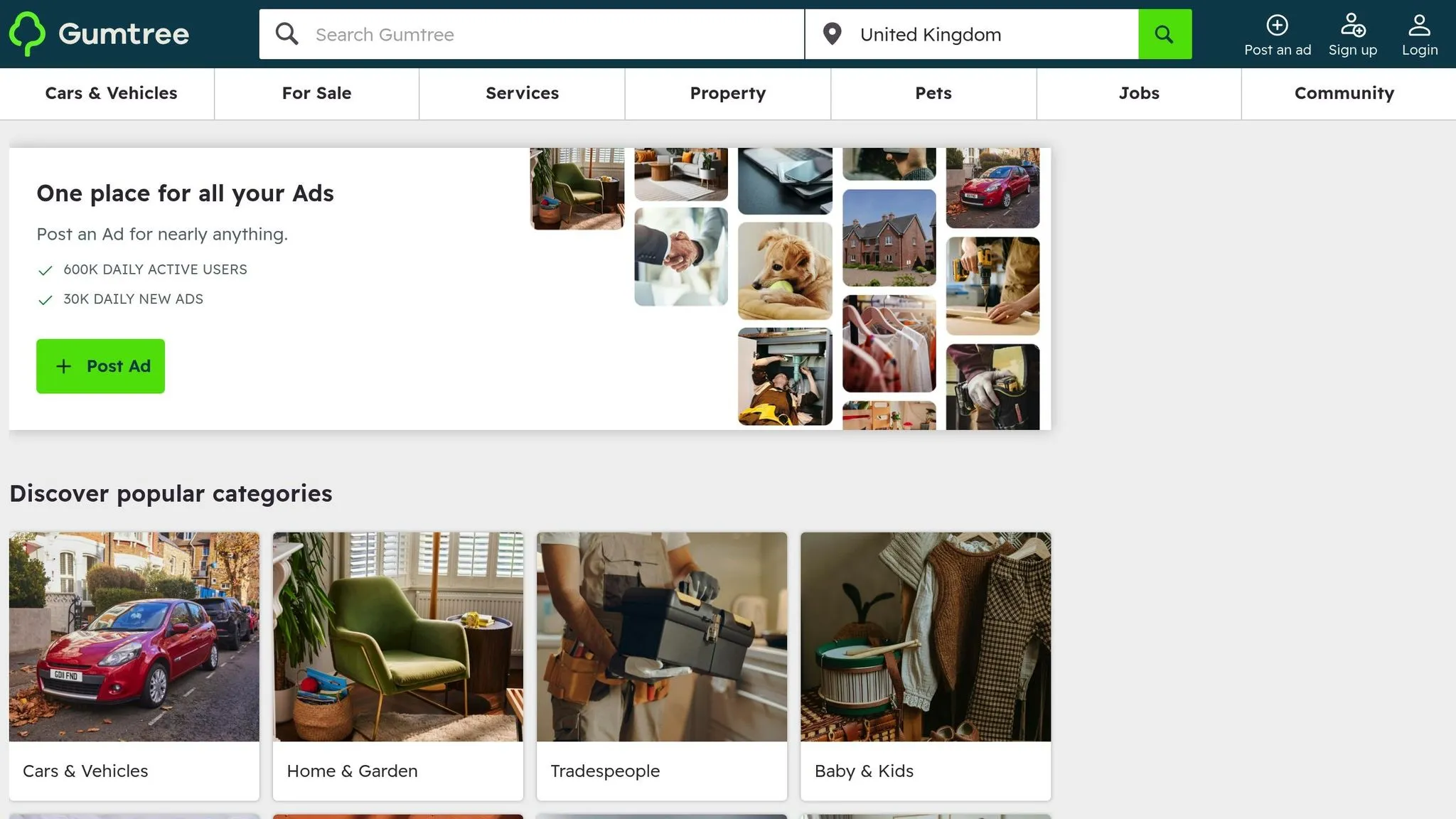
Gumtree hosts over 15 million monthly visitors and 1.5 million active ads, offering data on products, services, and local listings. Scraping can help with price tracking, demand analysis, and lead generation. -
Legal Considerations:
Always follow Gumtree’s Terms of Service and comply with data protection laws like GDPR or CCPA. Avoid scraping sensitive information and respect rate limits. -
Tools You Need:
Use Python with libraries likeRequests,BeautifulSoup, andPandasfor basic tasks. For dynamic content, addPlaywrightorScrapy. -
Steps to Scrape:
-
Inspect Gumtree’s HTML structure to identify key data points like titles, prices, and URLs.
-
Write Python scripts to extract data using CSS selectors.
-
Handle pagination for multiple pages.
-
Save data in CSV or JSON formats for analysis.
-
-
Advanced Tips:
Use proxies to avoid IP bans, introduce delays between requests, and consider Playwright for JavaScript-heavy pages.
This guide provides a step-by-step process to scrape Gumtree responsibly while ensuring compliance with legal and ethical standards. Whether you’re tracking electronics prices or analyzing rental trends, these methods can help you collect meaningful data efficiently.
Setting Up Your Environment for Gumtree Scraping
Installing Python and Required Libraries
First, download and install Python 3.8 or later from python.org. Once installed, set up a virtual environment to keep your project dependencies organized. Run the following command to create the environment:
python -m venv scraping-envActivate it using the appropriate command for your operating system:
-
Mac/Linux:
source scraping-env/bin/activate -
Windows:
scraping-env\Scripts\activate
Next, install the basic libraries you’ll need for web scraping:
pip install requests beautifulsoup4 pandasHere’s what these libraries do:
-
Requests helps you make HTTP requests to fetch web pages.
-
BeautifulSoup4 parses HTML, making it easier to navigate and extract data.
-
Pandas organizes and saves your scraped data into formats like CSV or JSON.
If the website uses dynamic content (like JavaScript-rendered pages), you’ll need Playwright. Start by installing it:
pip install playwrightThen, download the browser binaries for Chromium, Firefox, and WebKit by running:
playwright installFor more advanced scraping tasks, consider building scalable data pipelines with Scrapy. It offers built-in features for scheduling and managing data:
pip install scrapyChoosing the Right Tools and IDE
Selecting the right tools can significantly streamline your scraping workflow. Here are some popular options:
-
Visual Studio Code (VS Code): A free, lightweight IDE with a vast library of extensions. From Python linters to debugging tools, VS Code provides everything you need for scraping projects.
-
PyCharm Community Edition: Offers intelligent code suggestions and robust debugging capabilities, making it a great choice for Python developers.
-
Jupyter Notebook: Perfect for quick tests and experiments. It lets you run code in smaller, interactive chunks, which is especially helpful when testing CSS selectors or analyzing Gumtree’s HTML structure.
Regardless of the IDE you choose, ensure it includes an integrated terminal and debugging features. These tools will help you set breakpoints and inspect variables, which are invaluable when working through Gumtree’s more intricate page layouts.
Once your environment and tools are ready, you’ll be all set to dive into scraping Gumtree’s HTML in the following steps.
Extracting Data from Gumtree Search Listings
Inspecting Gumtree’s HTML Structure
Before diving into the code, it’s crucial to understand how Gumtree organizes its search results in HTML. Start by opening your browser and navigating to any Gumtree search results page. Right-click on a product title and select “Inspect” (or press F12 to open the developer tools). This will display the live DOM structure of the page.
Each listing on Gumtree is wrapped in an <article> tag with a specific attribute: data-q="search-result". This container includes all the relevant details for a single ad. Within each container, you’ll find individual elements for the title, price, location, and the product link.
Here’s a quick breakdown of the key data points and their corresponding HTML elements:
| Data Point | HTML Element | CSS Selector |
|---|---|---|
| Listing Container | article | article[data-q="search-result"] |
| Product Title | div | div[data-q="tile-title"] |
| Price | div | div[data-testid="price"] |
| Location | div | div[data-q="tile-location"] |
| Product URL | a | a[data-q="search-result-anchor"] |
To ensure the listings are present in the initial HTML, you can view the page source by pressing Ctrl+U (Windows) or Cmd+U (Mac). If the listings don’t appear, you may need to rely on tools like Playwright or Selenium to handle dynamic content loading.
Writing Code to Scrape Listings
Once you’ve identified the HTML structure, you can start coding to extract the data. Begin by importing the necessary Python libraries and setting up a User-Agent header to make your requests appear like those from a regular browser:
import requests
from bs4 import BeautifulSoup
import pandas as pd

headers = {
    'User-Agent': 'Mozilla/5.0 (Windows NT 10.0; Win64; x64) AppleWebKit/537.36'
}

url = 'https://www.gumtree.com/search?q=laptop'
response = requests.get(url, headers=headers)
soup = BeautifulSoup(response.content, 'html.parser')
Here, response.content is used to avoid encoding issues. Next, locate all the listing containers and extract the desired data points using a loop:
listings = soup.select('article[data-q="search-result"]')
scraped_data = []

for listing in listings:
    title_elem = listing.select_one('div[data-q="tile-title"]')
    price_elem = listing.select_one('div[data-testid="price"]')
    location_elem = listing.select_one('div[data-q="tile-location"]')
    link_elem = listing.select_one('a[data-q="search-result-anchor"]')

    scraped_data.append({
        'title': title_elem.get_text(strip=True) if title_elem else 'N/A',
        'price': price_elem.get_text(strip=True) if price_elem else 'N/A',
        'location': location_elem.get_text(strip=True) if location_elem else 'N/A',
        'url': 'https://www.gumtree.com' + link_elem['href'] if link_elem else 'N/A'
    })

df = pd.DataFrame(scraped_data)
df.to_csv('gumtree_listings.csv', index=False)
This script uses the specified CSS selectors to extract each data point. The if conditions ensure that missing elements don’t cause errors. For the product URL, the script extracts the href attribute from the anchor tag and appends Gumtree’s base URL to convert it from a relative to an absolute link.
With Gumtree hosting over 1.5 million active ads and attracting more than 15 million unique monthly visitors, you’ll likely want to scrape multiple pages. Once you’ve successfully extracted the listings, the next challenge is handling pagination to collect data from additional pages.
Navigating Pagination and Scraping Multiple Pages
Extracting Pagination Links
When it comes to scraping Gumtree, handling pagination properly ensures you don’t miss any data. Gumtree’s search results use a simple URL structure with a ?page= parameter to navigate pages. Instead of manually clicking through, you can automate URL generation with a loop. This method is not only quicker but also avoids the hassle of parsing pagination elements on every page.
Here’s a straightforward way to automate pagination by generating URLs directly:
base_url = 'https://www.gumtree.com/search?q=laptop'
max_pages = 5

for page in range(1, max_pages + 1):
    url = f"{base_url}&page={page}"
    response = requests.get(url, headers=headers)
    soup = BeautifulSoup(response.content, 'html.parser')

    # Extract listings using your established method
    listings = soup.select('article[data-q="search-result"]')
If the pages don’t follow a sequential pattern, you can dynamically extract the “Next” button link. Use the CSS selector .next > a to locate it and grab the href attribute. However, this requires parsing each page before moving forward, which can slow things down.
Once you’ve set up pagination, the next challenge is controlling request timing and managing IP addresses.
Managing Request Timing and IP Addresses
Generating the URLs is just the first step. To avoid triggering Gumtree’s spam filters, you need to regulate the frequency of your requests. Their system monitors IP activity and can block scrapers that send too many requests too quickly.
Introduce random delays between requests to mimic how a human would browse. Python’s time.sleep() combined with random intervals works well:
import time
import random

for page in range(1, max_pages + 1):
    url = f"{base_url}&page={page}"
    response = requests.get(url, headers=headers)
    # Process the page

    time.sleep(random.uniform(2, 5))  # Pause 2–5 seconds between requests
For larger-scale scraping, consider rotating IP addresses with a proxy service. As one expert puts it: “To avoid getting blocked while scraping, consider using a rotating proxy service… This will help you manage IP addresses so your scraping looks like regular user behavior”. Residential proxies are often the best choice since they’re tied to real ISP networks, making them harder to detect compared to datacenter IPs.
If you encounter errors like 429 (Too Many Requests) or 403 (Forbidden), implement exponential backoff. This means gradually increasing the wait time after each failed attempt, giving the server a chance to recover before your script resumes.
Scraping Detailed Data from Product Pages
Accessing Product Page URLs
After pulling search results, the next step is diving into individual product pages to gather detailed information.
To start, extract the URLs for each product. These URLs are found using the data-q attribute, which identifies product links. Specifically, the product link is located inside an <a> tag with the attribute data-q="search-result-anchor" [1].
The href attribute in these links provides a relative path like /p/item-name/12345. To access the full product page, combine this relative path with the base URL, https://www.gumtree.com. Here’s an example of how to extract and construct complete URLs:
base_url = 'https://www.gumtree.com'
listings = soup.select('article[data-q="search-result"]')

product_urls = []
for listing in listings:
    relative_url = listing.select_one('a[data-q="search-result-anchor"]')['href']
    full_url = base_url + relative_url
    product_urls.append(full_url)
This method transforms the extracted relative links into absolute URLs, making it possible to access individual product pages. Once you have these URLs, you’re ready to scrape detailed product information.
Extracting Product Details
With the URLs in hand, you can now extract detailed data from each product page. Key fields like titles, prices, descriptions, seller information, and image URLs can be scraped using BeautifulSoup. Here’s a breakdown of the data fields and their corresponding CSS selectors:
| Data Field | CSS Selector | Example Value |
|---|---|---|
| Product Title | h1[data-q="vip-title"] | ”2019 MacBook Pro 16-inch” |
| Price | h3[data-q="ad-price"] | ”$1,250.00” |
| Description | p[itemprop="description"] | Full text with condition and specs |
| Seller Name | h2.seller-rating-block-name | ”TechSeller123” |
| Image URLs | div[data-testid="carousel"] img | Multiple image sources |
Below is a Python snippet to extract these details from each product page:
import requests
from bs4 import BeautifulSoup
import time
import random

headers = {'User-Agent': 'Mozilla/5.0 (Windows NT 10.0; Win64; x64)'}

for url in product_urls:
    response = requests.get(url, headers=headers)
    soup = BeautifulSoup(response.content, 'html.parser')

    title = soup.select_one('h1[data-q="vip-title"]').text.strip()
    price = soup.select_one('h3[data-q="ad-price"]').text.strip()
    description = soup.select_one('p[itemprop="description"]').text.strip()
    seller = soup.select_one('h2.seller-rating-block-name')
    seller_name = seller.text.strip() if seller else 'N/A'

    images = [img['src'] for img in soup.select('div[data-testid="carousel"] img')]

    time.sleep(random.uniform(2, 5))
For pages with JavaScript-rendered content, consider using Playwright instead of BeautifulSoup. Playwright handles dynamic content more effectively. When using Playwright’s asynchronous operations, replace time.sleep() with page.wait_for_timeout() to ensure all elements are fully loaded before scraping. This approach ensures you capture all the necessary details from the page. However, building the scraper is only the first step; you must also maintain web scrapers to ensure they continue working as site structures change.
Storing and Exporting Scraped Data
Saving Data in CSV or JSON Formats
When it comes to saving your scraped product details, CSV and JSON are the go-to formats, each catering to different needs.
CSV files are ideal for straightforward, tabular data analysis in tools like Excel or Google Sheets. Using Python’s pandas library, you can easily organize your scraped data into a list of dictionaries (where each dictionary represents a product listing), convert it into a DataFrame, and export it with just one command:
import pandas as pd

scraped_data = [
    {'title': '2019 MacBook Pro 16-inch', 'price': '$1,250.00', 'location': 'Brooklyn, NY', 'seller': 'TechSeller123'},
    {'title': 'iPhone 13 Pro', 'price': '$750.00', 'location': 'Manhattan, NY', 'seller': 'PhoneDeals'},
]

df = pd.DataFrame(scraped_data)
df.to_csv('gumtree_listings.csv', index=False)
Here, setting index=False ensures the default row numbers aren’t included in the file [1].
JSON format, on the other hand, is better suited for more complex or hierarchical data - think products with multiple image URLs or nested specifications. JSON files are highly compatible with web applications and NoSQL databases. You can save your data in JSON format like this:
import json

with open('gumtree_listings.json', 'w') as f:
    json.dump(scraped_data, f, indent=2)
Before exporting, make sure to filter out any empty or incomplete records to keep your data clean and valid. Once saved, you can further refine and structure your data for deeper analysis.
Organizing Data for Analysis
Raw data scraped from the web often needs cleaning and structuring before analysis. Start by normalizing it: convert price strings like “$1,250.00” into numerical values (1250.00) and turn relative URLs into absolute ones for easier access.
Key steps to clean and organize your data include:
-
Converting prices to numeric formats for calculations.
-
Resolving relative URLs into full, usable links.
-
Removing duplicate entries to ensure accuracy.
“Web data can be messy, unstructured, and have many edge cases. So, it’s important that your scraper is robust and deals with messy data effectively.” - ScrapeOps
For large-scale scraping projects, it’s smart to save your data incrementally - every 5-10 records - rather than waiting for the script to complete. This approach minimizes data loss if the scraper crashes midway.
Choosing between CSV and JSON depends on your ultimate goal. Use CSV for quick spreadsheet-based analysis, while JSON works better for integrating with databases or web applications. Both formats can be generated from the same dataset using pandas, offering flexibility in how you manage your scraped Gumtree listings.
Optimizing and Scaling Your Scraping Operations
Handling Dynamic Content and JavaScript
Gumtree relies heavily on JavaScript to load its content dynamically, which makes traditional HTTP requests ineffective for capturing all the data. This is where Playwright shines. It’s faster than Selenium, supports multiple browsers (like Chromium, Firefox, and WebKit), and offers a cleaner asynchronous API for smoother operation.
One common challenge is lazy loading, where listings only appear as you scroll. To handle this, you can use Playwright’s evaluate function to simulate scrolling, like this: await site.evaluate('window.scrollTo(0, document.body.scrollHeight)'). Combine this with page.wait_for_selector() to ensure all elements are loaded before extracting data.
Another smart trick is resource blocking. By intercepting and stopping requests for unnecessary assets like images, fonts, and tracking scripts, you can cut bandwidth usage by up to 75%. This not only speeds up loading but also makes your scraping workflows more efficient. Tools like scrapy-playwright allow you to integrate Playwright with Scrapy, combining Scrapy’s scheduling power with Playwright’s JavaScript handling capabilities. If you’re using asyncio, remember to limit concurrent browser contexts to 3–5 using semaphores, as each context consumes a lot of memory.
These strategies lay a solid foundation for scaling your scraping efforts, which we’ll expand on with proxy management and monitoring in the next sections.
Using Proxies and Rotating IPs
When scaling your scraping operations, rotating IPs is crucial to avoid rate limits and bans.
Residential and mobile proxies are your best bet, as they mimic real user traffic more effectively than datacenter proxies. You can integrate proxies in three primary ways: manually rotating through proxy IP lists (highly complex), using a proxy gateway that automates rotation (recommended for most projects), or leveraging proxy APIs that handle both rotation and browser header management. Proxy gateways strike a great balance, requiring minimal coding while offering reliable IP rotation.
| Integration Method | Complexity | Management Effort | Best For |
|---|---|---|---|
| Proxy IP List | High | High | Small-scale, low-budget projects using free or inexpensive IPs |
| Proxy Gateway | Low | Low | Scaling residential/mobile proxy usage without custom rotation scripts |
| Proxy API | Very Low | Minimal | Navigating heavy anti-bot protections and JavaScript rendering |
It’s also important to synchronize User-Agent rotation with IP addresses. Using the same User-Agent across multiple IPs can flag your activity as bot-like Additionally, implement exponential backoff for retries - waiting progressively longer (e.g., 1 second, 2 seconds, 4 seconds) before retrying failed requests helps to avoid detection.
Monitoring and Debugging Your Scraping Scripts
Even the most optimized scraping setup can fail without proper monitoring, and silent failures can waste hours of effort.
Start by tracking key metrics like response.status_code and response.elapsed to catch blocks, slow proxies, or missing pages. Without proper retry logic, failed requests can account for up to 30% of your total scraping time.
For visual debugging, disable headless mode (headless=False) and enable slow_mo to slow down browser actions. Capturing screenshots during errors can also help you diagnose problems in real time.
Use Python’s logging module to create a structured log of your scraping activity. For larger operations, explicit waits like page.wait_for_selector() can improve both speed and reliability. Also, keep an eye out for bot-detection phrases like “Robot or human?” in the response text - even if the HTTP status code is 200. Some anti-bot systems return a successful status code while serving challenge pages.
Conclusion
This guide has outlined a detailed framework for scraping data from Gumtree, a platform with over 15 million unique monthly visitors and more than 1.5 million active ads. By leveraging tools like Python, BeautifulSoup, Pandas, and Playwright, alongside techniques such as proxy rotation and monitoring, you can gather valuable insights for market analysis, competitor research, and price tracking.
However, technical skills aren’t the only requirement for successful web scraping. Ethical considerations are just as important. As Hassan Rehan, Software Engineer at Crawlbase, advises:
“Always check the website’s policies to make sure you’re not breaking any rules. Always use the scraped data responsibly and ethically”.
Adhering to site policies and respecting rate limits ensures your scraping efforts remain compliant and sustainable.
The key to effective web scraping lies in balancing efficiency with responsibility. Using rotating proxies and structured pipelines can optimize data collection, while robust error handling and validation help avoid unnecessary setbacks.
Whether you’re analyzing pricing trends, tracking inventory, or conducting market research, the strategies discussed here provide a reliable starting point. Be sure to test your scripts thoroughly and scale your operations gradually. These methods serve as a solid foundation for extracting meaningful insights from Gumtree while maintaining ethical and responsible practices.
Want this done for you?
Send us the URLs. We'll quote it in 24 hours.
Paste the URL(s) you want scraped. We'll reply within 24 hours with a feasibility check and a ballpark quote.