Jump to section
- Amazon Prime Video’s Data Structure
- Data Points You Can Extract
- HTML and CSS Structure Analysis
- Common Streaming Platform Obstacles
- Prerequisites for Scraping Amazon Prime Video
- Python Libraries You’ll Need
- Setting Up Custom Headers and User Agents
- Working with JavaScript-Rendered Content
- Legal and Ethical Guidelines
- How to Scrape Amazon Prime Video: Step-by-Step
- Sending HTTP Requests
- Parsing HTML with BeautifulSoup
- Scraping Multiple Pages
- Advanced Scraping Techniques and Best Practices
- Preventing Detection and Blocks
- Using Managed Web Scraping Services
- Ensuring Data Quality and Compliance
- Conclusion
Scraping Amazon Prime Video with Python involves extracting data like movie titles, descriptions, ratings, and genres from its website. However, this process comes with challenges like handling dynamic JavaScript-rendered content, navigating anti-bot protections, and ensuring compliance with legal and ethical guidelines. Here’s a quick summary of the process:
-
Understand the Website Structure: Analyze Amazon Prime Video’s HTML and CSS layout to locate key data points like titles, ratings, and descriptions.
-
Use the Right Tools:
-
Requests: For sending HTTP requests.
-
BeautifulSoup: For parsing HTML content.
-
Selenium or Playwright: For handling JavaScript-rendered pages.
-
Pandas: To organize and export data into structured formats like CSV.
-
-
Overcome Challenges:
-
Handle dynamic content with tools like Selenium.
-
Avoid detection by rotating user agents, using proxies, and mimicking human browsing behavior.
-
Manage rate limits and session cookies effectively.
-
-
Follow Legal Guidelines: Scraping Amazon Prime Video may violate its terms of service. Always ensure compliance by collecting only publicly available data and consulting legal experts for commercial use.
This guide provides a step-by-step approach to scraping, covering everything from setting up Python libraries to managing technical hurdles like JavaScript rendering and CAPTCHA challenges. Remember, scraping responsibly and ethically is crucial to avoid potential legal consequences.
Amazon Prime Video’s Data Structure
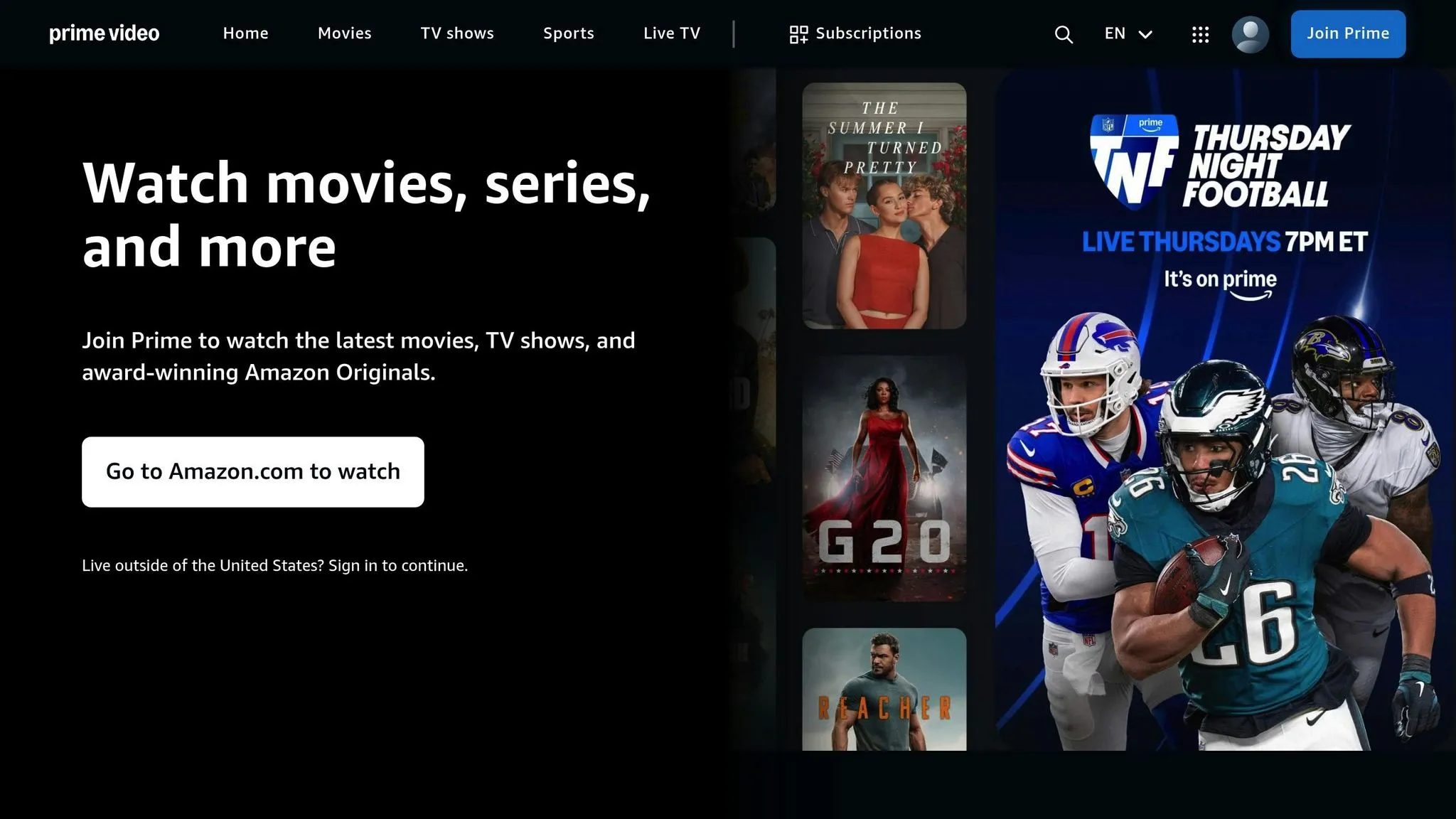
To scrape Amazon Prime Video effectively, it’s important to first understand how the platform organizes its content. The way data is structured on the site determines where information is located and how you can access it using Python scripts. Grasping this layout is key to efficiently finding and extracting the data you need.
Amazon Prime Video’s web interface is built using standard web technologies - HTML for structure, CSS for styling, and JavaScript for interactive features. Each movie or TV show page is layered with information, ranging from basic titles and descriptions to detailed metadata like cast lists and viewer ratings. The arrangement of these elements in HTML is what shapes your scraping strategy. With this understanding, let’s take a closer look at the specific data points you can extract.
Data Points You Can Extract
When scraping Amazon Prime Video, you’ll encounter a variety of data points that can provide valuable insights. The most basic element is the title of the movie or show, which serves as the main identifier for each piece of content. Alongside titles, you’ll find descriptions that summarize the plot, themes, and key story elements.
Another key data point is ratings, particularly IMDb ratings, which many viewers rely on to gauge content quality and popularity. These numerical values are useful for analysis and comparisons.
Genre information is another valuable data point, often used to filter or categorize content. While genres may not always be directly displayed, they can often be found in URL parameters or metadata. Other extractable details include release years, cast and crew information, content advisories, runtime, and availability in different regions.
For example, in November 2025, X-Byte demonstrated how to scrape Amazon Prime Video to extract information such as movie names, descriptions, and IMDb ratings for the comedy genre. They filtered movies with IMDb ratings between 8.0 and 10.0 and stored the results in a pandas DataFrame, saving it as a CSV file named ‘Comedy.csv’.
By combining these data points, you can create a detailed profile for each title. Scraping essentially transforms scattered HTML elements into a structured dataset, which becomes even more insightful when aggregated across multiple titles. This structured data can reveal trends in content strategy, audience preferences, and platform positioning.
HTML and CSS Structure Analysis
A solid understanding of Amazon Prime Video’s HTML and CSS structure is essential for scraping. The platform’s interface is built using nested HTML elements, each identified by specific tags, classes, and IDs. These identifiers are your guide to locating the data you need.
To analyze the structure, use browser developer tools (Inspect or F12) to view the HTML and CSS selectors. For instance, a movie title might be enclosed in an <h1> tag with a class like title-text, while a description could be inside a <div> with a class such as synopsis-content.
CSS selectors are your main tool for pinpointing elements during scraping. You can target elements by class names (e.g., .movie-rating), IDs (e.g., #content-description), or more complex selector chains that navigate through parent and child elements. The more precise your selectors, the more reliable your scraping script will be.
However, frequent interface updates can disrupt your scraping efforts. Class names and HTML structures may change without warning, potentially breaking your code. To address this, you’ll need to build flexibility into your selectors by using fallback options or targeting more stable structural patterns rather than relying on specific class names.
Another challenge is that the initial HTML often contains only a basic framework. The detailed content is dynamically loaded via JavaScript after the page loads. This dynamic loading requires special handling, which we’ll delve into further in the prerequisites section. Understanding these technical aspects is crucial for overcoming common scraping challenges.
Common Streaming Platform Obstacles
Scraping Amazon Prime Video isn’t without its challenges. The platform presents several technical hurdles that set it apart from simpler websites. Recognizing these obstacles will help you prepare for a more effective scraping process.
One of the biggest challenges is JavaScript-rendered content. The initial HTML response contains minimal information, with most data dynamically loaded by JavaScript after the page has loaded. This means that traditional HTTP requests won’t capture the full page data. Without accounting for this, your scraper will return incomplete or empty results.
Another significant hurdle is anti-bot protection systems. Amazon Prime Video, like many major platforms, uses measures to detect and block automated scraping. These systems analyze request patterns, headers, and browsing behavior to differentiate human users from bots. If your scraper triggers these protections, you could face rate limiting, CAPTCHA challenges, or even IP bans.
Rate limiting is another issue to consider. Sending too many requests in a short period can signal automated behavior, triggering protective responses. To avoid detection, you’ll need to pace your requests and mimic natural browsing patterns by introducing delays.
Session management adds another layer of complexity. Amazon Prime Video tracks user sessions through cookies and authentication tokens. While basic content information doesn’t require a login, session state still affects how data is displayed. Your scraper must handle cookies correctly and maintain consistent session information across requests.
Finally, geographic restrictions can complicate scraping efforts. Content availability varies by region, and the same URL may return different results depending on your IP address. This makes it more challenging to build comprehensive datasets that span multiple markets.
While these challenges may seem daunting, they’re manageable with the right approach. Handling JavaScript-rendered content, managing sessions, and respecting rate limits are all essential steps. By addressing these issues thoughtfully, you can create a scraper that works effectively while adhering to legal and ethical guidelines.
Prerequisites for Scraping Amazon Prime Video
Before diving into scraping Amazon Prime Video, it’s essential to set up the right tools and understand the technical groundwork. Knowing the data structure and meeting these requirements will make your scraping process smoother and ensure compliance with ethical standards.
Python Libraries You’ll Need
The tools you choose will depend on the complexity of your scraping task, as different libraries are designed for different purposes.
-
Requests: This is the simplest HTTP library for Python. It manages GET and POST requests, handles cookies, and allows you to send custom headers.
-
BeautifulSoup: Perfect for parsing HTML and extracting data using CSS selectors or tag names. It’s especially good at dealing with messy or poorly structured HTML. Pair it with lxml, a fast parser for XML and HTML, to improve performance.
-
Selenium: A popular choice for handling JavaScript-heavy platforms like Amazon Prime Video. It can control real browser instances (like Chrome or Firefox), execute JavaScript, and interact with dynamic content. It’s versatile and works across multiple programming languages.
-
Playwright: A newer alternative to Selenium, developed by Microsoft. It supports multiple browsers (Chromium, Firefox, WebKit) and offers faster performance in many cases. Playwright includes features like automatic waiting for elements, network interception, and better handling of modern web applications.
-
Pandas: Ideal for organizing scraped data into structured formats. You can use it to create DataFrames, manipulate data, and export results to formats like CSV or Excel.
For platforms like Amazon Prime Video, where most content is loaded dynamically, tools like Selenium or Playwright are essential for navigating and extracting data effectively.
Setting Up Custom Headers and User Agents
Amazon Prime Video employs anti-bot measures to detect and block automated scrapers. One of the primary ways it does this is by analyzing HTTP headers, particularly the User-Agent string. Properly configuring your headers can help you avoid detection.
-
User-Agent: This header identifies the browser and operating system making the request. By default, Python’s requests library sends a User-Agent that signals automated access. To avoid being flagged, use a recent and widely-used User-Agent string, such as:
"User-Agent": "Mozilla/5.0 (Windows NT 10.0; Win64; x64) AppleWebKit/537.36 (KHTML, like Gecko) Chrome/126.0.0.0 Safari/537.36". -
Referer: This tells the server where the request originated. For example, adding a Referer like
"Referer": "https://www.google.com/"can make your requests appear more legitimate. -
Other headers, like Accept-Language, Accept-Encoding, and Accept, are also important. These mimic a real browser’s behavior, making your requests appear more authentic.
For large-scale scraping, consider rotating your User-Agent strings. Maintain a list of current User-Agent values and randomly select one for each request to avoid detection. Pair this with rotating IP addresses via proxies for an added layer of protection.
Working with JavaScript-Rendered Content
Even with well-configured headers, scraping Amazon Prime Video requires handling dynamically loaded content. This is where headless browsers like Selenium and Playwright come into play.
Headless browsers simulate a real browser environment, allowing them to execute JavaScript and load content as a regular user’s browser would. Both Selenium and Playwright support headless operation, which improves performance by running without a visible window. You can also disable images or CSS to speed up page loading.
To ensure you capture all content, use effective waiting strategies. Both tools offer options to wait for specific elements, network activity, or a set time delay. The right strategy depends on how the page loads its data.
If you’re scraping multiple pages, consider using concurrency to run several tasks simultaneously. This approach speeds up the process but requires careful management to avoid overwhelming the server or triggering anti-bot systems.
Alternatively, managed web scraping services can handle many of these challenges for you. These services take care of JavaScript rendering, CAPTCHAs, and proxy management, allowing you to focus on extracting the data you need.
Legal and Ethical Guidelines
Scraping Amazon Prime Video isn’t just a technical challenge - it also involves navigating legal and ethical considerations. Ignoring these can lead to serious consequences.
Amazon’s Terms of Service explicitly prohibit automated data collection. Violating these terms can result in account suspension, IP bans, or even legal action. Even if you don’t need to log in to access certain data, you’re still bound by these terms when interacting with Amazon’s servers.
How you use the data you scrape is just as important. While collecting data for personal research or analysis is generally safer, using it for commercial purposes or republishing it can raise legal issues. Always handle user-generated content or personal information with care, even if it seems publicly available.
If your use case justifies scraping, minimize your impact by limiting request frequency, avoiding peak traffic times, and collecting only the data you need. Check if Amazon offers official APIs or data partnerships that could meet your needs without scraping.
In short, web scraping operates in a gray area. While scraping public data for personal use is often defensible, commercial applications require careful legal review. For serious projects, consult a legal expert familiar with data collection laws and intellectual property rights.
How to Scrape Amazon Prime Video: Step-by-Step
With the groundwork laid for handling dynamic content, it’s time to dive into the actual process of scraping Amazon Prime Video. Below, you’ll find a detailed guide, complete with code snippets, to help you extract data effectively.
Sending HTTP Requests
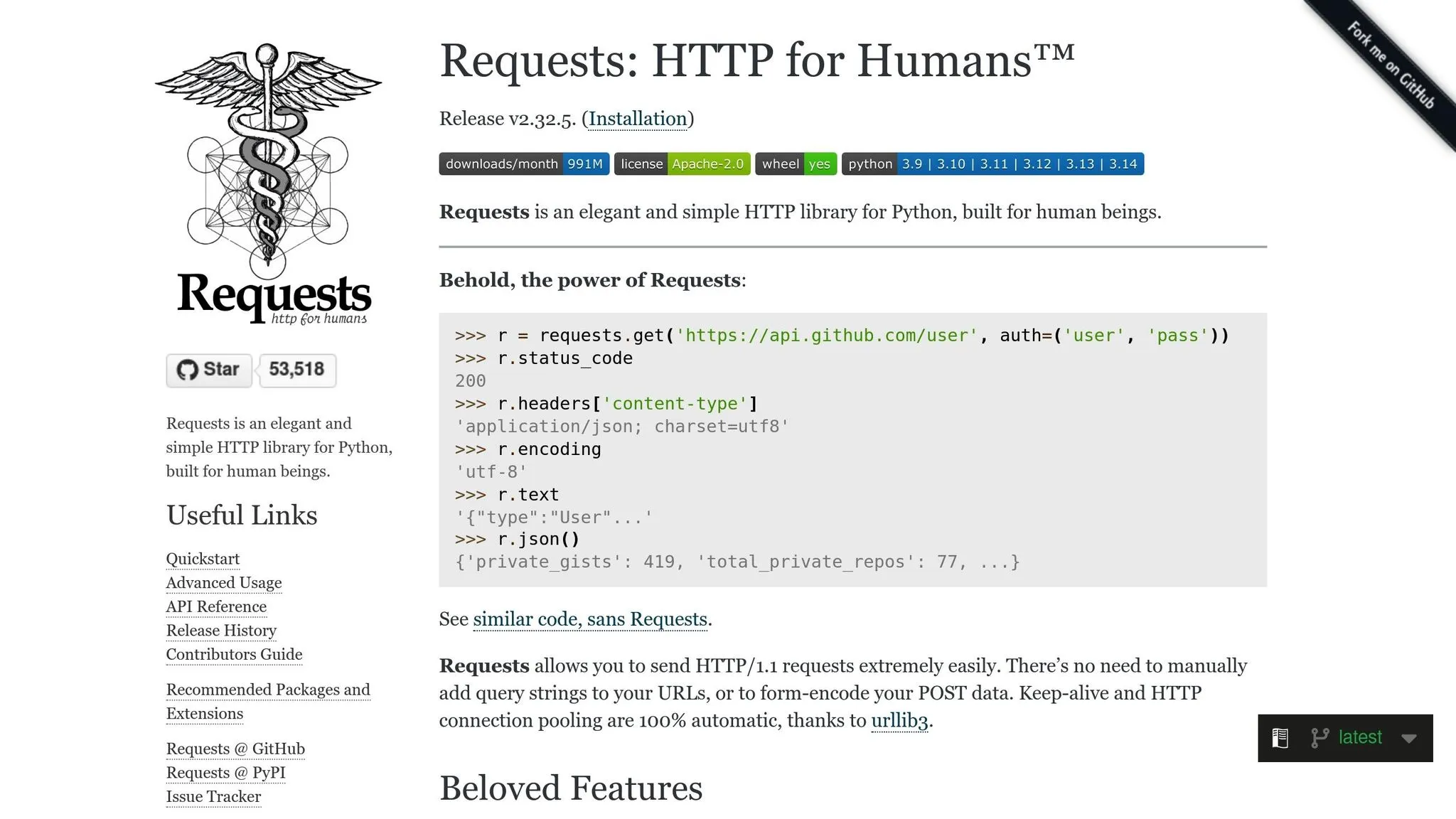
The first step in any web scraping project is fetching the HTML content from the target page. For Amazon Prime Video, you’ll need to send HTTP requests that mimic a real browser to avoid detection. Here’s how you can get started:
import requests

headers = {
    "User-Agent": "Mozilla/5.0 (Windows NT 10.0; Win64; x64) AppleWebKit/537.36 (KHTML, like Gecko) Chrome/126.0.0.0 Safari/537.36",
    "Accept": "text/html,application/xhtml+xml,application/xml;q=0.9,image/webp,*/*;q=0.8",
    "Accept-Language": "en-US,en;q=0.5",
    "Accept-Encoding": "gzip, deflate, br",
    "Referer": "https://www.google.com/",
    "Connection": "keep-alive"
}

url = "https://www.amazon.com/Prime-Video/b?node=2676882011"
response = requests.get(url, headers=headers)

if response.status_code == 200:
    print("Successfully retrieved the page")
    html_content = response.text
else:
    print(f"Failed to retrieve page. Status code: {response.status_code}")
However, since Amazon Prime Video relies heavily on dynamic content, you’ll need Selenium to handle JavaScript rendering. Here’s how you can set it up:
from selenium import webdriver
from selenium.webdriver.chrome.options import Options
from selenium.webdriver.common.by import By
from selenium.webdriver.support.ui import WebDriverWait
from selenium.webdriver.support import expected_conditions as EC

chrome_options = Options()
chrome_options.add_argument("--headless")
chrome_options.add_argument("--disable-blink-features=AutomationControlled")
chrome_options.add_argument("user-agent=Mozilla/5.0 (Windows NT 10.0; Win64; x64) AppleWebKit/537.36")

driver = webdriver.Chrome(options=chrome_options)
driver.get("https://www.amazon.com/Prime-Video/b?node=2676882011")

# Wait for the content to load
wait = WebDriverWait(driver, 10)
wait.until(EC.presence_of_element_located((By.CLASS_NAME, "av-card-title")))

html_content = driver.page_source
Parsing HTML with BeautifulSoup
Once you’ve retrieved the page’s HTML, BeautifulSoup can help extract specific elements. Start by creating a BeautifulSoup object:
from bs4 import BeautifulSoup

soup = BeautifulSoup(html_content, 'lxml')
Now, you can extract details such as titles, ratings, years, runtimes, and URLs from the video listings:
# Find all video cards on the page
video_cards = soup.find_all('div', class_='av-card')

movies_data = []

for card in video_cards:
    # Extract title
    title_element = card.find('span', class_='av-card-title')
    title = title_element.text.strip() if title_element else "N/A"

    # Extract rating
    rating_element = card.find('span', class_='av-badge-text')
    rating = rating_element.text.strip() if rating_element else "N/A"

    # Extract year
    year_element = card.find('span', class_='av-card-year')
    year = year_element.text.strip() if year_element else "N/A"

    # Extract runtime
    runtime_element = card.find('span', class_='av-card-runtime')
    runtime = runtime_element.text.strip() if runtime_element else "N/A"

    # Extract URL
    link_element = card.find('a', class_='av-card-link')
    url = "https://www.amazon.com" + link_element['href'] if link_element else "N/A"

    movies_data.append({
        'title': title,
        'rating': rating,
        'year': year,
        'runtime': runtime,
        'url': url
    })

print(f"Extracted {len(movies_data)} titles")
Remember to inspect the live page using your browser’s developer tools (F12) to confirm the current class names, as these may change over time.
Alternatively, you can use CSS selectors for more precise targeting:
titles = soup.select('div.av-card span.av-card-title')
for title in titles:
    print(title.text.strip())
Scraping Multiple Pages
To scrape multiple pages, identify the pagination pattern and loop through each page. Here’s an example:
base_url = "https://www.amazon.com/Prime-Video/b?node=2676882011&page={}"
all_movies = []

for page_num in range(1, 6):  # Scrape the first 5 pages
    print(f"Scraping page {page_num}...")

    url = base_url.format(page_num)
    driver.get(url)

    # Wait for the content to load
    wait.until(EC.presence_of_element_located((By.CLASS_NAME, "av-card-title")))

    # Insert a brief pause to avoid detection
    import time
    time.sleep(2)

    # Parse the page
    soup = BeautifulSoup(driver.page_source, 'lxml')
    video_cards = soup.find_all('div', class_='av-card')

    # Extract data from each card
    for card in video_cards:
        title_element = card.find('span', class_='av-card-title')
        if title_element:
            all_movies.append({
                'title': title_element.text.strip(),
                'page': page_num
            })

    print(f"Found {len(video_cards)} titles on page {page_num}")

print(f"Total titles scraped: {len(all_movies)}")
For infinite-scroll pages, simulate scrolling to load additional content:
from selenium.webdriver.common.keys import Keys
import time

driver.get("https://www.amazon.com/Prime-Video/b?node=2676882011")

last_height = driver.execute_script("return document.body.scrollHeight")

while True:
    # Scroll to the bottom of the page
    driver.execute_script("window.scrollTo(0, document.body.scrollHeight);")

    # Wait for new content to load
    time.sleep(3)

    # Calculate new scroll height
    new_height = driver.execute_script("return document.body.scrollHeight")

    # Break the loop if no new content has loaded
    if new_height == last_height:
        break
    last_height = new_height
Advanced Scraping Techniques and Best Practices
When scraping Amazon Prime Video, it’s crucial to focus solely on publicly available information and steer clear of private or identity-related data to avoid legal troubles.
Scraping Amazon Prime Video successfully requires a mix of advanced techniques to sidestep detection, maintain data quality, and stay within legal boundaries. Here’s how you can refine your scraping process while ensuring your methods remain effective and compliant.
Preventing Detection and Blocks
Amazon Prime Video uses robust anti-bot measures to detect and block automated scraping. To bypass these defenses, mimic human behavior carefully.
Rotating user agents is a key tactic. By cycling through a variety of realistic user agents, you can make your requests appear more like those of actual users. Here’s an example:
import random

user_agents = [
    "Mozilla/5.0 (Windows NT 10.0; Win64; x64) AppleWebKit/537.36 (KHTML, like Gecko) Chrome/126.0.0.0 Safari/537.36",
    "Mozilla/5.0 (Macintosh; Intel Mac OS X 10_15_7) AppleWebKit/537.36 (KHTML, like Gecko) Chrome/125.0.0.0 Safari/537.36",
    "Mozilla/5.0 (Windows NT 10.0; Win64; x64; rv:127.0) Gecko/20100101 Firefox/127.0",
    "Mozilla/5.0 (Macintosh; Intel Mac OS X 10_15_7) AppleWebKit/605.1.15 (KHTML, like Gecko) Version/17.5 Safari/605.1.15",
    "Mozilla/5.0 (X11; Linux x86_64) AppleWebKit/537.36 (KHTML, like Gecko) Chrome/126.0.0.0 Safari/537.36"
]

headers = {
    "User-Agent": random.choice(user_agents),
    "Accept": "text/html,application/xhtml+xml,application/xml;q=0.9,image/webp,*/*;q=0.8",
    "Accept-Language": "en-US,en;q=0.5",
    "Accept-Encoding": "gzip, deflate, br",
    "Connection": "keep-alive"
}
Proxy rotation adds another layer of anonymity by distributing requests across multiple IP addresses, making it harder for detection systems to flag your activity:
import requests

proxies = [
    {"http": "http://proxy1.example.com:8080", "https": "https://proxy1.example.com:8080"},
    {"http": "http://proxy2.example.com:8080", "https": "https://proxy2.example.com:8080"},
    {"http": "http://proxy3.example.com:8080", "https://proxy3.example.com:8080"}
]

proxy = random.choice(proxies)
response = requests.get(url, headers=headers, proxies=proxy, timeout=15)
Adding random delays between requests helps replicate natural browsing behavior. Delays of 2 to 5 seconds are recommended to make your activity seem organic:
import time
import random

def random_delay(min_seconds=2, max_seconds=5):
    time.sleep(random.uniform(min_seconds, max_seconds))

# Use between requests
for page in range(1, 10):
    driver.get(url)
    random_delay(3, 7)
    # Continue scraping
Advanced session management ensures consistency in your requests. By using the same session for multiple requests, your activity appears more authentic:
session = requests.Session()
session.headers.update(headers)

# First request establishes cookies
response1 = session.get("https://www.amazon.com/Prime-Video/b?node=2676882011")
time.sleep(3)

# Subsequent requests use the same session
response2 = session.get("https://www.amazon.com/Prime-Video/b?node=2676882011&page=2")
Browser fingerprinting protection addresses deeper anti-bot checks. Platforms often look beyond user agents to detect bots, so configuring tools like Selenium to avoid detection is essential:
from selenium import webdriver
from selenium.webdriver.chrome.options import Options

chrome_options = Options()
chrome_options.add_argument("--disable-blink-features=AutomationControlled")
chrome_options.add_experimental_option("excludeSwitches", ["enable-automation"])
chrome_options.add_experimental_option('useAutomationExtension', False)

driver = webdriver.Chrome(options=chrome_options)

# Override the navigator.webdriver property
driver.execute_script("Object.defineProperty(navigator, 'webdriver', {get: () => undefined})")
Rate limiting is not just about avoiding detection - it also prevents overwhelming the target website. Keep your requests to 10-20 per minute:
from time import time, sleep

class RateLimiter:
    def __init__(self, max_requests, time_window):
        self.max_requests = max_requests
        self.time_window = time_window
        self.requests = []

    def wait_if_needed(self):
        now = time()
        self.requests = [req for req in self.requests if now - req < self.time_window]

        if len(self.requests) >= self.max_requests:
            sleep_time = self.time_window - (now - self.requests[0])
            if sleep_time > 0:
                sleep(sleep_time)

        self.requests.append(now)

# Limit to 15 requests per 60 seconds
limiter = RateLimiter(max_requests=15, time_window=60)

for page in pages:
    limiter.wait_if_needed()
    response = session.get(page_url)
Using Managed Web Scraping Services
When manual strategies fall short, managed scraping services can step in. These services handle complex tasks like proxy rotation, error handling, and data validation, allowing you to focus on analysis.
For instance, Web Scraping HQ offers a Standard plan at $449 per month, which delivers structured data in JSON or CSV formats and includes automated quality checks. This plan is ideal for businesses looking to scrape Amazon Prime Video without worrying about maintaining infrastructure or adapting to anti-scraping measures.
For larger-scale needs, their Custom plan starts at $999 per month. It provides tailored solutions, fast deployment, and enterprise-level support, making it a great choice for companies requiring reliable, time-sensitive data extraction.
Ensuring Data Quality and Compliance
The value of your scraping efforts hinges on the accuracy and reliability of the data you collect. To ensure high-quality results, validate every piece of data during the extraction process while adhering to strict legal and ethical standards.
Field-level validation checks each data point for accuracy. For example, confirm that movie titles aren’t empty, ratings are within a valid range, and URLs are properly formatted:
def validate_movie_data(movie):
    errors = []

    # Title validation
    if not movie.get('title') or len(movie['title']) < 2:
        errors.append("Invalid or missing title")

    # Rating validation
    if movie.get('rating') and movie['rating'] != "N/A":
        try:
            rating = float(movie['rating'])
            if rating < 0 or rating > 10:
                errors.append("Rating out of valid range")
        except ValueError:
            errors.append("Invalid rating format")

    # URL validation
    if movie.get('url') and not movie['url'].startswith("http"):
        errors.append("Invalid URL format")

    return errors
Conclusion
Scraping Amazon Prime Video using Python is a blend of technical know-how and ethical responsibility. To succeed, you need to understand the platform’s data structure, use the right tools, and adhere to legal boundaries.
Grasping the intricacies of Amazon’s HTML and CSS structure is crucial. Since Amazon frequently updates its selectors and page layouts, your scripts will require ongoing adjustments to remain effective. The data you’re after - whether it’s movie titles, ratings, descriptions, or availability - often hides behind complex layers, requiring thorough analysis before diving into code.
Beyond the technical hurdles, legal and ethical considerations are equally critical. Sticking to publicly available information ensures you stay compliant with the law. Attempting to access private data or violating Amazon’s terms of service can lead to serious consequences, so it’s essential to tread carefully.
For those looking to extract large amounts of data without managing the technical overhead, managed scraping services can be a smart choice. These services handle the complexities of scraping, allowing you to focus on analyzing data and generating insights.
Whether you opt to build your own solution or rely on a managed service, success comes from combining technical expertise with ethical practices. This guide has outlined strategies like setting up proper headers, managing JavaScript-rendered content, and employing anti-detection techniques. These approaches provide a strong starting point for responsibly and effectively scraping Amazon Prime Video with Python while maintaining compliance and ensuring high-quality data.
Want this done for you?
Send us the URLs. We'll quote it in 24 hours.
Paste the URL(s) you want scraped. We'll reply within 24 hours with a feasibility check and a ballpark quote.