
Jump to section
- Setting Up Your Environment
- Required Tools and Libraries
- Installing Python and Libraries
- Finding Ticker Symbols and URLs
- Methods for Scraping Yahoo Finance Data
- Scraping Static Content with Requests and BeautifulSoup
- Using the yfinance Library for Historical Data
- Handling Dynamic Content with Selenium
- Extracting and Processing Financial Data
- Extracting Key Financial Metrics
- Cleaning and Structuring Data
- Exporting Data in U.S. Formats
- Best Practices and Advanced Techniques
- Best Practices for Scraping Yahoo Finance
- Legal Considerations and Additional Techniques
- Web Scraping HQ for Managed Services
- Conclusion
- Summary of Methods and Tools
- Legal Compliance Reminder
- Next Steps with Web Scraping HQ
Scraping data from Yahoo Finance lets you automate the collection of financial information like stock prices, trading volumes, and historical data. Here’s a quick guide:
-
What is Web Scraping? It’s a method to extract data from websites using tools or scripts.
-
Why Yahoo Finance? It provides extensive financial data like real-time quotes, historical prices, and company fundamentals - all in one place.
-
Legal and Ethical Considerations: Always check Yahoo’s Terms of Service and adhere to their guidelines to avoid legal issues.
-
Tools You’ll Need:
-
Python: Programming language for scripting.
-
Requests & BeautifulSoup: For static HTML scraping.
-
yfinance: Simplifies data retrieval.
-
Selenium: Handles dynamic, JavaScript-heavy content.
-
Pandas: Organizes and processes scraped data.
-
Quick Steps:
-
Install required Python libraries (
requests,beautifulsoup4,yfinance, etc.). -
Use yfinance for historical data or BeautifulSoup to parse static content.
-
For dynamic pages, use Selenium to interact with JavaScript-rendered elements.
-
Extract, clean, and structure data for analysis.
-
Follow ethical scraping practices: rate-limit requests, respect Yahoo’s robots.txt, and avoid overloading servers.
Legal Note: Scraping publicly accessible data is generally allowed but redistributing it could violate intellectual property laws. Always comply with Yahoo’s policies.
This guide covers setup, tools, and methods for efficient and compliant data scraping.
Setting Up Your Environment
Required Tools and Libraries
Before diving into scraping Yahoo Finance, you’ll need to set up a solid Python environment. Here’s a rundown of the key tools and libraries that will make your work smoother:
-
Python 3+: This is the backbone of your scraping setup. Python’s simplicity and extensive library support make it perfect for tasks like this.
-
Requests: This library handles communication between your script and Yahoo Finance’s servers. It sends HTTP GET requests to fetch raw HTML content from web pages, which is particularly handy for static content.
-
Beautiful Soup: Installed via the
beautifulsoup4package, this tool parses the HTML content retrieved byrequests. It lets you search through the HTML using intuitive methods, making it easy to locate data like stock prices or trading volumes. For example, you can target elements by their tags, classes, or attributes - no need to wrestle with complex regular expressions. -
yfinance: Unlike the manual parsing approach, this library provides direct access to Yahoo Finance’s data through a Python interface. It’s designed for fetching financial metrics, historical prices, and company information. According to its GitHub page, yfinance is “intended for research and educational purposes” and is not officially affiliated with Yahoo. It simplifies tasks like retrieving data for single or multiple tickers.
-
Selenium: For pages that rely heavily on JavaScript to load content, Selenium is your go-to. It programmatically controls a web browser, allowing you to render and scrape dynamic content.
-
webdriver-manager: This works with Selenium to manage browser drivers automatically, sparing you the hassle of manual downloads and updates.
-
Pandas: Once you’ve extracted financial data, Pandas helps you organize and analyze it. It structures data into DataFrames, making it easy to clean, perform calculations, or export to CSV with proper U.S. formatting (commas for thousands, periods for decimals).
Installing Python and Libraries
Setting up your environment correctly from the start can save you a lot of headaches later on. First, ensure you have Python 3 or higher installed by running python --version or python3 --version in your terminal. If it’s not installed, download the latest version from python.org.
To keep your dependencies organized, create a virtual environment. Navigate to your project directory and run:
python -m venv yahoo_scraper_envActivate the environment with:
-
Windows:
yahoo_scraper_env\Scripts\activate -
macOS/Linux:
source yahoo_scraper_env/bin/activate
With the virtual environment active, install the necessary libraries using pip:
pip install requests beautifulsoup4 pandasIf you’re using yfinance for a simpler data retrieval process, add:
pip install yfinanceFor dynamic content scraping with Selenium, install:
pip install selenium webdriver-managerTo confirm everything is installed correctly, open a Python session and try importing each library:
import requests
import bs4
import pandas
import yfinance
import selenium  # Only if using Selenium
If no errors pop up, you’re good to go!
Finding Ticker Symbols and URLs
Each asset on Yahoo Finance is identified by a ticker symbol, such as “AAPL” for Apple, “AMZN” for Amazon, or “TSLA” for Tesla. To find a ticker, use the search tool on Yahoo Finance’s homepage (finance.yahoo.com). You can search for stocks, ETFs, indices, commodities, mutual funds, and even cryptocurrencies. For preferred stocks, the ticker includes “-P” with a suffix. For example, “BAC-PL” represents a Bank of America preferred stock.
Once you have a ticker, access its quote page using this URL format:
https://finance.yahoo.com/quote/{ticker_symbol}For example, Amazon’s page would be:
https://finance.yahoo.com/quote/AMZNYahoo Finance also organizes data under specific paths. For instance:
-
News articles: Append
/newsto the URL, likehttps://finance.yahoo.com/quote/NVDA/newsfor NVIDIA. -
Historical data: Use the JSON API, formatted like this:
https://query2.finance.yahoo.com/v8/finance/chart/{ticker}?period1={timestamp1}&period2={timestamp2}&interval=1dHere, timestamp1 and timestamp2 represent Unix epoch times for your desired date range.
To scrape multiple stocks, create a Python list of ticker symbols, such as:
tickers = ["AAPL", "MSFT", "GOOG", "AMZN"]Then, iterate through the list to dynamically construct URLs. Before writing your scraping code, open your browser’s developer tools (F12) and inspect the page structure. Look for unique identifiers like data-test or data-field attributes in the HTML. These will help you locate specific data points when working with BeautifulSoup.
Methods for Scraping Yahoo Finance Data
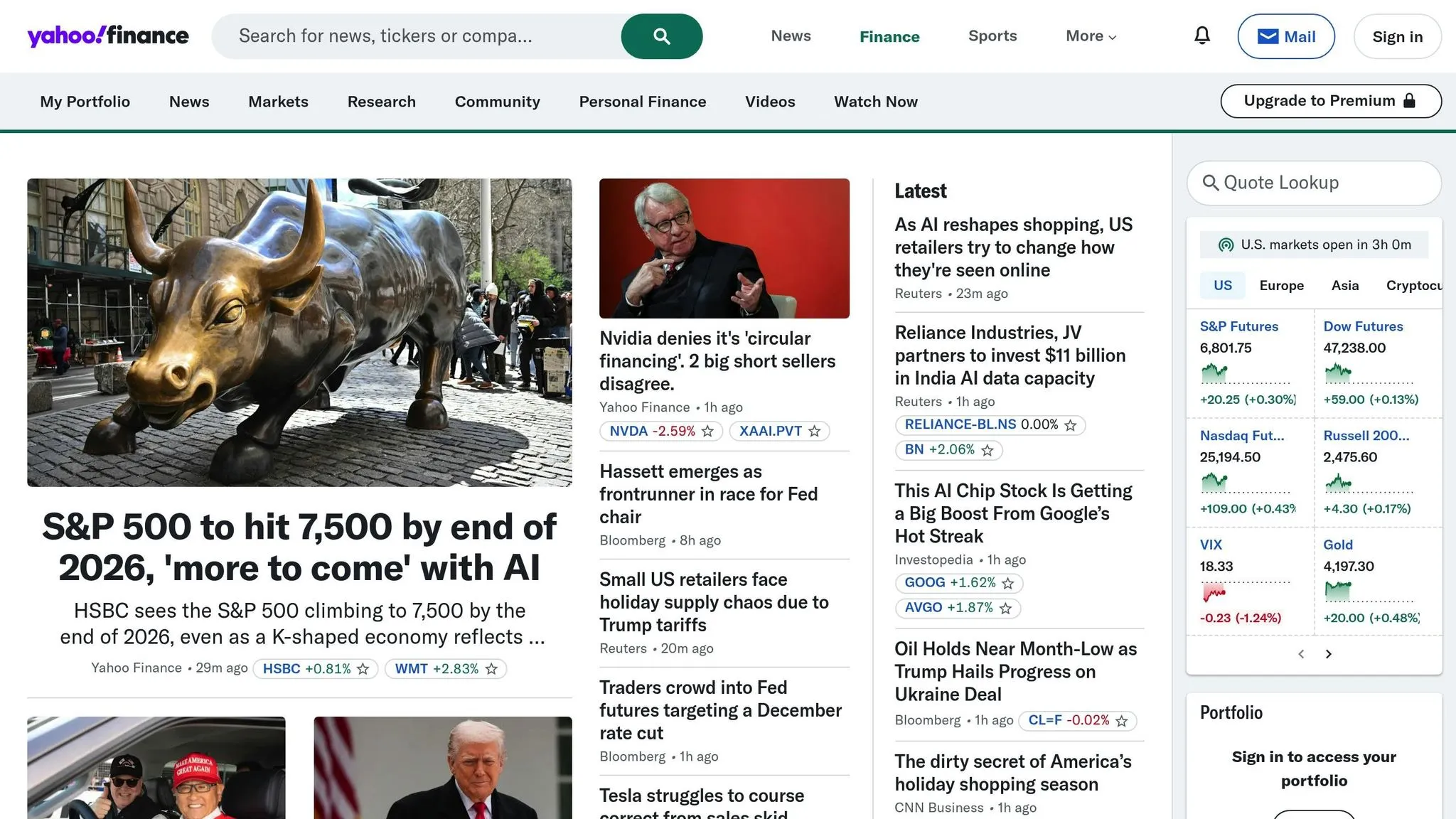
With your environment set up, it’s time to dive into the different ways you can scrape data from Yahoo Finance. Each method has its own advantages, and the best choice depends on the type of data you need and how it’s displayed on the webpage.
Scraping Static Content with Requests and BeautifulSoup
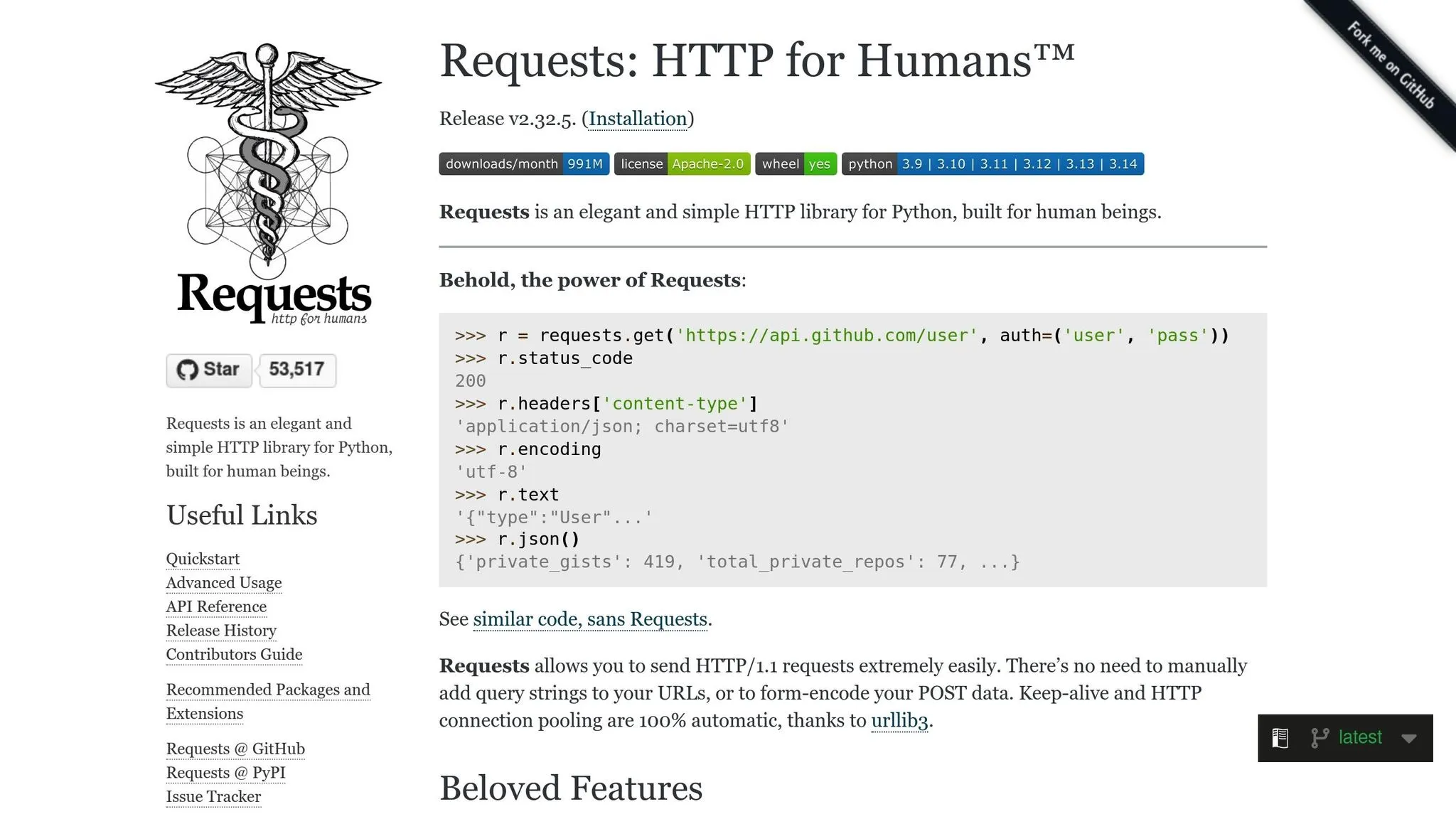
Using the combination of requests and BeautifulSoup, you can scrape static HTML content directly from Yahoo Finance. This method works well for data that doesn’t rely on JavaScript to load.
Start by importing the necessary libraries and making a simple HTTP GET request to fetch the page’s raw HTML:
import requests
from bs4 import BeautifulSoup

url = "https://finance.yahoo.com/quote/AAPL"
response = requests.get(url)
html_content = response.text
After fetching the HTML, parse it into a BeautifulSoup object:
soup = BeautifulSoup(html_content, 'html.parser')The trick to effective scraping is understanding the page’s HTML structure. Use your browser’s developer tools (press F12) to inspect the elements containing the data you want, such as tags, classes, or attributes. Yahoo Finance often uses attributes like data-test or data-field to identify specific elements.
For instance, to extract the current stock price, you might look for a fin-streamer tag with a specific data-field attribute:
price_element = soup.find('fin-streamer', {'data-field': 'regularMarketPrice'})
current_price = price_element.text if price_element else "N/A"
print(f"Current Price: ${current_price}")
Similarly, you can extract other data points like the company name, market cap, or P/E ratio by locating their respective HTML tags:
company_name = soup.find('h1', class_='svelte-3a2v0c').text
market_cap = soup.find('fin-streamer', {'data-field': 'marketCap'}).text
pe_ratio = soup.find('td', {'data-test': 'PE_RATIO-value'}).text
Because the HTML structure can change unexpectedly, it’s a good idea to include error handling for missing elements:
try:
    price = soup.find('fin-streamer', {'data-field': 'regularMarketPrice'}).text
except AttributeError:
    price = "Data not found"
If you’re scraping data for multiple stocks, loop through a list of tickers and dynamically construct their URLs. Add a small delay between requests to avoid overwhelming Yahoo’s servers:
import time

tickers = ["AAPL", "MSFT", "GOOGL"]
for ticker in tickers:
    url = f"https://finance.yahoo.com/quote/{ticker}"
    response = requests.get(url)
    soup = BeautifulSoup(response.text, 'html.parser')
    # Extract data here
    time.sleep(2)  # Pause for 2 seconds
Using the yfinance Library for Historical Data
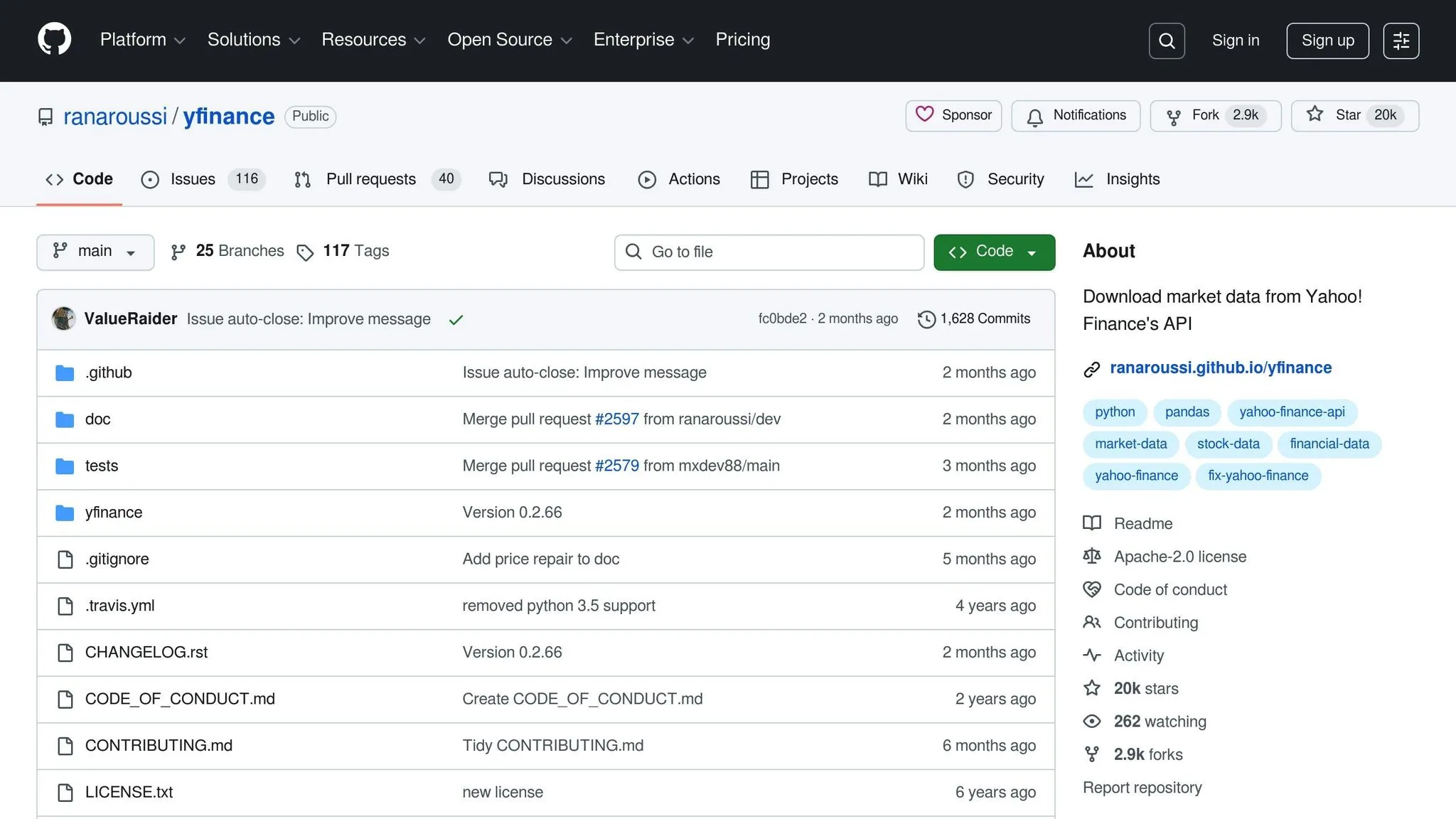
The yfinance library simplifies the process of retrieving historical data from Yahoo Finance. Unlike manual HTML parsing, yfinance offers a clean Python interface that outputs data in Pandas DataFrames, making it perfect for analysis.
Although Yahoo Finance officially discontinued its API in 2017, yfinance works by reverse-engineering Yahoo’s publicly available data sources. However, it’s worth noting that yfinance is not officially affiliated with Yahoo and may stop working if Yahoo changes its data structure.
To get started, import yfinance and create a Ticker object for the stock you’re interested in:
import yfinance as yf

meta = yf.Ticker("META")
You can fetch historical data using the .history() method. For example, to retrieve the maximum available data:
data = meta.history(period="max")
print(data.head())
For shorter timeframes, you can specify a period like “1mo” for one month:
apple = yf.Ticker("AAPL")
data = apple.history(period="1mo")
If you need data for a custom date range, provide start and end parameters:
import datetime

start_date = datetime.datetime(2019, 5, 31)
end_date = datetime.datetime(2024, 5, 31)
amazon = yf.Ticker("AMZN")
historical_data = amazon.history(start=start_date, end=end_date)
The resulting DataFrame includes columns like Open, High, Low, Close, Volume, and more. Beyond historical prices, yfinance can also retrieve detailed company information:
# Get company info
info = meta.info
print(f"Market Cap: ${info['marketCap']:,}")
print(f"P/E Ratio: {info['trailingPE']:.2f}")

# Get financial statements
income_stmt = meta.financials
balance_sheet = meta.balance_sheet
cash_flow = meta.cashflow
For scraping data across multiple stocks, pass a list of tickers to the download() function:
tickers_list = ["AAPL", "MSFT", "GOOGL", "AMZN"]
data = yf.download(tickers_list, start="2024-01-01", end="2024-12-31")
This method is faster than making individual requests and ensures data alignment across all stocks.
Handling Dynamic Content with Selenium
Some Yahoo Finance pages use JavaScript to load data dynamically, meaning the information isn’t present in the initial HTML response. In these cases, static scraping methods like BeautifulSoup won’t work, but Selenium can handle it.
Selenium acts as a real web browser, executing JavaScript and rendering pages as a user would. While slower than other methods, it’s the most reliable option for dynamic content.
Start by setting up Selenium with a WebDriver. Use webdriver-manager for automatic driver management:
from selenium import webdriver
from selenium.webdriver.chrome.service import Service
from webdriver_manager.chrome import ChromeDriverManager
from selenium.webdriver.common.by import By
from selenium.webdriver.support.ui import WebDriverWait
from selenium.webdriver.support import expected_conditions as EC

driver = webdriver.Chrome(service=Service(ChromeDriverManager().install()))
Navigate to the desired Yahoo Finance page and wait for the dynamic content to load:
url = "https://finance.yahoo.com/quote/NVDA"
driver.get(url)

# Wait for the price element to appear
wait = WebDriverWait(driver, 10)
price_element = wait.until(
    EC.presence_of_element_located((By.CSS_SELECTOR, 'fin-streamer[data-field="regularMarketPrice"]'))
)
current_price = price_element.text
print(f"NVIDIA Price: ${current_price}")
Selenium can also handle actions like scrolling or clicking to load additional data:
# Scroll down to load more content
driver.execute_script("window.scrollTo(0, document.body.scrollHeight);")
time.sleep(3)  # Wait for content to load

# Click a tab to reveal more data
tab = driver.find_element(By.LINK_TEXT, "Statistics")
tab.click()
time.sleep(2)
When using Selenium, mimic human browsing behavior by adding delays between actions to reduce the risk of being blocked by Yahoo Finance’s servers.
Extracting and Processing Financial Data
Once you’ve scraped data from Yahoo Finance, the next step is transforming that raw information into a structured format suitable for analysis. This involves pulling out specific metrics, cleaning inconsistencies, and formatting everything to align with U.S. standards.
Extracting Key Financial Metrics
Using the scraping techniques discussed earlier, focus on extracting only the most essential financial metrics. These include stock prices, previous close, volume, and market capitalization. Here’s an example of how you can achieve this:
import requests
from bs4 import BeautifulSoup

url = "https://finance.yahoo.com/quote/TSLA"
response = requests.get(url)
soup = BeautifulSoup(response.text, 'html.parser')

# Extract multiple metrics at once
metrics = {}
metrics['current_price'] = soup.find('fin-streamer', {'data-field': 'regularMarketPrice'}).text
metrics['previous_close'] = soup.find('fin-streamer', {'data-field': 'regularMarketPreviousClose'}).text
metrics['volume'] = soup.find('fin-streamer', {'data-field': 'regularMarketVolume'}).text
metrics['market_cap'] = soup.find('fin-streamer', {'data-field': 'marketCap'}).text

print(metrics)
Scraped data often comes in shorthand formats, like “1.23T” for trillions or “456.78B” for billions, and volume figures may include commas. To make this data usable, you can parse these strings into numeric values:
def parse_market_cap(cap_string):
    """Convert market cap string to numeric value."""
    cap_string = cap_string.strip()
    if cap_string.endswith('T'):
        return float(cap_string[:-1]) * 1_000_000_000_000
    elif cap_string.endswith('B'):
        return float(cap_string[:-1]) * 1_000_000_000
    elif cap_string.endswith('M'):
        return float(cap_string[:-1]) * 1_000_000
    return float(cap_string.replace(',', ''))

def parse_volume(volume_string):
    """Remove commas from volume numbers."""
    return int(volume_string.replace(',', ''))

# Apply parsing functions
metrics['market_cap_numeric'] = parse_market_cap(metrics['market_cap'])
metrics['volume_numeric'] = parse_volume(metrics['volume'])
Alternatively, when using Python’s yfinance library, the data is already structured in a Pandas DataFrame, which simplifies the process:
import yfinance as yf

ticker = yf.Ticker("JPM")
hist = ticker.history(period="1mo")

# Extract specific columns
closing_prices = hist['Close']
trading_volumes = hist['Volume']
high_prices = hist['High']
low_prices = hist['Low']

# Calculate additional metrics
daily_returns = hist['Close'].pct_change()
average_volume = hist['Volume'].mean()
price_range = hist['High'] - hist['Low']
For more detailed insights, pull data directly from company financial statements:
ticker = yf.Ticker("AAPL")
info = ticker.info

# Extract key financial metrics
financial_data = {
    'company_name': info.get('longName', 'N/A'),
    'sector': info.get('sector', 'N/A'),
    'market_cap': info.get('marketCap', 0),
    'pe_ratio': info.get('trailingPE', 0),
    'dividend_yield': info.get('dividendYield', 0),
    'profit_margin': info.get('profitMargins', 0),
    'revenue': info.get('totalRevenue', 0),
    'earnings_per_share': info.get('trailingEps', 0)
}
Once you’ve gathered the necessary metrics, it’s time to clean and organize your dataset.
Cleaning and Structuring Data
Raw data from Yahoo Finance often has inconsistencies or missing values, so cleaning and standardizing it is crucial before analysis.
First, handle missing or null values:
import pandas as pd
import numpy as np

# Create DataFrame from scraped data
df = pd.DataFrame([financial_data])

# Check for missing values
print(df.isnull().sum())

# Replace missing numeric values with NaN
df['pe_ratio'] = df['pe_ratio'].replace(0, np.nan)

# Fill missing string values
df['sector'] = df['sector'].fillna('Unknown')
For historical data, you might encounter duplicate entries or gaps from non-trading days. Address these issues as follows:
# Remove duplicate rows
hist = hist[~hist.index.duplicated(keep='first')]

# Remove rows with all NaN values
hist = hist.dropna(how='all')

# Forward fill missing values
hist = hist.fillna(method='ffill')
Ensure your data types are correct, as scraped data often comes as strings:
# Convert string prices to float
df['current_price'] = pd.to_numeric(df['current_price'], errors='coerce')

# Convert volume to integer
df['volume'] = pd.to_numeric(df['volume'], errors='coerce').astype('Int64')

# Convert percentage strings to decimals
if 'change_percent' in df.columns:
    df['change_percent'] = df['change_percent'].str.rstrip('%').astype('float') / 100
If you’re working with multiple stocks, compile their data into a single DataFrame:
all_stocks = []

tickers = ['AAPL', 'MSFT', 'GOOGL', 'AMZN']
for ticker_symbol in tickers:
    ticker = yf.Ticker(ticker_symbol)
    info = ticker.info

    stock_data = {
        'ticker': ticker_symbol,
        'company': info.get('longName', 'N/A'),
        'price': info.get('currentPrice', 0),
        'market_cap': info.get('marketCap', 0),
        'pe_ratio': info.get('trailingPE', 0),
        'volume': info.get('volume', 0)
    }
    all_stocks.append(stock_data)

# Create unified DataFrame
stocks_df = pd.DataFrame(all_stocks)
For time series data, ensure the date index is properly formatted:
# Reset index to convert the date index to a column
hist_reset = hist.reset_index()

# Ensure the date column is datetime type
hist_reset['Date'] = pd.to_datetime(hist_reset['Date'])

# Sort by date
hist_reset = hist_reset.sort_values('Date')
Exporting Data in U.S. Formats
After cleaning and structuring your data, export it in formats that align with U.S. standards. Start by exporting the cleaned DataFrame as a CSV file:
# Basic CSV export for current stock data
stocks_df.to_csv('yahoo_finance_data.csv', index=False)
For historical data, ensure dates are formatted as MM/DD/YYYY:
# Export historical data with U.S. date format
hist_reset['Date'] = hist_reset['Date'].dt.strftime('%m/%d/%Y')
hist_reset.to_csv('historical_prices.csv', index=False)
Finally, format currency values with dollar signs and commas for readability:
# Format currency values
stocks_df['price_formatted'] = stocks_df['price'].apply(lambda x: f"${x:,.2f}")
stocks_df['market_cap_formatted'] = stocks_df['market_cap'].apply(lambda x: f"${x:,.2f}")
These steps ensure your data is clean, standardized, and ready for analysis or reporting.
Best Practices and Advanced Techniques
Scraping data from Yahoo Finance can be incredibly useful, but it’s important to do it responsibly and efficiently while staying within legal boundaries. Below, we’ll explore strategies and techniques to help you extract data effectively.
Best Practices for Scraping Yahoo Finance
When you’re scraping Yahoo Finance, it’s crucial to follow best practices to ensure smooth operations and avoid being blocked. One of the most important steps is to control your request rate. Sending too many requests too quickly can trigger Yahoo’s automated defenses, potentially blocking your IP address.
Here’s how you can implement rate limiting by adding delays between requests:
import time
import requests
from bs4 import BeautifulSoup

tickers = ['AAPL', 'MSFT', 'GOOGL', 'AMZN', 'TSLA']

for ticker in tickers:
    url = f"https://finance.yahoo.com/quote/{ticker}"
    response = requests.get(url)

    soup = BeautifulSoup(response.text, 'html.parser')
    time.sleep(2)  # Add a 2-second delay between requests
For scenarios where requests fail, consider using exponential backoff, which increases wait times after each failed attempt. This method helps manage retries without overwhelming the server:
import time
import requests

def fetch_with_backoff(url, max_retries=5):
    """Fetch URL with exponential backoff on failure."""
    for attempt in range(max_retries):
        try:
            response = requests.get(url, timeout=10)
            if response.status_code == 200:
                return response
            elif response.status_code == 429:  # Too many requests
                wait_time = (2 ** attempt) + 1
                time.sleep(wait_time)
        except requests.exceptions.RequestException as e:
            print(f"Attempt {attempt + 1} failed: {e}")
            time.sleep(2 ** attempt)

    return None
Efficient session management is another key practice. Using a session object and rotating user-agent strings can help mimic different browsers, making your scraper less likely to be detected:
import random
import requests

user_agents = [
    'Mozilla/5.0 (Windows NT 10.0; Win64; x64) AppleWebKit/537.36 (KHTML, like Gecko) Chrome/120.0.0.0 Safari/537.36',
    'Mozilla/5.0 (Macintosh; Intel Mac OS X 10_15_7) AppleWebKit/537.36 (KHTML, like Gecko) Chrome/120.0.0.0 Safari/537.36',
    'Mozilla/5.0 (Windows NT 10.0; Win64; x64; rv:121.0) Gecko/20100101 Firefox/121.0',
    'Mozilla/5.0 (Macintosh; Intel Mac OS X 10_15_7) AppleWebKit/605.1.15 (KHTML, like Gecko) Version/17.1 Safari/605.1.15'
]

session = requests.Session()
session.headers.update({
    'User-Agent': random.choice(user_agents),
    'Accept': 'text/html,application/xhtml+xml,application/xml;q=0.9,*/*;q=0.8',
    'Accept-Language': 'en-US,en;q=0.5',
    'Accept-Encoding': 'gzip, deflate',
    'Connection': 'keep-alive',
})

for ticker in ['AAPL', 'MSFT', 'GOOGL']:
    url = f"https://finance.yahoo.com/quote/{ticker}"
    response = session.get(url)
    time.sleep(2)
Adding proper error handling ensures your scraper can handle unexpected issues without crashing. For example, you can log errors and handle specific exceptions:
import logging
from bs4 import BeautifulSoup
import requests

logging.basicConfig(level=logging.INFO, format='%(asctime)s - %(levelname)s - %(message)s')

def safe_scrape_ticker(ticker):
    """Scrape ticker data with comprehensive error handling."""
    try:
        url = f"https://finance.yahoo.com/quote/{ticker}"
        response = requests.get(url, timeout=10)
        response.raise_for_status()

        soup = BeautifulSoup(response.text, 'html.parser')
        price = soup.find('fin-streamer', {'data-field': 'regularMarketPrice'})

        if price:
            logging.info(f"Successfully scraped {ticker}: ${price.text}")
            return price.text
        else:
            logging.warning(f"Price element not found for {ticker}")
            return None

    except requests.exceptions.Timeout:
        logging.error(f"Timeout error for {ticker}")
    except requests.exceptions.HTTPError as e:
        logging.error(f"HTTP error for {ticker}: {e}")
    except Exception as e:
        logging.error(f"Unexpected error for {ticker}: {e}")

    return None
Legal Considerations and Additional Techniques
Before scraping, always check Yahoo Finance’s robots.txt file to understand what is allowed. For example:
from urllib.robotparser import RobotFileParser

rp = RobotFileParser()
rp.set_url("https://finance.yahoo.com/robots.txt")
rp.read()

url = "https://finance.yahoo.com/quote/AAPL"
if rp.can_fetch("*", url):
    print("Scraping is allowed")
else:
    print("Scraping may be restricted")
If you’re working on a large-scale project, using proxies can help distribute requests across different IPs, reducing the risk of being blocked:
proxies = {
    'http': 'http://proxy1.example.com:8080',
    'https': 'http://proxy1.example.com:8080',
}

response = requests.get(url, proxies=proxies)
Lastly, caching your results can save time and reduce redundant requests. By storing previously scraped data, you can avoid repeatedly fetching the same information:
import json
import os
from datetime import datetime, timedelta

def get_cached_data(ticker, cache_hours=1):
    """Retrieve cached data if it's fresh enough."""
    cache_file = f"cache/{ticker}.json"

    if os.path.exists(cache_file):
        with open(cache_file, 'r') as f:
            cached = json.load(f)
            cache_time = datetime.fromisoformat(cached['timestamp'])

            if datetime.now() - cache_time < timedelta(hours=cache_hours):
                return cached['data']

    return None

def save_to_cache(ticker, data):
    """Save scraped data to cache."""
    os.makedirs('cache', exist_ok=True)
    cache_file = f"cache/{ticker}.json"

    with open(cache_file, 'w') as f:
        json.dump({
            'timestamp': datetime.now().isoformat(),
            'data': data
        }, f)
Web Scraping HQ for Managed Services
If managing these techniques feels overwhelming, platforms like Web Scraping HQ can simplify the process. They offer managed services that handle everything - from setup to ongoing data extraction and monitoring. This can be a great solution for businesses needing large-scale, reliable financial data without the hassle of maintaining infrastructure. These services ensure compliance and save you from dealing with the technical complexities of web scraping.
Conclusion
Summary of Methods and Tools
Scraping data from Yahoo Finance can unlock valuable insights for financial analysis. This guide has outlined several effective methods tailored to different needs and expertise levels.
The yfinance library is an excellent starting point for Python users. It connects to Yahoo Finance’s unofficial API, allowing you to retrieve historical prices, company financials, key metrics, options data, and news - all without the hassle of HTML parsing. It’s a quick and efficient tool for clean, structured data.
For scenarios where yfinance falls short, requests and BeautifulSoup offer a more hands-on approach for scraping static HTML content. If you’re dealing with dynamic elements, like JavaScript-driven price updates or interactive charts, Selenium is the go-to tool. It uses a real browser to render pages, enabling you to interact with and extract data that only appears after JavaScript execution.
To summarize: start with yfinance for standard datasets, switch to requests and BeautifulSoup for custom static content, and rely on Selenium when dynamic content requires it. Together, these tools provide a solid foundation for extracting financial data.
Legal Compliance Reminder
Before you begin scraping, review Yahoo Finance’s robots.txt file and Terms of Service. These documents outline the site’s guidelines for scraping activity.
Be mindful of rate limits and adopt conservative crawling practices, including randomized intervals, to simulate regular user behavior. Only scrape the data you truly need and ensure your activities don’t strain Yahoo’s servers.
While accessing publicly available data is generally acceptable, how you use that data matters. Commercial use, redistribution, or any action that violates Yahoo’s Terms of Service could result in legal consequences. If you’re developing a product or service based on Yahoo Finance data, it’s wise to consult a legal expert.
Always verify the accuracy of your scraped data before making decisions or sharing insights. If you publish analysis based on the data, be transparent about your sources.
Next Steps with Web Scraping HQ
Once you’ve selected your tools, decide whether to build your own scraper or use a managed service for scalability. Handling IP rotation, CAPTCHA challenges, and JavaScript-rendered content can be tricky. Managed services like Web Scraping HQ simplify this process, allowing you to focus on analyzing the data.
Web Scraping HQ provides structured data in formats like JSON or CSV, along with automated quality checks and compliance monitoring. Their Standard plan starts at $449/month, while Custom plans (from $999/month) offer tailored solutions, enterprise-grade SLAs, and priority support. For many, outsourcing scraping infrastructure proves more efficient and cost-effective than building it in-house.
Whether you choose to build your own scraper or rely on a managed service, begin with clear goals for the financial data you need and how you plan to use it. By applying these methods thoughtfully, you can elevate your financial analysis while staying compliant.
Want this done for you?
Send us the URLs. We'll quote it in 24 hours.
Paste the URL(s) you want scraped. We'll reply within 24 hours with a feasibility check and a ballpark quote.