Jump to section
- Tools and APIs for Google Lens Exact Matches Scraping
- Available Scraping Tools and APIs
- Feature Comparison and U.S. Localization Support
- How to Scrape Google Lens Exact Matches: Step-by-Step Guide
- Environment Setup and API Key Configuration
- Building API Requests for Exact Matches
- Data Processing and Storage Methods
- Google Lens Visual Matches Scraping Methods
- Exact Matches vs. Visual Matches: Key Differences
- Tailoring Visual Matches Data for U.S. Markets
- Web Scraping HQ Managed Services for Google Lens Data
- Web Scraping HQ Platform Features
- Business Benefits of Managed Scraping Services
- Standard vs. Custom Plans: Pricing and Features
- Conclusion
Scraping Google Lens exact matches involves extracting data about identical images or products using advanced computer vision algorithms. This data is useful for tasks like product identification, inventory tracking, and market analysis. However, scraping Google Lens data comes with challenges, including legal considerations, API limitations, and technical complexities. Here’s a quick summary of the process:
-
What are Exact Matches? Identical images or products identified by Google Lens based on unique visual characteristics like shape, color, and texture.
-
Use Cases: E-commerce (monitoring listings, pricing trends), market research (tracking product availability), brand protection (detecting counterfeit items), and inventory management.
-
Legal Considerations: Always review terms of service, respect intellectual property, and ensure compliance with local laws.
-
Tools and APIs: Use scraping tools with features like structured JSON/CSV output, localization for U.S. markets, and automation options.
-
Step-by-Step Process:
-
Set up your environment (API key, Python tools like
requestsandpandas). -
Build API requests with parameters for exact matches (
type=exact_matches) and localization (country=US). -
Process and store data in formats like CSV or JSON for analysis.
-
For businesses, managed services like Web Scraping HQ can simplify the process, offering structured data delivery and expert support. Plans start at $449/month for standard solutions or $999+ for custom needs. Whether you build in-house or use managed services, ensure compliance and focus on extracting actionable insights from the data.
Tools and APIs for Google Lens Exact Matches Scraping
Extracting exact match data from Google Lens can be a complex task, but there are tools and APIs designed to make the process easier for developers and businesses. These solutions handle the technical challenges of working with Google’s systems, such as managing request headers, rate limits, and parsing data effectively.
Available Scraping Tools and APIs
The best scraping tools for Google Lens offer APIs that streamline tasks like uploading images or conducting URL-based searches. They typically provide clean, structured outputs in formats like JSON or CSV, making it easy to integrate the data into your applications. With clear documentation and example code, these tools allow for quick and straightforward integration. Many of them also include automation options for one-time scrapes or scheduled extractions, saving time and effort.
By handling the complexities of interacting with Google Lens, these tools free you up to focus on using the data for purposes like competitive analysis, market research, or other strategic insights. For businesses operating in the U.S., it’s especially important to choose tools that support local data formats and regional targeting.
Feature Comparison and U.S. Localization Support
When selecting a scraping tool for U.S.-based operations, it’s essential to evaluate features that ensure seamless data integration and localization. Here are some key aspects to consider:
-
Geographic Targeting Capabilities
Look for tools that allow precise targeting, not just at the country level but also down to states or cities. This ensures the data reflects regional details like local market trends, pricing differences, and product availability. -
Currency and Measurement Handling
The ability to automatically format prices in U.S. dollars (e.g., $1,299.99) and convert metric units to imperial measurements is crucial. Tools should also adhere to U.S. date and time formats, such as MM/DD/YYYY, for smooth integration with other locally formatted datasets. -
Data Output Quality
High-quality tools often include data cleaning and validation features, ensuring the extracted information is consistent and accurate. This is particularly important for exact match queries, where precision is critical. -
Response Time and Reliability
Fast response times and consistent uptime are essential for tools integrated into operational workflows. Choose solutions that deliver reliable performance to ensure efficient and uninterrupted data extraction.
These tools, combined with their localization features, set the stage for the detailed step-by-step process of scraping exact matches, which will be discussed in the next section.
How to Scrape Google Lens Exact Matches: Step-by-Step Guide
Here’s a detailed walkthrough to help you extract exact match data from Google Lens, covering everything from setup to processing and storing your data in a practical format.
Environment Setup and API Key Configuration
Before you can start scraping, you’ll need to prepare your development environment and secure the necessary credentials. This involves selecting a reliable Google Lens scraping API provider and configuring your workspace.
Getting Your API Key
Most scraping services require an API key for authentication. Once you register with a provider, you’ll typically receive your key via email. Keep this key safe - it controls your access to the API and tracks your usage.
Setting Up a Python Environment
Begin by creating a project directory and installing the required Python packages:
pip install requests pandasThe requests library handles HTTP communication with the API, while pandas simplifies data manipulation and exporting. If you prefer JavaScript, you can use Node.js with modules like axios and fs for similar functionality.
Configuration File
Set up a configuration file to store your API credentials and default settings:
API_KEY = "your_api_key_here"
BASE_URL = "https://api.example-scraper.com/v1/google-lens"
DEFAULT_COUNTRY = "US"
DEFAULT_LANGUAGE = "en"
This keeps sensitive information separate from your main code, making it easier to switch between environments or providers. Once your setup is complete, you’re ready to build API requests for extracting exact matches.
Building API Requests for Exact Matches
With your environment configured and API key ready, you can now craft API requests to retrieve exact match data. These requests require specific parameters to filter for precise visual duplicates of your source image.
Key Parameters for Requests
When building your request, include the type=exact_matches parameter to ensure the API returns only exact visual duplicates. For U.S.-focused scraping, add localization parameters:
params = {
    'api_key': API_KEY,
    'type': 'exact_matches',
    'country': 'US',
    'language': 'en',
    'parse': 'true',
    'image_url': 'https://example.com/product-image.jpg'
}
The country: 'US' parameter ensures results prioritize American retailers and pricing in U.S. dollars. Setting parse to true instructs the API to return structured JSON data, which simplifies further processing.
Handling Image Inputs
You can provide images using either a direct URL or by base64 encoding local files. URLs work best for images already hosted online, while base64 encoding is useful for local files or dynamically generated images. Whichever method you choose, ensure the image is publicly accessible and in a valid format (e.g., JPEG, PNG, or WebP).
Managing Rate Limits and Timeouts
APIs often enforce rate limits to maintain service stability. To handle rate limits or timeouts, implement retry logic:
import time
import requests

def make_request_with_retry(url, params, max_retries=3):
    for attempt in range(max_retries):
        try:
            response = requests.get(url, params=params, timeout=30)
            if response.status_code == 429:  # Rate limit exceeded
                time.sleep(60)  # Wait before retrying
                continue
            return response
        except requests.exceptions.Timeout:
            if attempt == max_retries - 1:
                raise
            time.sleep(10)
Once you’ve successfully retrieved data from the API, the next step is processing and storing it for further use.
Data Processing and Storage Methods
After receiving the API response, you’ll need to extract the relevant information and store it in a format that suits your analysis or integration needs.
Understanding the Response
Most Google Lens APIs return structured JSON data, which typically includes fields like position, title, source, link, thumbnail, actual_image_width, actual_image_height, date, price, extracted_price, in_stock, out_of_stock, source_icon, and sometimes additional metadata under extensions. The extracted_price field is particularly useful for U.S. operations, as it often contains properly formatted dollar amounts (e.g., $299.99).
Extracting and Cleaning Data
Create a function to extract and standardize the most relevant information:
def process_exact_matches(api_response):
    matches = []
    for result in api_response.get('exact_matches', []):
        match_data = {
            'title': result.get('title', ''),
            'source': result.get('source', ''),
            'link': result.get('link', ''),
            'price': result.get('extracted_price', ''),
            'availability': 'In Stock' if result.get('in_stock') else 'Out of Stock',
            'image_dimensions': f"{result.get('actual_image_width', 0)}x{result.get('actual_image_height', 0)}",
            'date_found': result.get('date', '')
        }
        matches.append(match_data)
    return matches
This function ensures consistent output by handling missing fields and formatting the data uniformly.
Storing and Exporting Data
For quick sharing or analysis, save your results in a CSV file, which is compatible with tools like Microsoft Excel or Google Sheets:
import pandas as pd
from datetime import datetime

def save_to_csv(matches_data, filename):
    df = pd.DataFrame(matches_data)
    df.to_csv(f"{filename}_{datetime.now().strftime('%m_%d_%Y')}.csv", index=False)
If your application requires more complex data structures, JSON is a great alternative:
import json
from datetime import datetime

def save_to_json(matches_data, filename):
    with open(f"{filename}_{datetime.now().strftime('%m_%d_%Y')}.json", 'w') as f:
        json.dump(matches_data, f, indent=2)
For larger datasets or ongoing projects, consider using a database like SQLite for local storage or PostgreSQL for production. Databases make it easier to query your data, track historical trends, and integrate with business intelligence tools.
Google Lens Visual Matches Scraping Methods
Google Lens visual matches are a powerful tool for identifying products with similar features, making them particularly useful for product discovery and analyzing image similarities in the U.S. market.
Exact Matches vs. Visual Matches: Key Differences
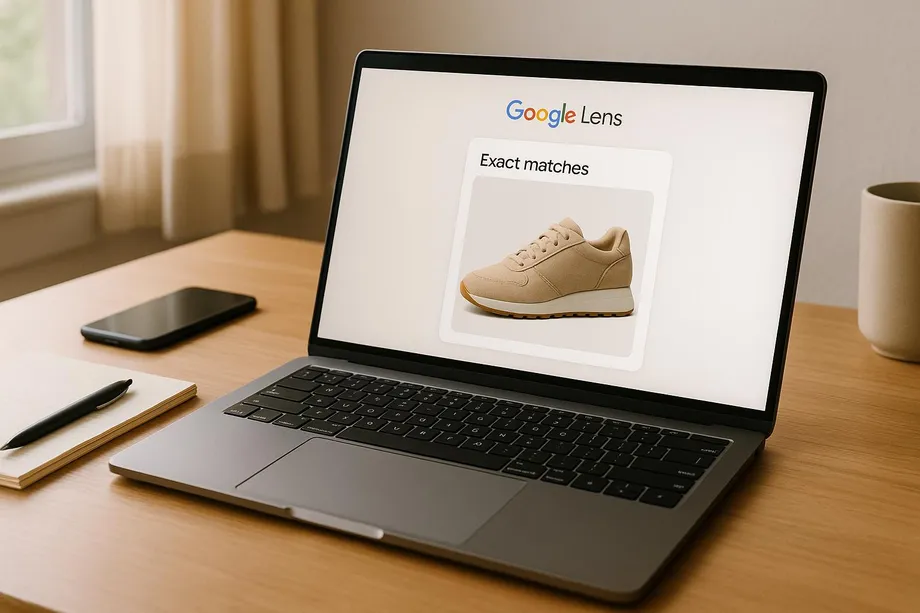
With the introduction of visual matches, it’s important to understand how they differ from exact matches. Exact matches focus on finding identical images, while visual matches highlight products with similar styles or designs. For instance, if you upload a photo of a sneaker, exact matching will return the same image or duplicates of it. In contrast, visual matching will showcase sneakers with comparable design elements.
The key distinction lies in the approach: exact matching looks for pixel-perfect duplicates, while visual matching evaluates broader design characteristics. Exact matches are ideal for tasks like tracking specific product availability or pricing. On the other hand, visual matches provide a wider perspective, helping retailers and advertisers identify trends, find complementary products, or discover alternatives that appeal to consumers. This makes it essential to customize visual match data to meet the preferences and needs of specific markets, like the U.S.
Tailoring Visual Matches Data for U.S. Markets
To make visual match data relevant for the U.S. market, adjustments are often necessary. Raw data might include global results that don’t align with American standards, so refining it ensures the insights are actionable and market-specific.
Here’s how to adapt the data for U.S. consumers:
-
Convert currencies and measurements: Display prices in U.S. dollars and use customary units for measurements.
-
Localize product descriptions: Use terminology familiar to American shoppers and focus on retailers that are U.S.-based or offer U.S. shipping.
-
Filter results for local relevance: Highlight retailers with policies that align with American expectations, such as familiar return and delivery practices.
Web Scraping HQ Managed Services for Google Lens Data
Building an in-house Google Lens scraper is no small feat. For teams grappling with this complexity, managed scraping services offer a simpler and more efficient solution. Web Scraping HQ specializes in providing structured data extraction for Google Lens, bridging the gap between intricate scraping challenges and actionable insights.
Web Scraping HQ Platform Features
Web Scraping HQ’s platform is designed for large-scale Google Lens data extraction. It delivers data in structured JSON and CSV formats, ensuring seamless integration with your existing systems. The platform is built to tackle common technical hurdles associated with web scraping.
Every plan includes expert consultation, offering valuable guidance on data schema design and extraction strategies. This is particularly helpful when dealing with the nuances between exact matches and visual matches in Google Lens data.
Business Benefits of Managed Scraping Services
Managed scraping services bring a host of advantages, saving businesses from the headaches of in-house development, proxy management, and constant platform updates. Web Scraping HQ takes care of these complexities, allowing businesses to concentrate on using the data to drive decisions.
With consistent and timely data feeds, businesses can perform faster market analyses. For example, retail companies can leverage the data for competitive pricing strategies, while e-commerce platforms can analyze visual match data to spot trending products and optimize inventory planning. The automated quality assurance process ensures data accuracy, reducing the risk of poor decisions caused by inconsistencies.
Additionally, the platform supports brand compliance monitoring, making it easier for companies to track how their products appear in visual search results. This feature helps identify issues like unauthorized sellers or counterfeit items, safeguarding brand integrity.
Standard vs. Custom Plans: Pricing and Features
Web Scraping HQ offers two plans - Standard and Custom - tailored to different business needs. These plans address the challenges of building and maintaining a Google Lens scraper while providing flexible options for various scales of operation.
| Plan | Price | Key Features | Response Time | Best For |
|---|---|---|---|---|
| Standard | $449/month | Structured JSON/CSV output, automated QA, expert consultation, legal compliance, support | 5 business days | Small to medium businesses needing regular data extraction |
| Custom | $999+/month | Custom data schema, priority support, uptime guarantees, flexible output formats, scalable solutions, enhanced QA, customized scheduling | 24 hours | Large enterprises with specific needs and tight deadlines |
The Standard plan is perfect for businesses needing reliable Google Lens data without extensive customization. It covers essential features like exact and visual match data extraction, making it a practical choice for small to medium-sized operations.
For larger enterprises with unique requirements, the Custom plan offers advanced options. Features like enhanced two-tier quality assurance ensure greater data accuracy, while priority support and uptime guarantees provide dependable service. Custom crawl scheduling lets businesses fine-tune data extraction to fit their specific timelines.
Both plans include data samples before full implementation, giving businesses the chance to confirm that the extracted data aligns with their needs. The pricing reflects the effort required to maintain a reliable scraping infrastructure while adapting to changing platform policies.
Conclusion
Scraping exact matches from Google Lens presents a wealth of opportunities for businesses aiming to tap into visual search data. This guide has explored the technical hurdles, distinctions between match types, and legal considerations involved in Google Lens scraping. While these opportunities are enticing, they come with significant compliance and technical challenges that cannot be ignored.
Legal compliance is a crucial factor when implementing any Google Lens scraping strategy. Adhering to rate limits, respecting Google’s terms of service, and ensuring responsible data usage are non-negotiable, especially when working at scale or managing sensitive commercial information.
Building an in-house scraper for Google Lens exact matches is no small feat. It requires advanced expertise and constant maintenance to manage proxy rotations, handle dynamic content, process images, and adapt to platform updates. These demands can quickly become a drain on resources, both in terms of time and cost.
For businesses looking to sidestep these complexities, managed services like Web Scraping HQ offer a streamlined solution. With features like structured data delivery in JSON and CSV formats, automated quality checks, and expert support, these services allow companies to focus on analyzing insights rather than grappling with extraction challenges. The platform supports both exact and visual matches, ensuring comprehensive access to Google Lens search data.
The pricing reflects the true cost of maintaining a reliable scraping infrastructure. Starting at $449 per month for Standard plans and $999+ for Custom solutions, these services provide dependable scraping capabilities without the overhead of developing and maintaining internal systems. This approach ensures faster implementation and more consistent results for data-focused organizations.
Want this done for you?
Send us the URLs. We'll quote it in 24 hours.
Paste the URL(s) you want scraped. We'll reply within 24 hours with a feasibility check and a ballpark quote.