Jump to section
- Planning and Preparing for Rakuten Data Scraping
- Identifying What Data to Scrape
- Designing a Data Schema
- Setting Up Your Python Environment
- Scraping Rakuten Data with Playwright
- Extracting Product Listings
- Scraping Deal and Cashback Offers
- Scraping Rakuten Travel Hotel Pages
- Scaling Your Scraping with Scrapy Pipelines
- Setting Up a Scrapy Project
- Handling Pagination and Dynamic Content
- Formatting Data for U.S.-Based Workflows
- Best Practices and Using Web Scraping HQ
- Maintaining Compliance and Data Quality
- When to Switch to a Managed Scraping Service
- What Web Scraping HQ Offers for Rakuten Data
Scraping Rakuten data can help you gather valuable information for price monitoring, market research, and lead generation. Rakuten Ichiba (Japan) offers product details, pricing, and seller profiles, while Rakuten.com (U.S.) focuses on cashback rates and coupon codes. Here’s what you need to know:
-
Legal Guidelines: Only scrape public data, respect rate limits (1–5 requests per minute), and avoid private or login-protected areas.
-
Tools: Use web scraping tools or Python libraries like Requests and BeautifulSoup for static pages, and Playwright or Selenium for JavaScript-heavy content.
-
Key Data Types:
-
Product listings: Prices, SKUs, ratings, shipping costs.
-
Cashback offers: Merchant names, cashback percentages, coupon codes.
-
Hotel pages: Nightly rates, reviews, amenities.
-
-
Best Practices: Use proxies for region-specific data, design a consistent data schema, and monitor for changes in page layouts.
For large-scale scraping, consider combining Scrapy with Playwright for efficient handling of dynamic content and pagination. Managed services may be better for high-volume or complex projects.
Planning and Preparing for Rakuten Data Scraping
Start by scoping out your project: identify the specific data you need, its location, and structure. A clear plan upfront minimizes rework and sets the stage for effective data extraction using Python tools.
Identifying What Data to Scrape
The key to success is aligning your data goals with the appropriate Rakuten platform and page type. For instance, Rakuten Ichiba (item.rakuten.co.jp) is ideal for gathering product listings, seller profiles, and market insights at the category level. Meanwhile, Rakuten.com is tailored for tracking cashback rates, coupon codes, and merchant offers - with over 15,000 merchant offers available on the platform.
| Page Type | Key Data Fields |
|---|---|
| Product Listings | Name, SKU, price, stock level, variants, ratings, shipping costs |
| Deals & Cashback | Merchant name, cashback rates, tier structures, coupon codes, promo titles |
| Travel & Hotels | Amenities, location, price per night, user reviews, availability |
| Merchant Profiles | Store name, rating, review count, points earned, shop code |
Use your browser’s developer tools to inspect network activity before starting your scraper. Many Rakuten pages rely on background API calls that return cleanly formatted JSON data, which is often easier to parse than standard HTML.
Designing a Data Schema
A well-constructed schema ensures consistency and avoids headaches later in the process. For example, store prices as numeric floats rather than strings, so they’re immediately usable in spreadsheets or financial tools. If you’re working with Rakuten Ichiba, remember to account for JPY-to-USD conversions and tag records with their original currency. Keep fields like price, shipping cost, and Rakuten Points separate - this simplifies total cost calculations.
When it comes to timestamps, use the U.S. standard format (MM/DD/YYYY) or ISO 8601 if your data feeds into a database. Always include essential fields like item_id, a canonical URL, and a captured_at timestamp with every record. These fields are crucial for deduplication, especially when the same product appears across multiple pages. For larger projects exceeding 100,000 rows, PostgreSQL is a solid choice for handling concurrent access and remote hosting. For smaller tasks, SQLite is more than sufficient. A well-thought-out schema ensures your data extraction process integrates seamlessly with Python tools.
Setting Up Your Python Environment
Prepare your Python environment with four essential packages: Playwright for handling JavaScript-heavy pages, Scrapy for extensive crawls, Requests for simpler static fetches, and BeautifulSoup for HTML parsing.
Install the necessary tools with the following commands:
pip install playwright scrapy requests beautifulsoup4 pandas
playwright install chromium
The playwright install chromium command downloads the Chromium browser binary, which Playwright uses to navigate pages headlessly. Including Pandas from the start is also a smart move - it simplifies tasks like price formatting, currency conversion, and exporting data to CSV once your pipeline is running smoothly.
Scraping Rakuten Data with Playwright

Playwright is a powerful tool for scraping Rakuten because it can handle client-side rendering, lazy-loaded elements, and JavaScript API calls with ease. Its features, like auto-waiting and network interception, make data extraction more dependable compared to static HTTP requests. To save time and bandwidth, you can block unnecessary assets like images and fonts using page.route(). Below, you’ll find strategies for extracting product listings, deal offers, and travel hotel data.
“If your HTML response doesn’t contain the fields you want, you’ll likely need browser automation.” - BlockLabyrin
Extracting Product Listings
Start by dismissing the registration pop-up with page.click() on the close button (“X”). This ensures the rest of the selectors can properly locate product data. After closing the pop-up, use page.wait_for_load_state('networkidle') to confirm the page has fully loaded. Then, target product cards using stable selectors based on roles or text.
For each product card, extract these details:
-
item_id -
Title
-
Price (as a float for easier calculations)
-
Shipping cost
-
Rating
-
Canonical product URL
Separating price and shipping into numeric fields simplifies any future computations.
When dealing with pagination, rely on URL parameters like ?p=2 or ?p=3 instead of infinite scroll. URL-based pagination is far more reliable and less prone to breaking.
Scraping Deal and Cashback Offers
Rakuten’s cashback rates are dynamically loaded via JavaScript. Dismiss any modals, then use page.wait_for_selector() to ensure the cashback rate element is fully visible. Capture the following fields for each merchant offer:
| Field | Description | Example |
|---|---|---|
merchant_name | Partner retailer name | ”Best Buy” |
cashback_percent | Current cashback rate as a number | 10 |
previous_cashback | Cashback rate before the promotion | 2 |
offer_type | Deal category | ”Storewide Sale” |
coupon_code | Discount code (if available) | “SAVE20” |
expiry_date | Deal expiration date (MM/DD/YYYY) | “06/01/2026” |
When extracting cashback rates like “Up to 10% Cash Back”, convert the text into a numeric field (cashback_percent) immediately during scraping, rather than post-processing. With proper proxy rotation and a delay of 1–4 seconds between requests, you can scrape over 15,000 merchant offers in about 4–5 hours.
Scraping Rakuten Travel Hotel Pages
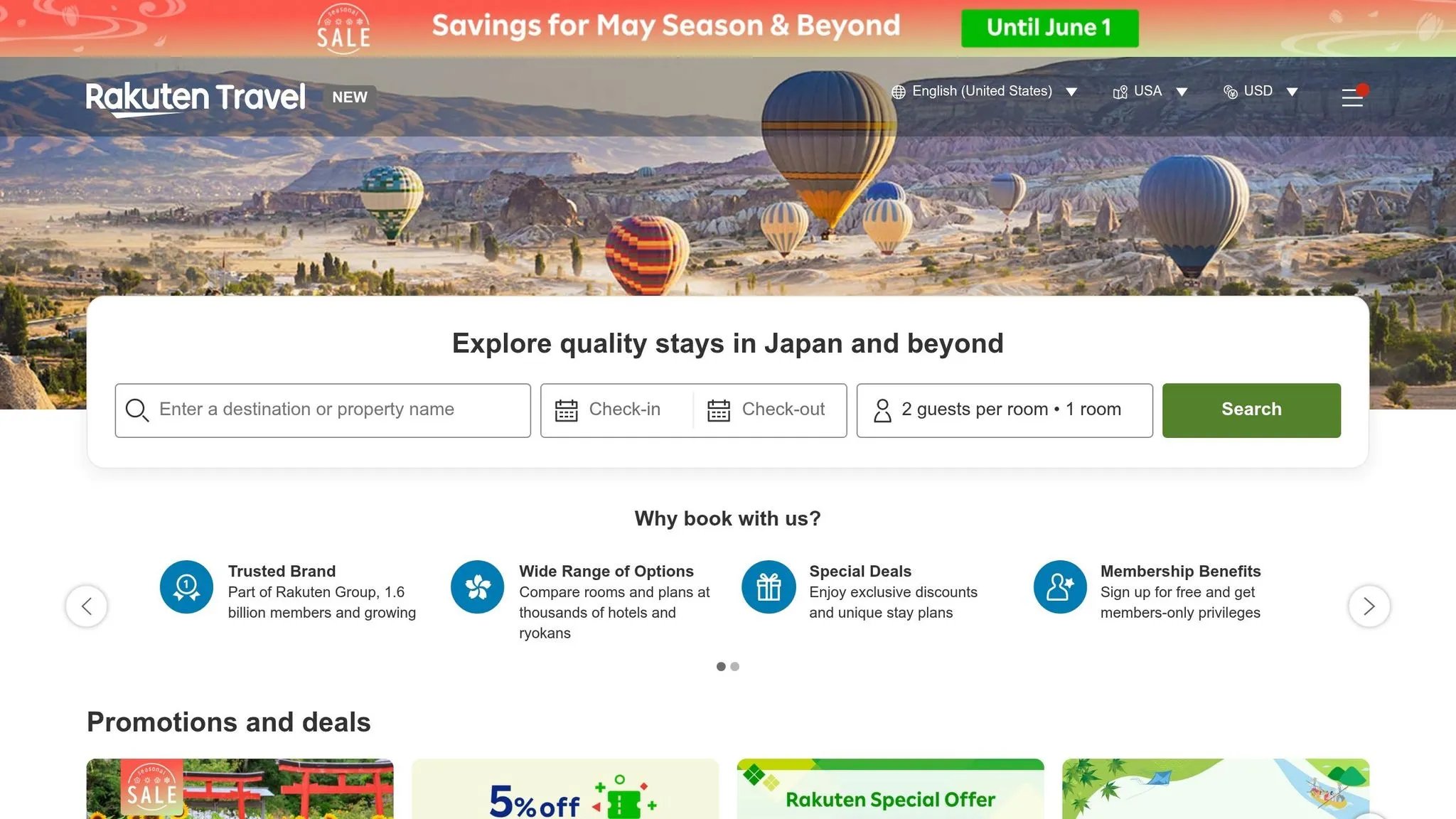
Rakuten Travel’s hotel pages rely heavily on JavaScript, making Playwright an ideal choice. Once the page loads, use page.evaluate() to scroll and trigger lazy-loaded hotel cards .
For each hotel, gather:
-
Nightly rate
-
Star rating
-
User review score
-
Amenity tags
-
Availability status
If scraping rates from Rakuten Travel’s Japan-specific pages, store both the original JPY amount and a USD conversion. Apply the exchange rate at the time of scraping and log it in a fx_rate_at_capture field to maintain accurate historical data. Additionally, tag each record with a captured_at timestamp in ISO 8601 format for seamless database integration.
To avoid redirects or region-blocked content, use Japan-based residential proxies. This ensures you receive localized pricing and storefront variations.
Scaling Your Scraping with Scrapy Pipelines
Scraping at scale can be resource-intensive, especially when handling JavaScript-heavy pages. Combining Scrapy’s architecture with scrapy-playwright provides a scalable solution, thanks to Scrapy’s scheduling, middleware, and pipeline systems.
Setting Up a Scrapy Project
Start by installing Scrapy and the scrapy-playwright library. Then, create your project with scrapy startproject rakuten_scraper. In settings.py, set the reactor to AsyncioSelectorReactor and configure Playwright as the download handler. For better organization, create separate spiders for each data type - such as Rakuten Ichiba product listings, Rakuten.com cashback deals, and Rakuten Travel hotel pages. By keeping spiders focused, you’ll make it easier to adjust them when page layouts change.
To enable Playwright rendering selectively, include "playwright": True in the request’s meta dictionary. This allows lightweight HTTP requests for static pages, while only JavaScript-heavy pages trigger a browser instance. This approach significantly reduces memory usage when scaling up.
Handling Pagination and Dynamic Content
Once your Scrapy project is set up, handling pagination and dynamic content efficiently is key.
For most Rakuten Ichiba listings, URL-based pagination (e.g., ?page=2, ?page=3) is a reliable method. Use PageMethod("wait_for_load_state", "networkidle") to ensure all AJAX content is fully rendered before your spider starts parsing. Additionally, adjust CONCURRENT_REQUESTS and PLAYWRIGHT_MAX_PAGES_PER_CONTEXT in settings.py to avoid memory overload during high-volume scraping.
“Scrapy Playwright changes this behavior by opening the URL inside a real browser. This allows JavaScript to execute and network requests to complete before Scrapy begins parsing.” - BrowserStack
Implement exponential backoff for retries to handle errors like 429 or 403 without overwhelming Rakuten’s servers. A retry pattern such as wait_time = base_delay * (2 ** attempt) can help manage temporary failures gracefully.
“Failed requests waste 30% of scraping time on average. Without retry logic, temporary failures break entire scraping jobs.” - Bernardas Alisauskas, Scrapfly
Formatting Data for U.S.-Based Workflows
When scaling your scraping operations, consistent data formatting is critical, especially for U.S.-based workflows.
Raw data from Rakuten can be messy. For example, prices might appear as "¥2,980" or "$19.99", review counts as "(1,050 reviews)", and timestamps in various formats. Use a ValidationPipeline to clean and normalize these fields before saving the data. Adopting U.S. standards for currency, dates, and numerical formats ensures smooth integration into downstream workflows.
Here’s an example of how raw data can be transformed into U.S.-ready formats:
| Field | Raw Scraped Example | U.S. Workflow Standard | Data Type |
|---|---|---|---|
| Price | ¥2,980 or $19.99 | 2980.0 or 19.99 | Float |
| Rating | ”4.2 out of 5 stars” | 4.2 | Float |
| Review Count | ”(1,050 reviews)“ | 1050 | Integer |
| Timestamp | ”2026-05-19T00:00:00” | 2026-05-19T00:00:00 | ISO 8601 String |
| Availability | ”In Stock” | True | Boolean |
Use Python’s datetime.utcnow().isoformat() to generate timestamps, and regular expressions to remove non-numeric characters from price and review strings.
“A clean schema prevents you from rebuilding downstream logic every time a page layout changes - and it also makes deduplication and monitoring far more reliable.” - BlockLabyrin
Finally, ensure that any item missing critical fields like itemCode, price, or url is filtered out at the pipeline level. Dropping incomplete records during the scraping process is far more efficient than dealing with corrupt data later.
Best Practices and Using Web Scraping HQ
When it comes to web scraping, solid operational practices are just as important as the technical methods you use. These ensure your data scraping efforts remain efficient and reliable over time.
Maintaining Compliance and Data Quality
To keep your data pipeline running smoothly, you need to follow disciplined practices. For instance, Rakuten typically enforces rate limits of 1–5 requests per minute per IP before throttling traffic. To avoid these limits, you can use strategies like rotating User-Agent headers, implementing randomized delays, and applying exponential backoff when errors occur. Another effective practice is saving raw HTML alongside parsed data. This way, if Rakuten modifies its CSS selectors, you can re-parse older data without having to scrape the site again.
Monitoring data quality is another critical step. Set up alerts to detect sudden drops in field completeness. For example, if your pipeline consistently captures valid price data but suddenly shows a sharp decline, it could mean Rakuten has updated their layout, breaking your selectors. By catching these issues early, you can fix them before flawed data impacts downstream workflows.
When to Switch to a Managed Scraping Service
While DIY scraping is great for small-scale projects or prototyping, it can become a headache when scaling up. If your project involves daily scrapes of thousands of SKUs, managing proxies, maintaining selectors, and bypassing anti-bot measures like Cloudflare can quickly become overwhelming. For Rakuten Ichiba, routing traffic through Japan-based IPs is essential to get accurate localized pricing, which can be difficult to manage with a self-run proxy pool.
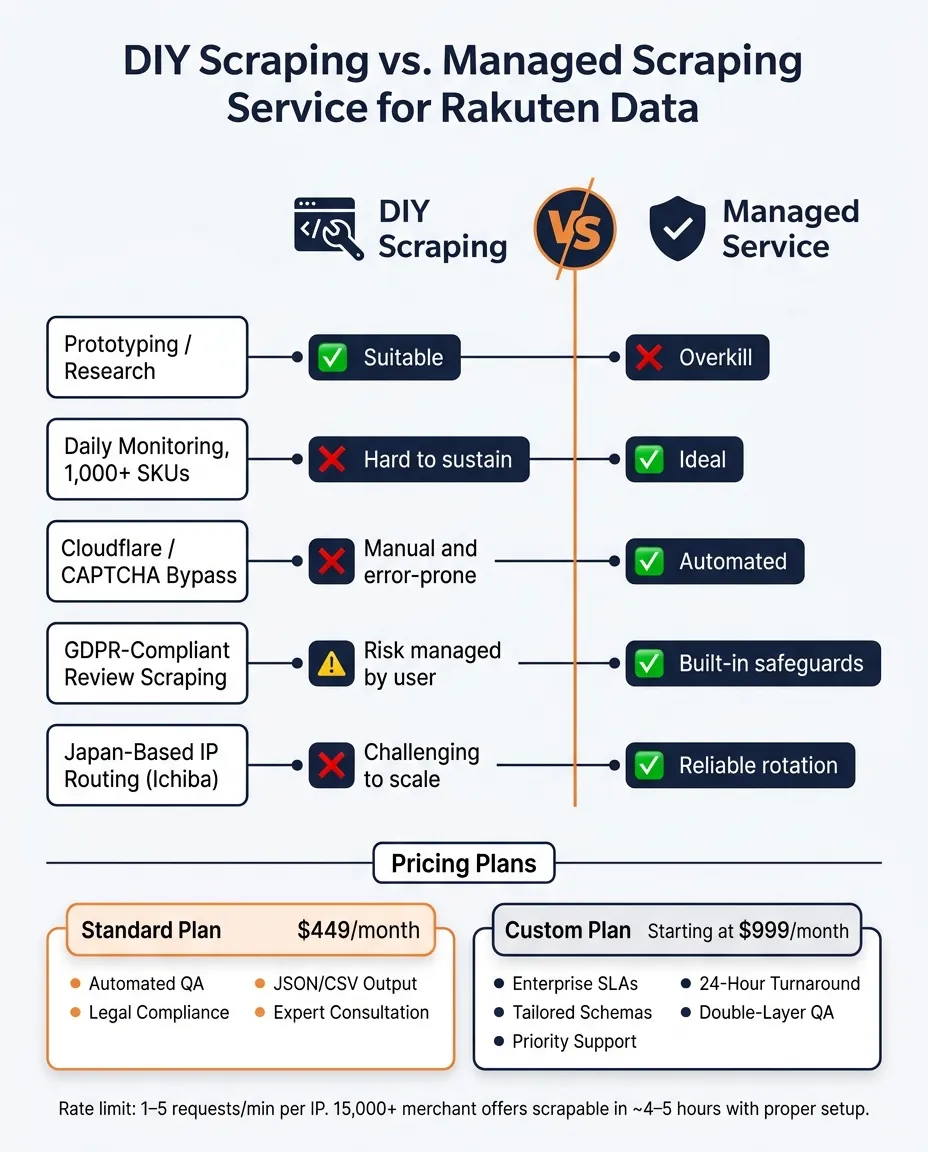
Selector updates and anti-bot challenges can lead to high maintenance costs, often outweighing the savings of a DIY approach. Here’s a quick comparison to help you decide:
| Scenario | DIY Scraping | Managed Service |
|---|---|---|
| Prototyping / Research | ✅ Suitable | Overkill |
| Daily monitoring, 1,000+ SKUs | Hard to sustain | ✅ Ideal |
| Cloudflare / CAPTCHA bypass | Manual and error-prone | ✅ Automated |
| GDPR-compliant review scraping | Risk managed by user | ✅ Built-in safeguards |
| Japan-based IP routing (Ichiba) | Challenging to scale | ✅ Reliable rotation |
This table highlights how managed web scraping services can simplify large-scale scraping tasks, allowing you to focus on using the data rather than maintaining the pipeline.
What Web Scraping HQ Offers for Rakuten Data
Web Scraping HQ offers reliable web scraping services with two plans tailored to meet different needs: a Standard plan at $449/month and a Custom plan starting at $999/month. These plans are designed to address the challenges of maintaining a robust scraping setup. Both include features like automated quality assurance, legal compliance safeguards, JSON/CSV outputs, and expert consultation. The Custom plan goes a step further with enterprise-level SLAs, tailored schemas, priority support, and a 24-hour turnaround for urgent issues.
For Rakuten-specific projects, the Custom plan incorporates double-layer QA to catch incomplete records - like missing itemCode, price, or url - before they can disrupt your database. Additionally, its compliance layer helps mitigate GDPR risks when scraping user reviews.
With these offerings, Web Scraping HQ doesn’t just provide raw data. It delivers pre-validated, ready-to-use datasets that integrate seamlessly into your workflows, saving time and reducing headaches.
Want this done for you?
Send us the URLs. We'll quote it in 24 hours.
Paste the URL(s) you want scraped. We'll reply within 24 hours with a feasibility check and a ballpark quote.