Jump to section
- Prerequisites for Scraping Oddschecker
- Required Tools and Libraries
- Legal and Ethical Considerations
- How to Build an Oddschecker Scraper
- Setting Up Your Development Environment
- Extracting Event and Odds Data
- Common Challenges When Scraping Oddschecker
- Bypassing Anti-Bot Measures
- Scraping Dynamic Content
- Advanced Techniques: Arbitrage Detection and Data Clustering
- Finding Arbitrage Opportunities
- Keyword Clustering for Data Analysis
- Using Web Scraping HQ for Oddschecker Data
- Web Scraping HQ Services Overview
- Web Scraping HQ Plans and Pricing
- Storing and Analyzing Your Scraped Data
- Saving Data in CSV and JSON Formats
- Analyzing Odds Trends with Python
- Conclusion
Oddschecker is a platform that aggregates real-time betting odds from top sportsbooks, offering bettors a way to compare odds and analyze markets. Scraping this data can unlock opportunities like arbitrage betting, market analysis, and predictive modeling. However, it requires tools like Python, Selenium, and BeautifulSoup to handle Oddschecker’s dynamic JavaScript-based content.
Key Highlights:
-
Applications: Arbitrage detection, tracking odds trends, and identifying undervalued bets.
-
Tools Needed: Python, Selenium, BeautifulSoup, Pandas, proxies for bypassing rate limits.
-
Challenges: Bypassing anti-bot defenses, dynamic content, and legal considerations.
-
Advanced Use Cases: Arbitrage betting involves calculating implied probabilities to find profit margins. Data clustering helps resolve inconsistencies in bookmaker data.
For those who want a simpler option, services like Web Scraping HQ offer managed scraping solutions starting at $449/month, handling IP rotation, browser rendering, and legal compliance. Whether you build your own scraper or use a service, Oddschecker data can enhance your betting strategies and analysis.
Prerequisites for Scraping Oddschecker
Required Tools and Libraries
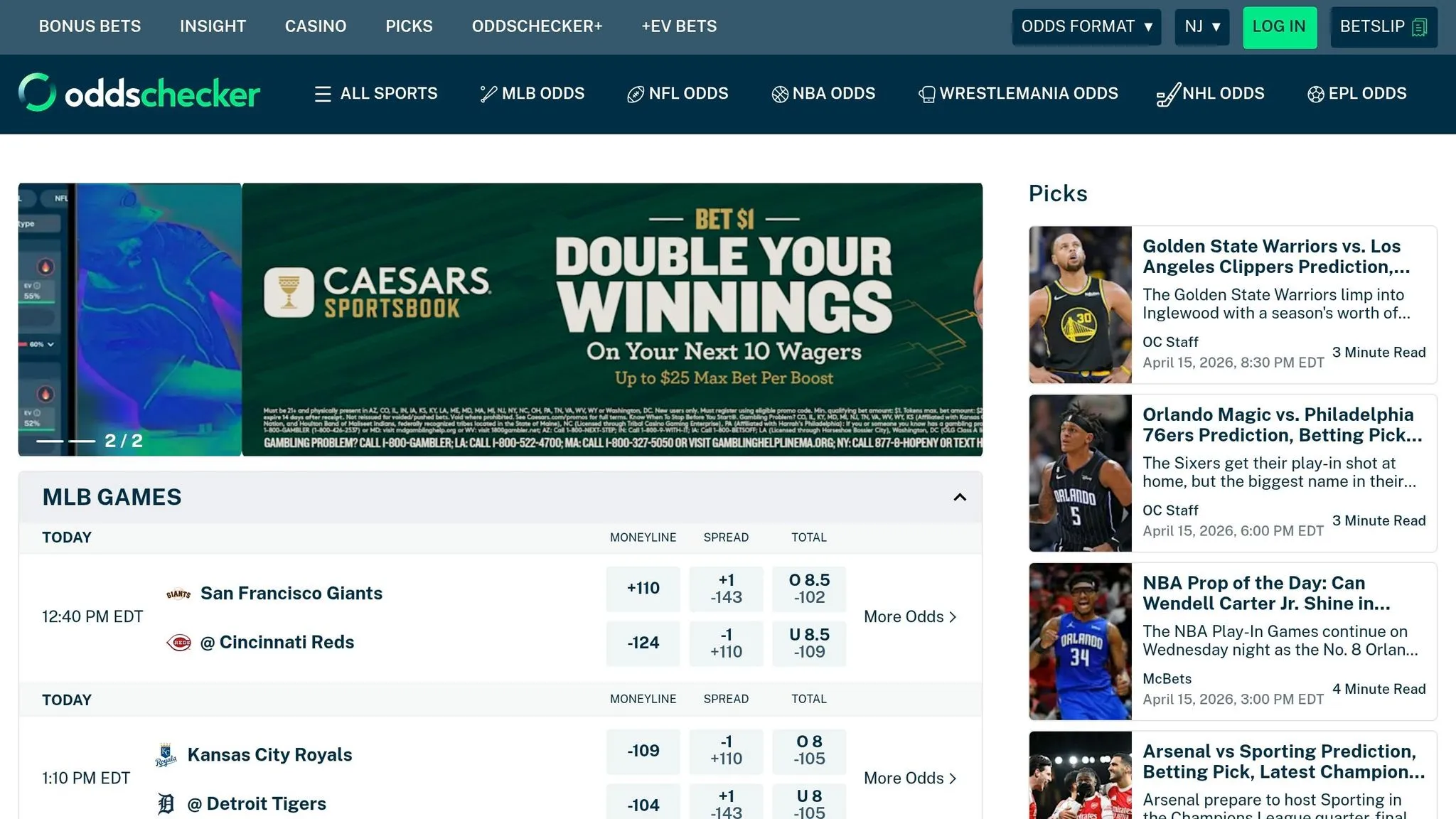
If you’re planning to scrape Oddschecker, Python is your best bet. Its extensive library ecosystem makes it perfect for extracting data. However, because Oddschecker relies on JavaScript to load its content, you can’t just use simple HTTP requests. Instead, you’ll need a browser automation tool like Selenium or Playwright. As data scientist Riz Dusoye points out:
“Whilst we were once able to simply use BeautifulSoup to download the page contents, we now require the use of Selenium to attempt to look as human as possible to the site”.
Here’s how it works: Selenium renders the page, allowing you to access the dynamically loaded content. From there, you can use BeautifulSoup to parse the HTML and extract elements like odds tables. To organize this data, Pandas is invaluable for creating DataFrames that you can analyze or export. If you’re dealing with large-scale scraping, tools like concurrent.futures or Scrapy can help you process multiple requests in parallel.
One more thing you’ll need: proxies. Oddschecker uses IP-based rate limiting to block scrapers. By using residential or rotating proxies, you can spread your requests across multiple IP addresses, reducing the chances of getting blocked. Understanding common web scraping errors can help you troubleshoot issues when these defenses are triggered.
Before diving in, make sure you’re familiar with the legal guidelines surrounding data extraction.
Legal and Ethical Considerations
Scraping isn’t just about the technical side; you also need to navigate the legal and ethical aspects. First, check Oddschecker’s terms of service - some sites explicitly ban automated scraping. Also, take a look at the robots.txt file, which outlines which areas of the site are off-limits to web crawlers. Respect those rules.
To avoid overwhelming the server, implement rate limiting with random delays between requests - anywhere from 1 to 3 seconds is a good range. Including your contact details in the User-Agent header is another smart move, as it allows site administrators to reach out if your scraper causes any issues. As CyCoderX advises:
“Respect Robots.txt: Many websites provide a robots.txt file that specifies which parts of the site can be accessed by web crawlers. Always respect the directives in this file”.
Finally, use the data responsibly. Bookmakers are vigilant about detecting automated behavior, especially for activities like arbitrage betting. If they suspect you’re scraping their site, they may ban your account. So, proceed with caution and integrity.
How to Build an Oddschecker Scraper
Setting Up Your Development Environment
First things first: make sure you have Python 3 installed. If not, you can grab it from python.org. Once that’s done, you’ll need to install a few essential libraries. Run this command:
pip install selenium beautifulsoup4 pandas webdriver-managerHere’s what each library does:
-
Selenium: Automates browser interactions.
-
BeautifulSoup: Parses HTML content.
-
Pandas: Organizes and manipulates data.
-
webdriver-manager: Automatically handles ChromeDriver installation and updates.
The webdriver-manager library saves you from manually downloading and updating ChromeDriver whenever Chrome gets updated. Instead of specifying the path to chromedriver.exe, you can use this line in your script:
ChromeDriverManager().install()Next, configure Selenium’s WebDriver with options to make your scraper less detectable. For instance, you can run Chrome in headless mode (no visible browser window) by adding the --headless argument. You should also set a custom User-Agent string to mimic a regular browser and include arguments like --no-sandbox and --disable-dev-shm-usage for better performance and stability. Here’s an example setup:
from selenium import webdriver
from selenium.webdriver.chrome.service import Service
from webdriver_manager.chrome import ChromeDriverManager
from selenium.webdriver.chrome.options import Options

options = Options()
options.add_argument('--headless')  # Run Chrome in the background
options.add_argument('--no-sandbox')  # Improve stability
options.add_argument('--disable-dev-shm-usage')  # Prevent resource issues
options.add_argument('user-agent=Mozilla/5.0 (Windows NT 10.0; Win64; x64) AppleWebKit/537.36')

driver = webdriver.Chrome(service=Service(ChromeDriverManager().install()), options=options)
This setup ensures your script runs efficiently while reducing the chances of being flagged as a bot.
Extracting Event and Odds Data
Now that your environment is ready, it’s time to extract the data. Oddschecker’s odds tables are loaded dynamically with JavaScript, so you’ll need Selenium to render the page before parsing the HTML. Here’s the game plan:
-
Use Selenium to navigate to the desired Oddschecker URL with
driver.get(url). -
Wait for the page to fully render. Instead of relying on fixed delays, use explicit waits with
WebDriverWaitandexpected_conditionsfor better reliability. -
Once the page is ready, grab the HTML content with:
driver.page_source -
Pass the HTML to BeautifulSoup for faster parsing.
Odds data is typically found in a <tbody> element with the ID t1. Event names are stored in <a> tags with the class popup, while bookmaker information and odds are located in <td> tags with attributes like data-bk (bookmaker identifier) and data-odig (decimal odds). To extract this information:
-
Loop through the table rows.
-
Pull the relevant attributes.
-
Store the data in a list of dictionaries.
-
Convert the list into a Pandas DataFrame for easier manipulation and export.
If you need to scrape multiple event pages, consider speeding things up with Python’s concurrent.futures.ThreadPoolExecutor. This allows you to process several pages simultaneously, cutting down on the time required for large-scale scraping.
Common Challenges When Scraping Oddschecker
Bypassing Anti-Bot Measures
Oddschecker employs advanced anti-bot defenses like Cloudflare, Datadome, and Kasada, which use methods such as browser fingerprinting, TLS ClientHello analysis, and machine learning to identify automation attempts. As data scientist Danny Groves explains, “Oddschecker is pretty good at detecting whether or not you’re a bot, so we use selenium to get around this”.
However, standard Selenium configurations are easily flagged. To navigate this, tools like undetected_chromedriver can help bypass common WebDriver detection methods. Additionally, using residential proxies is highly effective, with a success rate exceeding 95%. In contrast, datacenter proxies are often blocked, with about 20% of requests flagged.
Maintaining a low-profile browser fingerprint is equally important. Avoid inconsistencies like mixing mobile User-Agents with desktop IP addresses or rotating proxies too aggressively - these behaviors can trigger detection. If you encounter a 429 Too Many Requests error, implement exponential backoff with full jitter and introduce delays of 2–5 seconds between requests to simulate human-like browsing behavior.
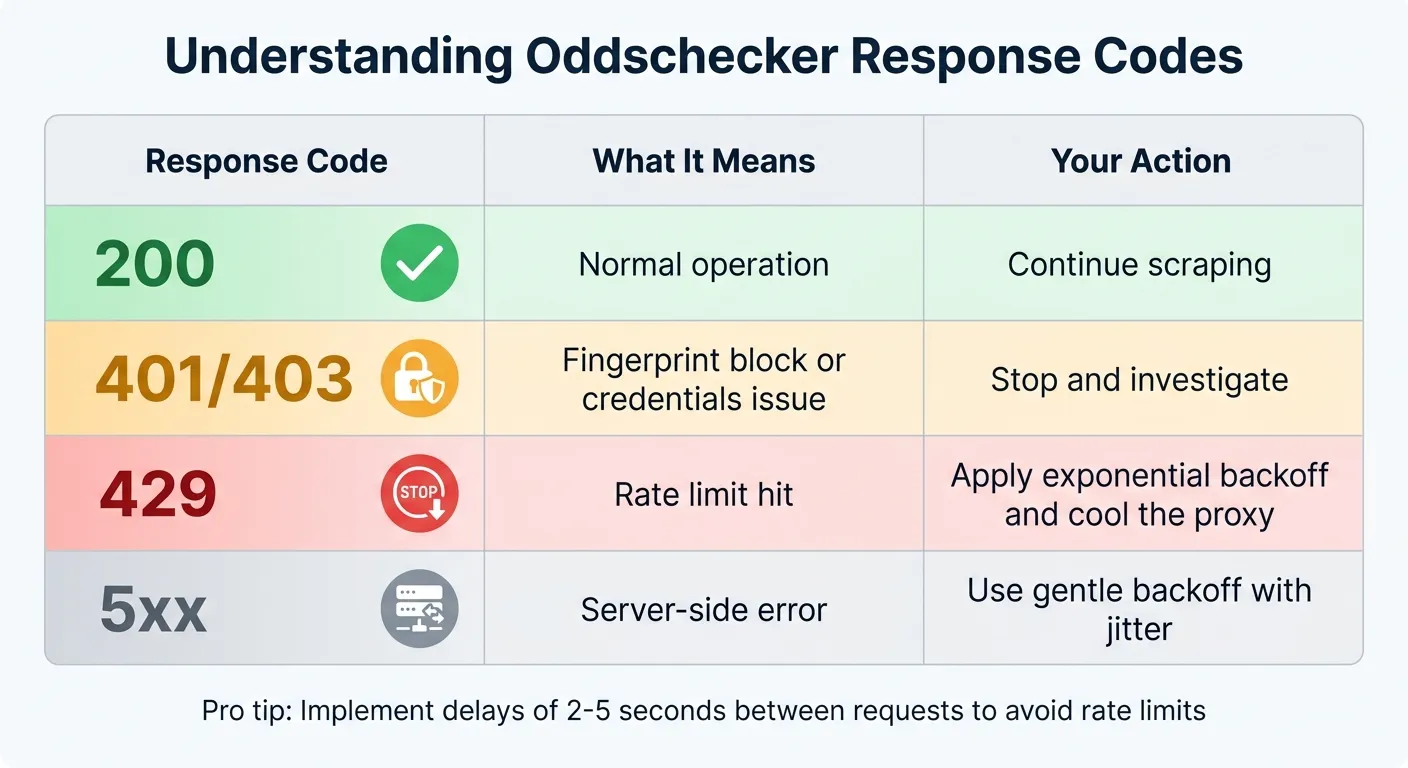
Here’s a quick guide to interpreting Oddschecker’s response codes:
| Response Code | What It Means | Your Action |
|---|---|---|
| 200 | Normal operation | Continue scraping |
| 401/403 | Fingerprint block or credentials issue | Stop and investigate |
| 429 | Rate limit hit | Apply exponential backoff and cool the proxy |
| 5xx | Server-side error | Use gentle backoff with jitter |
By addressing these anti-bot challenges, scrapers can move on to another major hurdle: handling dynamic content.
Scraping Dynamic Content
Successfully scraping Oddschecker isn’t just about bypassing detection - it’s also about capturing their JavaScript-driven dynamic content. Since Oddschecker uses AJAX to load odds data, relying on simple HTML parsers won’t yield complete results.
To handle this, use WebDriverWait with expected_conditions to ensure key elements are fully loaded before extracting data. This approach significantly reduces the likelihood of missing information from AJAX-driven sections.
Another challenge is the frequent updates to Oddschecker’s HTML structure, designed to disrupt scrapers. To mitigate this, focus on stable container classes, such as the “match-on” group, which links player names with their odds. Targeting these stable elements reduces the need for constant scraper adjustments.
Advanced Techniques: Arbitrage Detection and Data Clustering
Finding Arbitrage Opportunities
Arbitrage betting, or “arbing”, involves placing bets on all possible outcomes of a sporting event across different bookmakers to lock in a profit. As the Odds API puts it:
“Arbitrage (or ‘arbing’) is when you back every possible outcome of a sporting event across different bookmakers, and the combined odds guarantee a profit regardless of the result”.
To identify these opportunities, you need to calculate implied probabilities from the decimal odds provided (using the data-odig attribute). The formula is simple: divide 1 by the decimal odds. If the sum of these probabilities is less than 1.0, you’ve found an arbitrage opportunity. For instance, if a tennis match shows implied probabilities of 0.48 for Player A and 0.484 for Player B, the total is 0.964. This leaves a profit margin of about 3.6%.
Take Jordan Delaney’s February 2024 analysis as an example. He spotted a 4% arbitrage opportunity for a Wigan vs. Cheltenham match by comparing odds from 10 bookmakers. A total stake of $260 spread across different outcomes guaranteed a $270 return, regardless of the result.
To calculate your stakes, use the formula:
Stake for Leg = (Total Bankroll × (1 / Odds for Leg)) / (Sum of Implied Probabilities)
Round your stakes to the nearest $5 to avoid detection by bookmakers. Keep in mind that most arbitrage opportunities offer slim margins - typically around 1%. Avoid volatile markets like “To Score a Hat-Trick” or “Winning Margin”, as odds in these markets can shift before you complete your bets.
Once you’ve mastered arbitrage betting, organizing your data properly becomes key to improving precision and efficiency.
Keyword Clustering for Data Analysis
Effective data clustering is crucial for accurate arbitrage calculations. One major challenge is dealing with naming inconsistencies across platforms. For example, Oddschecker might list a team as “Man Utd”, while another source uses “Manchester United.” These inconsistencies can disrupt your algorithms if not addressed.
To tackle this, use fuzzy string matching tools like FuzzyWuzzy with token_sort_ratio. Set a similarity threshold of 80% or higher to ensure you match names accurately, even when minor differences exist. This method is particularly useful when comparing Oddschecker’s bookmaker data with Betfair’s back and lay prices to spot discrepancies.
For organizing your data, group it into categories like “Game”, “Bookmaker”, and “Outcome” (Home/Draw/Away) using Pandas DataFrames. Clean up your data by applying regular expressions to strip out HTML tags and extract clear player or team names. This ensures hidden web elements won’t interfere with your keyword matching.
Finally, filter out irrelevant or low-liquidity markets using a predefined “disallowed market” list. Markets like “Score After 6 Games” or “Last Goalscorer” often generate noise and rarely lead to reliable arbitrage opportunities.
Using Web Scraping HQ for Oddschecker Data
Web Scraping HQ Services Overview
Managing an Oddschecker scraper can be tricky, especially with evolving site layouts and anti-bot defenses. Web Scraping HQ simplifies this process by offering a fully managed, no-code solution that delivers structured data directly to you. Instead of wrestling with technical hurdles, you get clean JSON or CSV files ready for analysis in tools like Pandas, Excel, or your current workflow setup.
The platform takes care of all the heavy lifting behind the scenes, including IP rotation, proxy pools, browser rendering, and advanced anti-bot strategies. Even when Oddschecker updates its HTML structure, Web Scraping HQ’s automated systems detect and fix issues without requiring manual intervention.
To ensure compliance and prevent server overload, the service uses built-in safeguards like randomized throttling (2–7 seconds) and residential rotating proxies. You can also integrate scrapers as API endpoints or schedule automated runs tailored to your needs - whether that’s daily, weekly, or even hourly. This flexibility is perfect for capturing real-time odds changes during peak betting times.
Need help navigating intellectual property issues or targeting specific markets like horse racing, politics, or major sports leagues? Expert support is on hand to guide you through these challenges and customize your data extraction.
Web Scraping HQ Plans and Pricing
Web Scraping HQ offers two pricing plans to suit different levels of Oddschecker data extraction needs:
-
Standard Plan: Priced at $449/month, this plan includes structured JSON/CSV output, automated quality checks, expert consultations, data samples, legal compliance measures, and customer support. Setup is completed within five business days.
-
Custom Plan: Starting at $999/month, this option is designed for larger-scale operations. It includes enterprise-level SLAs, flexible output formats, scalable infrastructure, double-layer quality checks, self-managed crawl options, and priority support with solutions delivered within 24 hours.
Both plans eliminate the headaches of handling 403 errors, managing proxies, and keeping up with code updates. By mimicking human interactions like scrolling and mouse movements, Web Scraping HQ ensures seamless data extraction.
Storing and Analyzing Your Scraped Data
Once you’ve successfully scraped and extracted data from Oddschecker, the next step is figuring out how to store and analyze it effectively.
Saving Data in CSV and JSON Formats
Oddschecker data is usually structured as a list of dictionaries, where each dictionary represents a row with fields like Bet Name, Bookmaker, and Odds. To make this data more accessible, you can save it in common formats like CSV or JSON.
For CSV files, you can use Pandas to convert the raw data into a DataFrame and export it easily:
df = pd.DataFrame(odds_data)
df.to_csv('odds.csv', index=False)
This creates a clean CSV file that works well with tools like Excel, Google Sheets, or other analytics platforms.
For more complex data, such as nested structures with multiple markets per event, JSON is a better option. Python’s json module can handle this efficiently:
import json
with open('odds.json', 'w') as file:
    json.dump(odds_data, file, indent=4)
JSON is particularly useful when you want to preserve the hierarchical structure of your data. If you’re tracking odds over time, consider adding a “Timestamp” column to your DataFrame before saving. This allows you to analyze fluctuations in odds throughout the day.
In September 2024, developer Riz Dusoye showcased how to scrape US Presidential Election odds from Oddschecker using Selenium and BeautifulSoup. He structured the extracted data into a Pandas DataFrame, organizing it by “Bet” name for easier analysis.
With your data stored securely, you’re ready to dive into analysis and uncover insights.
Analyzing Odds Trends with Python
Python’s Pandas library is a powerful tool for analyzing odds data. It helps with tasks like normalizing bookmaker names, converting fractional odds to decimal format, and handling missing values. These steps are crucial for accurate comparisons across different sources.
Building on earlier arbitrage calculations, you can refine your betting strategies by identifying trends and opportunities. For mathematical analysis, NumPy’s linear algebra functions, like numpy.linalg.solve, can calculate exact stake distributions to maximize returns.
Between August and October 2022, mathematician Danny Groves developed a Python-based arbitrage scanner. Using NumPy to solve systems of equations, he consistently placed bets over a two-to-three-month period, earning around £500 in profit with returns of 1–4% per bet.
“An arbitrage bet exists if r > 0, which is like saying no matter the outcome our return will be equal and larger than zero.” – Danny Groves, Mathematics PhD & Data Scientist
To visualize market trends and odds changes, Matplotlib is a handy tool for creating quick and clear visualizations. If you’re working with a large dataset or historical data, consider using SQLite or SQLAlchemy for database storage. These tools allow for more advanced querying and better scalability.
Conclusion
The methods and tools discussed above make it easier to extract and use real-time odds data from Oddschecker. Creating an Oddschecker scraper gives you access to aggregated betting odds from numerous bookmakers, allowing for real-time market analysis and spotting arbitrage opportunities that would be nearly impossible to manage manually.
“Scraping betting odds from Oddschecker using Python provides valuable data for analysis and decision-making in the betting world.” – Riz Dusoye, Data Analyst
Whether you’re monitoring odds changes during live events, finding arbitrage opportunities across platforms, or compiling historical datasets to study market patterns, scraped Oddschecker data can take your betting analysis to the next level. Using formats like CSV and JSON ensures that analyzing the data with Python and Pandas is straightforward and efficient.
For those looking for a hands-off approach, Web Scraping HQ offers managed solutions with AI-driven self-healing technology. This system automatically adjusts to site updates, handles IP rotation, and bypasses anti-bot measures. Pricing begins at $449/month, providing structured, reliable data with built-in legal compliance, so you can focus on analysis instead of maintaining scraping infrastructure.
Whether you decide to build your own web scraper for beginners or invest in a managed service, having access to up-to-date odds data gives you the edge needed for smarter betting decisions and better-informed strategies.
Want this done for you?
Send us the URLs. We'll quote it in 24 hours.
Paste the URL(s) you want scraped. We'll reply within 24 hours with a feasibility check and a ballpark quote.