
Jump to section
- The Hidden Content in Modern Web Pages
- Why the browser view misleads collectors
- Understanding Dynamic Rendering Approaches
- Server-side rendering
- Client-side rendering
- Single-page applications and hybrid pages
- Detecting Dynamic Technologies in the Wild
- Start with two representations
- Watch the network panel
- Inspect readiness instead of guessing
- Implications for Search Engines and Crawlers
- Content parity matters
- Pagination and infinite scroll change the unit of extraction
- Overcoming Challenges in Web Scraping and Extraction
- Replace delays with readiness signals
- Treat failures as data quality events
- Common Misconceptions and Best Practices
- Myth and operational reality
- Build a snapshot contract
Dynamic pages are web pages whose content or structure is generated or changed in response to a request, user action, data, or script execution rather than remaining identical in a stored HTML file. They may be assembled on the server, modified in the browser, or produced through both paths.
You download a URL, receive a successful 200 OK response, and expect to find the product details, search results, travel prices, or article text visible in your browser. Instead, the response contains a sparse HTML shell, a few script references, and placeholders. The browser shows a complete page because it continued working after the HTTP response arrived.
That difference between a successful response and a complete data snapshot explains many failed scraping jobs, incomplete SEO audits, and misleading crawler tests. To understand what are dynamic pages in practical terms, you need to identify where the required field is generated, when it becomes available, and which state produced the visible result.
The Hidden Content in Modern Web Pages
A static page generally arrives as a pre-existing HTML representation. An HTTP client can download that representation and find the meaningful headings, links, product attributes, and body content in the response itself. A dynamic page behaves differently. The server may return a template that later receives data from an application, database, or API, or the browser may construct the visible document after JavaScript executes.
That’s why a collector can receive a valid response while missing the records a human sees. The status code confirms that the server returned a response. It doesn’t prove that the response contains the target data, that the user’s session is valid, or that later requests succeeded.

A useful definition from web.dev’s explanation of rendering on the web is that a dynamic page is assembled or modified at request time. Server-side generation can query a database or API and insert the result into the HTTP response. Client-side generation can execute JavaScript in the browser and change the DOM after the initial response.
Why the browser view misleads collectors
The browser does more than display the downloaded file. It parses HTML, loads stylesheets and scripts, makes additional requests, executes application logic, updates the Document Object Model, and responds to events. A travel search page might request availability only after a destination and date are submitted. A retail page might fetch inventory after the product shell has loaded. A dashboard might expose its useful fields only after authentication.
An HTTP-only collector sees the initial representation unless it separately follows the application’s data path. That approach can work well for server-rendered pages, but it fails when the required values arrive through asynchronous requests or are created only after interaction.
Practical rule: A
200 OKresponse proves delivery, not data completeness.
Before choosing a browser automation tool, compare the raw response with the rendered DOM and inspect the requests made after page load. WebscrapingHQ’s guide to web scraping methods provides useful context for choosing between direct HTTP extraction, browser rendering, and other collection methods.
The central issue is snapshot semantics. Every extracted record represents a page state at a particular time, with a particular URL, locale, session, authentication state, and set of interactions. If those conditions aren’t recorded, two apparently identical page captures may represent different facts.
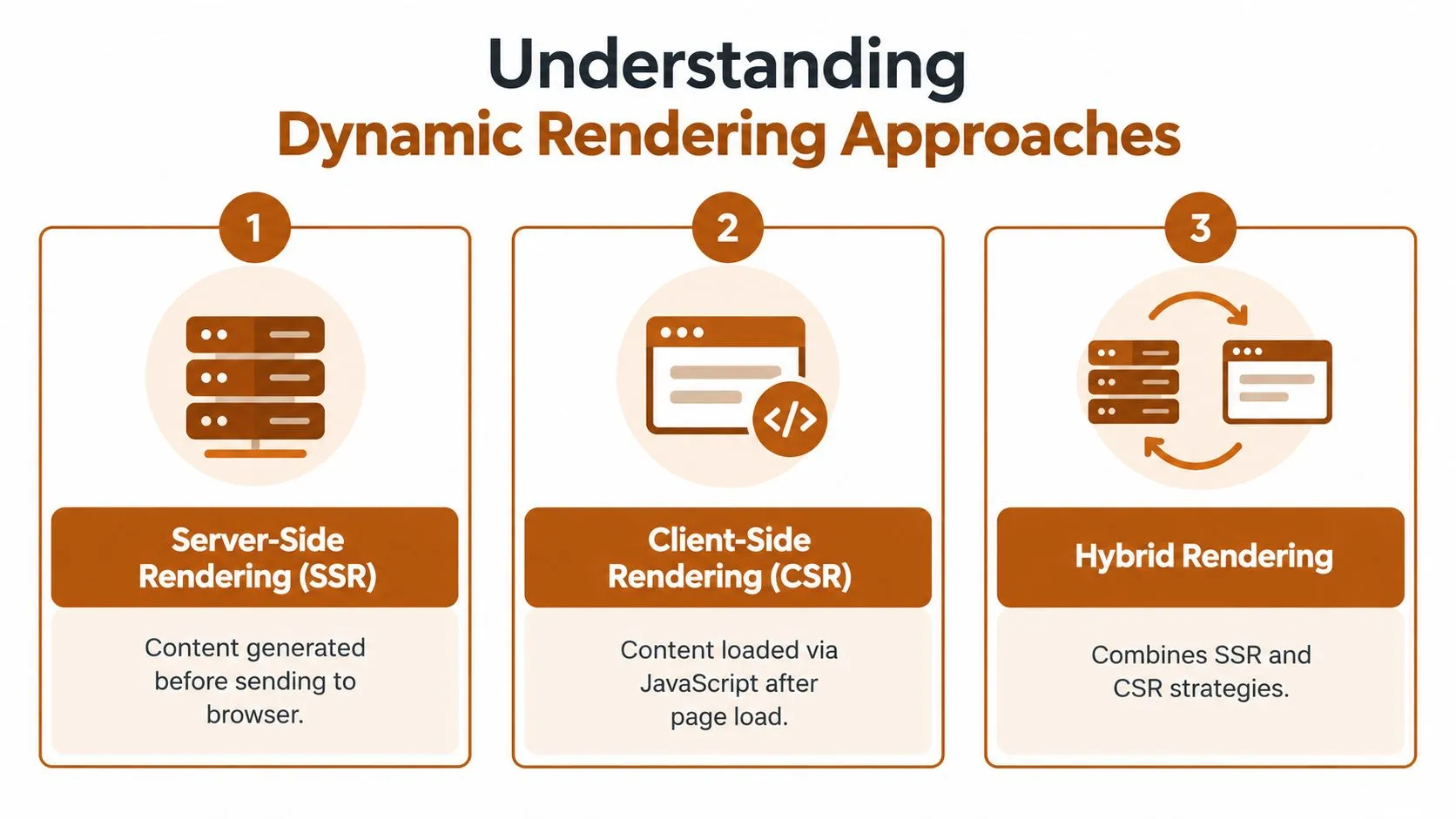
Understanding Dynamic Rendering Approaches
Dynamic rendering isn’t one implementation. The same visible page can result from server-side rendering, client-side rendering, or a hybrid architecture. These approaches determine where the content exists, what an HTTP client receives, and which failures a data pipeline must detect.
Server-side rendering
With server-side rendering, the application prepares useful HTML before sending the response. It can read a database, apply request parameters, select a template, and return a page containing the main content. The output can still vary by visitor, query string, location, login state, inventory, or time, so server-rendered pages are dynamic even when the browser needs little JavaScript to display them.
This model usually gives an HTTP collector a stronger starting point. The target fields may already exist in the response body, although session cookies, request headers, pagination parameters, and regional variations can still affect the result. Server-side rendering also gives search systems more immediately available HTML to process.
Client-side rendering
With client-side rendering, the initial response may provide a minimal shell. JavaScript then requests data, calculates what to display, and updates the page. The DOM acts as the browser’s structured representation of the document, and scripts can select elements, create nodes, alter attributes, replace content, and respond to events. MDN’s JavaScript scripting guide describes this role in interactive updates and browser behavior.
An HTTP client that stops after downloading the shell cannot see fields that never appeared in the original response. A browser-based collector can see them, but only if it waits for the application’s actual readiness condition and preserves the relevant state.
Single-page applications and hybrid pages
A single-page application, or SPA, usually changes views without performing a conventional full-document navigation. A route change may update history state, call an API, replace a component tree, and leave most of the original document untouched. Pagination, filtering, sorting, and search can therefore represent application events rather than separate HTML pages.
Hybrid systems combine server-rendered critical content with client-side hydration and live API updates. That combination often offers a sensible balance for product teams, but it complicates extraction because different fields can become available at different stages.
| Approach | Where the first useful content appears | Main extraction concern |
|---|---|---|
| Server-side rendering | In the HTTP response | Request state, variation, and response completeness |
| Client-side rendering | In the browser’s rendered DOM or later API responses | JavaScript execution and readiness |
| SPA navigation | After route or interaction events | History state, API calls, and view transitions |
| Hybrid rendering | Across the response, hydration, and live requests | Parity between representations |
Teams evaluating architecture can also benefit from exploring rendering strategies for startups, particularly when deciding which content belongs in the initial response and which content can load later. For collectors, the practical vocabulary matters more than the framework name. Ask where the field is generated and what event makes it authoritative. More advanced browser-driven patterns are discussed in JavaScript and Node.js web scraping techniques.
Detecting Dynamic Technologies in the Wild
You don’t need to guess whether a site is dynamic. A short browser investigation can show whether the required data is present in the initial HTML, added by script, returned by an API, or exposed only after an interaction.
Start with two representations
Open the target URL in a browser and save the initial response source. Then inspect the live DOM through developer tools. Don’t compare only the visual page. Search for a field you need, such as a price, availability label, review count, address, or canonical link.
If the field exists in the initial source, the page may be suitable for direct HTTP extraction. If it appears only in the live DOM, determine whether the browser inserted it from an inline script, a bundled application, or a later network response. A missing field in the source isn’t automatically a problem for SEO or accessibility, but it is an extraction signal.
Watch the network panel
Use the browser’s Network panel and reload the page with request recording enabled. Filter for Fetch or XHR requests, inspect response payloads, and identify calls that return JSON or HTML fragments. Look for requests that occur after the document loads, after a filter changes, or after the user scrolls.
A useful diagnostic sequence is:
- Load the page without interaction. Record the document response, scripts, and later requests.
- Search for the target field. Check the initial HTML, live DOM, and response bodies.
- Trigger one interaction. Click a filter, submit a form, open pagination, or scroll to a new region.
- Map the resulting request. Record its URL pattern, parameters, response shape, and timing.
- Repeat with a fresh session. Check whether cookies, login state, consent, geography, or language changes the result.
This process distinguishes a page that renders from a page that merely responds. A successful document request can coexist with a failed API request, an empty authenticated state, or a client-side exception that leaves placeholders on screen.
Inspect readiness instead of guessing
JavaScript bundles can reveal framework patterns, but bundle names are weaker evidence than observed behavior. A page is operationally dynamic when the required field depends on a later request, DOM mutation, route transition, or user action.
For pages that update repeatedly, a MutationObserver API extraction guide can help teams understand how DOM changes are detected. The observer itself isn’t a substitute for network inspection. It tells you that the document changed, not necessarily why it changed or whether the resulting field is complete.
The right question isn’t “Which framework does this site use?” It’s “What event creates the field I’m responsible for delivering?”
Record the raw HTML, rendered DOM, relevant network payloads, and state inputs together. That evidence makes later debugging possible when a target changes its frontend, delays an API call, or returns a different representation to a different session.
Implications for Search Engines and Crawlers
Search visibility depends on more than whether a browser can eventually display a page. Google describes crawling, rendering, and indexing as separate phases, and JavaScript-rendered links or content may be discovered only after rendering. Its guidance on JavaScript SEO basics makes the distinction important for both site owners and data teams.
Crawling retrieves a representation. Rendering executes the page sufficiently to discover and process client-constructed content. Indexing evaluates the resulting information for search systems. A page can succeed at one stage and fail or become incomplete at another. That’s the same snapshot semantics problem seen in extraction, expressed through a crawler’s pipeline rather than a collector’s pipeline.
Content parity matters
SEO teams should compare what appears in raw HTML with what appears after rendering. The comparison should include:
- Primary text, including headings, product descriptions, and important explanatory copy.
- Links, especially links generated by menus, filters, related-content modules, and application routes.
- Metadata, including title, description, canonical URL, and robots directives.
- Structured data, which must describe the same page facts users can access.
- State variations, such as consent, location, language, authentication, and availability.
A browser screenshot can confirm that something is visible, but it can’t prove that a crawler receives the same facts or that the content is available without a fragile interaction sequence. Test the raw response and rendered output as separate artifacts, then monitor divergence after releases.
Pagination and infinite scroll change the unit of extraction
Traditional pagination often exposes stable URLs, but JavaScript pagination may call an endpoint and replace a result list without navigating. Infinite scroll can request another batch only after the viewport reaches a threshold. A crawler or scraper that captures the first state may miss later records, while a crawler following every event may create duplicate or weakly canonicalized representations.
AJAX filters introduce another problem. The visible URL may remain unchanged even though the result set changes. Teams must decide whether the filtered state has a canonical URL, whether it should be indexed, and how a downstream collector should identify it.
Google’s documented approach also explains why “the browser displays it” isn’t enough. Rendering can be delayed, resources can fail, and application logic can produce different results under different states. For SEO teams, web scraping for SEO is useful when audits need to compare search-facing representations with the content users receive.
Search teams increasingly assess results through AI-powered search tools, but the underlying requirement remains unchanged. The system needs a stable, accessible representation of the facts it is expected to interpret. Rendering strategy affects discoverability, extraction cost, and the ability to prove that published content matches the page state delivered to users.
Overcoming Challenges in Web Scraping and Extraction
Dynamic extraction fails most often at the boundary between page load and data readiness. A browser may finish loading the document while the application is still waiting for an API response, hydrating components, applying a filter, or resolving a session. A fixed delay sometimes works in a test and then fails under a different network condition or page state.
Chrome’s rendering pipeline targets 60 frames per second, leaving roughly 16 milliseconds per frame for JavaScript execution, style calculation, layout, painting, and pixel delivery, as described in Chrome’s rendering pipeline discussion. That timing context matters because expensive scripts and repeated DOM changes can delay visible content and interaction. A collector that sleeps for an arbitrary duration has no evidence that the target field is ready.

Replace delays with readiness signals
Production collectors should wait for meaningful conditions. Useful signals include a target selector appearing, a loading marker disappearing, a specific Fetch or XHR request completing, a route transition finishing, or the DOM reaching a stable state. The signal must relate to the field being extracted, not merely to the document’s load event.
A resilient run should capture more than final text:
- Request context, including URL, query parameters, locale, and session assumptions.
- Raw HTML, so the initial representation remains auditable.
- Rendered DOM, which records what the browser constructed.
- Network evidence, especially payloads that contain authoritative fields.
- Interaction history, including pagination, clicks, form submissions, and scrolling.
- Validation results, such as required fields, schema checks, and duplicate detection.
Treat failures as data quality events
A missing field should not become an empty value without notice. The pipeline should distinguish between a genuine blank, a not-found record, an API failure, a blocked request, a consent interruption, and an incomplete render. These states have different operational responses.
Retries can help with transient failures, but retrying the same broken selector won’t repair a changed application. Monitoring should detect shifts in response shape, missing selectors, altered request patterns, and changes in record counts or field completeness. Proxy management and anti-bot handling may also be necessary, but they don’t replace observability. A collector can bypass a challenge and still extract the wrong snapshot.
Browser automation is appropriate when the authoritative state exists only after rendering or interaction. Practical implementation patterns are covered in extracting data from JavaScript pages with Puppeteer. For recurring enterprise workflows, managed extraction can absorb browser execution, retries, monitoring, schema validation, and site-change response instead of leaving each engineering team to maintain a separate brittle script.
Common Misconceptions and Best Practices
The most persistent mistake is treating “dynamic” as a synonym for “built with a JavaScript framework.” That definition is too narrow. A server can generate different HTML for different requests by consulting databases, session state, query parameters, inventory, location, or time. The page is dynamic because its representation changes at request time, even if the browser receives complete content in the first response.

Myth and operational reality
| Misconception | Operational reality |
|---|---|
A 200 OK response contains the page’s data | It confirms a response, not the presence or completeness of target fields |
| Dynamic pages are only client-side JavaScript | Server-side generation can also produce request-specific pages |
| A browser screenshot proves successful extraction | It shows one visual state, not the underlying requests or field provenance |
| A fixed wait makes rendering reliable | Readiness depends on requests, hydration, interaction, and application state |
| Dynamic rendering is the default long-term SEO answer | Google describes it as a workaround and recommends server-side rendering, static rendering, or hydration as longer-term approaches in its dynamic rendering guidance |
| Bot detection is only an access problem | Detection and verification can affect which representation a requester receives |
The last point deserves care. User-agent-based responses can create parity and governance risks when bots receive a different document from users. A team considering bot controls should understand both the security objective and the possibility of inconsistent content. Background on how MANDATE stops bot abuse can help frame bot verification as a controlled access decision rather than a substitute for page observability.
Build a snapshot contract
Define the authoritative snapshot before writing the collector. Specify the URL or route, request parameters, locale, authentication assumptions, interaction sequence, timestamp policy, and fields that must be present. If the page has multiple representations, document which layer wins when raw HTML, rendered DOM, and an API payload disagree.
A practical checklist should include:
- Compare representations. Store raw HTML and rendered DOM for representative states.
- Trace field provenance. Identify whether each required value comes from HTML, DOM mutation, or an API response.
- Capture state. Record locale, query parameters, session conditions, and completed interactions.
- Validate schemas. Reject malformed or incomplete records instead of coercing them into plausible blanks.
- Test parity. Compare user-facing content with crawler-facing and collector-facing output.
- Monitor changes. Alert on selector failures, request changes, schema drift, and unexpected state transitions.
- Respect access controls. Build collection methods around the site’s permitted access patterns and applicable requirements.
The best architecture is often hybrid. Serve critical content in HTML when discoverability and immediate access matter, hydrate interactive components where necessary, and expose stable data contracts for live application state. For collectors, use direct HTTP extraction where the response is authoritative, browser rendering where JavaScript creates the field, and network-level inspection where the API payload is the most reliable source.
The answer to what are dynamic pages is therefore more precise than “pages that use JavaScript.” They’re changing documents whose facts depend on request time, execution path, data source, and state. Once you treat each capture as a verifiable snapshot rather than a downloaded URL, a 200 response becomes one observation in the pipeline, not proof that extraction is complete.
WebscrapingHQ provides managed web data operations and custom extraction pipelines for JavaScript-rendered pages, SPAs, AJAX workflows, scheduled feeds, and structured reporting. If your team needs rendered DOM validation, network-aware extraction, monitoring, retries, and schema-controlled delivery, visit WebscrapingHQ to discuss the target pages and required snapshot contract.
Want this done for you?
Send us the URLs. We'll quote it in 24 hours.
Paste the URL(s) you want scraped. We'll reply within 24 hours with a feasibility check and a ballpark quote.