Jump to section
- Table of Contents
- Why Teams Build Facebook Ad Library Scrapers
- What the scraper actually replaces
- Core Architecture of a Production Scraper
- The minimum moving parts
- How the pieces connect
- Scraping Versus the Official Ad Library API
- Comparison table
- What the scraper replaces
- Handling Failure Points and Selector Drift
- The failures that matter most
- How to design around breakage
- Structuring Outputs for Downstream Workflows
- Separate the layers on purpose
- What downstream teams need
- Cross-Market Coverage and Historical Data Challenges
- Coverage is a design choice, not a given
- What mature teams do differently
Your competitor team just launched a new campaign, legal wants an audit trail for issue ads, and marketing wants a weekly export before the next planning meeting. Manual browsing in Meta’s Ad Library gets you a few spot checks, then the work stops scaling, because the problem isn’t finding one ad, it’s keeping up with a stream of ads, variants, and metadata that never fits neatly into a spreadsheet.
That’s where a Facebook Ad Library scraper earns its keep. Built well, it turns a public archive into a repeatable pipeline for competitive intelligence, ad verification, market research, and compliance reporting, while forcing the hard decisions up front, like whether you need broad coverage, historical snapshots, or the cleaner path of Meta’s own API.
Table of Contents
Open Table of Contents
Why Teams Build Facebook Ad Library Scrapers
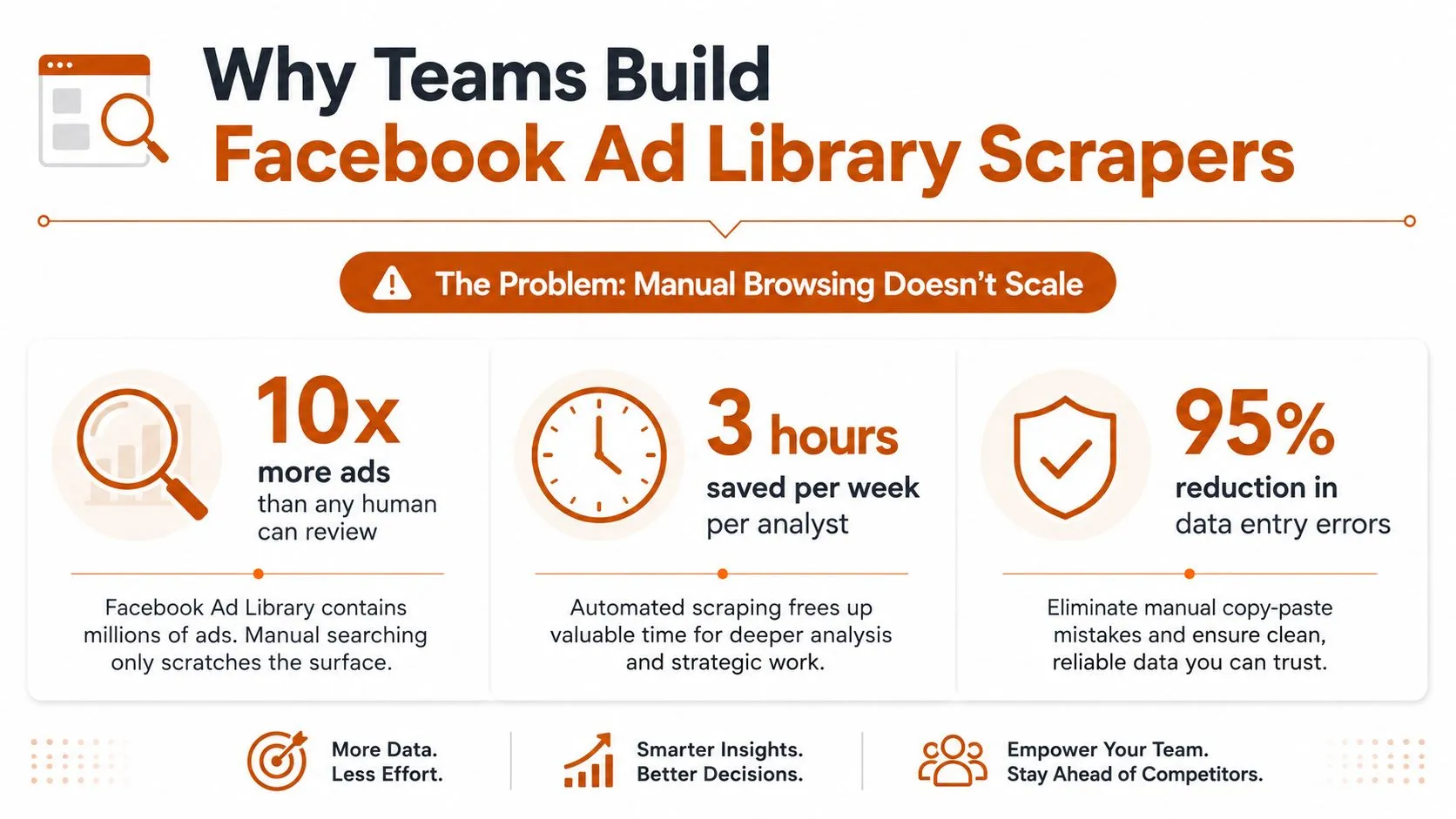
A compliance analyst starts with a simple request, pull every relevant ad into one place so the team can review claims, creatives, and timing without clicking through the library all day. A growth team asks for the same thing from another angle, they want competitor campaigns, ad variants, and landing pages in a form they can compare week after week, not a pile of screenshots saved by hand.
Meta’s official Ad Library report shows why the problem gets big fast, it has recorded 18,194,152 ads and $5,426,917,530 in total amount spent since May 2019, with coverage for ads about social issues, elections, or politics. That scale matters because it means a scraper has to behave like a data system, not a browser macro, and it has to be able to process multi-million-record workloads without collapsing under pagination or storage pressure. The report’s “top searches from past week” also signals active monitoring use, not just archival browsing, which is exactly how serious teams use the library in practice. Meta’s Ad Library report
What the scraper actually replaces
A real project usually starts with a manual pain point, then expands into a repeatable workflow. One team might need ad verification on policy-sensitive campaigns, another might need structured creative samples for an internal model, and a third might need ongoing competitor monitoring with a consistent export format.
Practical rule: if someone has to open the same search, scroll the same results, and copy the same fields more than once, the work belongs in a scraper.
A scraper also supports tasks that manual review handles badly, like building training datasets for AI models or generating compliance reports that need the same fields every time. That doesn’t mean scraping is the answer for every source of truth. For some teams, the official API or a managed tool is better because it gives cleaner access, lower maintenance, and a clearer compliance posture.
For ad verification use cases, the workflow usually starts from a public result set and ends in a review queue. If that’s your situation, this ad verification workflow is the right mental model, because the scraper is only one part of the process, not the whole system.
Core Architecture of a Production Scraper
A production Facebook Ad Library scraper is a pipeline. The common mistake is starting with parsing logic before the system knows how it will build queries, paginate results, and persist media references. That usually produces code that works on one search, then falls apart on the next query or country filter.
The minimum moving parts
The first layer is the URL builder. It constructs the exact search inputs for a run, including country, ad category, and keyword filters, so each collection is explicit and reproducible. Without that layer, you cannot tell whether a missing record came from a bad query, a blocked page, or a real absence in the source.
Next comes the browser manager or HTTP client. Some implementations render the page in a real browser, others call the library’s internal GraphQL endpoint, but either way the system has to handle sessions, retries, and timing. The parser should come after that, and it needs to extract structured fields like ad content, creatives, targeting data, publisher insights, and ad IDs into stable columns.
The last two pieces are the pagination handler and the storage layer. Pagination is where many scrapers fail, because the library is cursor-based and a single missed cursor can truncate the run. Storage then has to keep raw payloads, parsed records, and media references together without blending those concerns.
The safest production pattern is to keep each stage narrow. When a collection run fails, you want to know whether the issue was query construction, session handling, parsing, pagination, or persistence.
Open-source implementations already show this shape. One project exports separate CSV files for ads, demographics, and regional data, which is a sensible split because it keeps distribution analysis away from the raw ad feed. Another implementation notes that it can retrieve active ads and study competitors’ strategies using public endpoints, which is another reminder that structured output matters more than heroic scraping.
How the pieces connect
A useful architecture usually looks like this:
- Build the search URL or API request from a config file.
- Open the session in a browser manager or request client.
- Wait for the first result, then start paginating.
- Parse each ad node into a normalized record.
- Download media references for persistence.
- Validate the output and write it to storage.
That is the minimum shape needed to handle volume without turning the scraper into a maintenance liability. If your team already runs broader data pipelines, the same discipline applies to ad library collection as it does to any other recurring extraction job. The modular approach described in building scalable data pipelines with Scrapy is a good fit conceptually even when the underlying library work is different. For teams comparing collection paths, the Captapi Facebook Ad API is a useful reference point for the trade-offs between an approved API workflow and a scraper that has to survive UI changes and pagination drift.
Scraping Versus the Official Ad Library API
A production team usually hits the same decision point after the first few successful runs. Meta’s official Ad Library API exists, but approval is required, and that changes how quickly a workflow can move from prototype to dependable collection. Scraping can look easier because the interface is public and the first pull is fast, yet the right choice depends on how you weigh completeness, maintenance burden, and compliance posture.
Comparison table
| Factor | Web Scraping | Official API |
|---|---|---|
| Access | Public interface can be reached without login in many workflows | Requires approval and approved app access |
| Data shape | Often reconstructed from rendered pages or internal endpoints | Structured JSON |
| Maintenance | Higher, because UI and response shape can change | Lower, because the contract is clearer |
| Coverage | Can be broader in some workflows, but less predictable | More controlled, but access-gated |
| Compliance posture | Needs careful review and strong internal controls | Easier to defend in procurement and governance reviews |
| Use case fit | Research, internal monitoring, edge cases, unavailable API access | Scheduled production jobs, compliance-first workflows |
GitHub projects in this space make the trade-offs visible. They point out that the official API exists, and they also note that approval is required, which is one reason scrapers remain common for teams that need immediate access. Newer tool listings are also moving toward API-native or API-based workflows with explicit spend and reach fields, which suggests the market is shifting toward compliance-first extraction rather than pure scraping.
If you want a neutral starting point for API-based collection, Captapi Facebook Ad API is a useful reference because it frames the choice around access and workflow design, not just code. The same comparison is laid out in web scraping versus API, and that matters here because the wrong access model can leave a team with months of avoidable maintenance work.
What the scraper replaces
A scraper makes sense when a team needs broad public collection, cannot wait on approval, or is running a narrow research project where occasional breakage is acceptable. The API fits better when the pipeline needs predictable refreshes, a clearer access path, and less time spent chasing selector changes.
The operational difference is bigger than the transport layer. Scraping means owning the full path from page rendering to pagination, parsing, validation, and recovery when the UI shifts. API use removes most of that work, but only after the access gate is cleared and the workflow is accepted inside the organization. For some teams, that makes the official route the cleaner choice. For others, the delay is enough to justify a scraper, as long as the system is built with failure tolerance and compliance review from the start.
The important point is that “works today” is not enough. A scraper can be the right tactical choice, but if the output feeds compliance reporting or recurring monitoring, the access model has to be part of the design from day one.
Handling Failure Points and Selector Drift
The first thing that breaks in production is usually the assumptions around the parser, not the parser itself. Meta changes the UI, a CSS selector stops matching, a JSON path shifts, or the page renders only part of the result set, and your code writes an incomplete record that looks fine until someone reviews it later.
The failures that matter most
Selector drift is the one teams notice first. A scraper that depends on specific CSS selectors or fixed DOM structure can fail the moment Meta updates the page, which is why resilient systems avoid hard-coding fragile paths wherever possible.
Throttling and blocked sessions come next. Aggressive request patterns, poor proxy hygiene, or too many repeated searches from one origin can shorten the life of a run, and once sessions start failing, retries can make the problem worse if they are not controlled.
Partial page loads are the quiet failure mode. JavaScript rendering can time out, network responses can arrive late, or a browser session can lose just enough state that the page appears loaded while the result set is incomplete.
Operational rule: a successful HTTP response is not proof of a complete scrape. Every run needs validation against expected shape, record counts, or field presence.
How to design around breakage
The architecture should split cleanly into a URL builder, browser manager, parser, pagination handler, validator, and storage layer. That separation gives you isolation, so if Meta changes the response shape, you patch the parser without rewriting query construction or storage.
Configuration should stay external. Search terms, country filters, and ad categories belong in config, not in code, because you want the run definition to change without forcing a redeploy. The same applies to retries and timeouts, which should be tuned for the source rather than assumed.
A practical monitoring stack usually includes:
- Selector drift alerts when matched fields suddenly go missing.
- Retry logic with backoff so transient failures do not kill an entire job.
- Raw HTML or response snapshots for debugging when the parser misbehaves.
- Failure dashboards that separate blocked sessions from empty result sets.
- Versioned selectors so you can roll back quickly if a new path is unstable.
Maintenance matters as much as initial build quality, and long-term scraper upkeep practices give a useful reference point here. Ad library work tends to fail the same way as other dynamic sources, just with more scrutiny and more repeated runs. If a team does not log enough to replay a bad run, it usually ends up guessing which field changed.
Structuring Outputs for Downstream Workflows
Raw scrape output only becomes useful when downstream teams can consume it without hand-cleaning. A Facebook Ad Library scraper should emit records that support dashboards, compliance review, and model training without forcing every consumer to reinterpret the same fields.
Separate the layers on purpose
One practical pattern is to separate raw ads, demographic breakdowns, and regional data into different outputs, which matches implementations that export fb_ads.csv, fb_ads_demos.csv, and fb_ads_regions.csv. That split keeps the core ad record stable while letting audience and geography analysis live in their own tables.
The core schema should include ad content, creatives, targeting parameters, start dates, landing URLs, publisher metadata, and platform data. Media assets need their own handling, too. Images and videos should be downloaded, referenced, deduplicated, and tied back to the source record instead of being scattered across folders with inconsistent names.
A good storage model also pays off when someone asks a simple question later, like whether a creative changed across runs or whether a landing page stayed consistent. If the data is normalized, that answer comes from a query. If it is not, the team ends up doing manual reconciliation. The approach outlined in how to normalize web scraped data with Python maps well here because ad library feeds usually contain repeated entities, nested structures, and noisy optional fields.
What downstream teams need
Different consumers need different guarantees, so the output should be designed for reuse:
- Competitive intelligence dashboards need stable IDs, timestamps, and creative references.
- Compliance reporting systems need reproducible snapshots and clear source lineage.
- Machine learning pipelines need normalized text, media pointers, and schema stability.
- Audit workflows need raw payload retention and validation logs.
Governance matters as much as structure. Schema versioning lets you change a field without breaking old exports, and quality checks catch missing creatives, broken media links, or records that do not match the expected category mix.
In practice, the best outputs are the ones an analyst can trust without opening the raw scrape first. That usually means clean keys, predictable null handling, and enough metadata to trace each row back to the source run when something looks off.
Cross-Market Coverage and Historical Data Challenges
The hardest operational question is not whether you can collect ads, it’s whether you can collect them consistently across countries and time. Meta’s Ad Library workflows often rely on country and category filters, and that creates gaps for teams that want a single view across multiple markets or a clean history of how ads changed over time.
Coverage is a design choice, not a given
Some scraping tools support multiple geographies, richer fields, and broader exports, while others are built for quick discovery and stop there. The difference matters because a team monitoring active campaigns across several markets needs reproducible snapshots, not just a one-time inspiration board of ads that happened to be visible that day.
Historical coverage is especially tricky. In many workflows, active ads are the easiest thing to capture, while inactive ads, media downloads, and region-specific transparency fields depend on both the tool and the source behavior. That means your collection strategy has to be explicit about what you expect to retain and what you’re willing to miss.
A realistic readiness checklist looks like this:
- Country scope defined so collection rules match the markets you care about.
- Ad category filters documented so the same query means the same thing over time.
- Snapshot cadence agreed so compliance and research teams know how fresh the data is.
- Media retention policy set so assets aren’t lost when the source goes inactive.
- Reconciliation process in place for comparing current runs against prior snapshots.
- Coverage gaps accepted up front so reporting doesn’t overstate completeness.
What mature teams do differently
Teams that treat the library as a living dataset build for auditability first. They log query inputs, keep raw responses, and store enough metadata to reconstruct the run later, because that is what makes a snapshot defensible when someone asks why an ad appeared in one report and not another.
They also avoid promising more coverage than the source can support. If a tool claims broad reach but doesn’t show how it handles inactive ads, regional differences, or media persistence, the safest assumption is that the gaps will surface later in the workflow. For compliance, ad verification, and market research, that difference is the whole game.
WebscrapingHQ designs and runs managed extraction pipelines for teams that need ad verification, compliance reporting, and recurring data delivery without inheriting the maintenance burden. If you’re evaluating a Facebook Ad Library scraper for production use, WebscrapingHQ can scope the workflow, build the pipeline, and operate it on a schedule that fits your review process.
Want this done for you?
Send us the URLs. We'll quote it in 24 hours.
Paste the URL(s) you want scraped. We'll reply within 24 hours with a feasibility check and a ballpark quote.