
Jump to section
- What an Otodom Scraper Collects and Why It Matters
- Core Fields to Capture From Each Otodom Listing
- Why Otodom Blocks Requests and What a CAPTCHA Means
- Signals That Commonly Trigger Challenges
- Response Types on the Escalation Ladder and the Fix for Each
- Proxy Types and How Each One Changes CAPTCHA Rates
- Five Categories in Order of Trust
- Proxy Types Compared on CAPTCHA Exposure and Cost
- How to Reduce CAPTCHAs in a Scraping Pipeline
- Eight Steps in Working Order
- CAPTCHA-Solving Services and When They Pay Off
- CAPTCHA-Handling Approaches Compared
- The Threshold and the Real Cost Test
- A Weekly Price Pipeline Built Step by Step
- How the Team Sequences Its Decisions
- Choosing Your Proxy and CAPTCHA Plan Before You Scale
- Pre-Scale Checklist
Your first test run works. You fetch a few hundred Warsaw listings, the parser holds, and the spreadsheet looks credible. Then you schedule the job, widen it to several cities, and by the third morning half the pages return challenges, empty results, or outright blocks.
That failure usually isn’t a parsing problem. It’s a reputation and session problem, and it’s diagnosable from your own logs if you record the right fields. An Otodom Scraper built for production should therefore be judged by cost per usable listing, not by how cheaply it solves each challenge it provokes.
What an Otodom Scraper Collects and Why It Matters
Otodom is a major Polish online real-estate marketplace for residential listings, asking prices, rental supply, and market activity across Poland. In its February 2025 Otodom report, the platform stated that it attracted nearly 6 million real users per month, based on January 2025 data. That scale means a well designed crawl can observe a broad cross-section of Polish housing supply, not a narrow local sample.
The platform covers both sale and rental markets and preserves historical signals for individual properties, including market entry, reservations, returns to availability, sales, and price changes. Monthly asking-price histories are available for 39 of Poland’s largest cities, covering nominal prices and prices per square metre, while rental asking rates are also tracked for those cities, as described in the same report linked above. A single extract shows a price. A recurring series shows movement, which is what supports price monitoring, competitive intelligence, valuation research, and supply analysis.
Core Fields to Capture From Each Otodom Listing
| Field | What It Reveals | Capture Frequency |
|---|---|---|
| Listing ID and URL | Deduplication key across snapshots | Every run |
| Location (city, district) | Geographic market segment | Every run |
| Property type and area (m²) | Like-for-like comparison basis | Every run |
| Asking price | Current nominal price | Every run, with every change logged |
| Price per square metre | Normalised valuation | Every run |
| Publication status | Entry, reservation, return or sale | Every run |
| First-seen date | Time on market | First crawl, then fixed |
| Rent or sale flag | Split between rental and sale markets | Every run |
Every field needs a capture timestamp, because later comparisons depend on consistent snapshots rather than isolated extracts. Teams comparing build options can also review property market data from Otodom to understand what a structured feed looks like before defining their own schema. For the extraction workflow itself, this step-by-step guide to extracting real estate data covers the broader collection sequence.
A production pipeline therefore needs scheduled snapshots, deduplication, change detection, and normalization across Polish cities and listing categories from the first run.
Why Otodom Blocks Requests and What a CAPTCHA Means
Think of the protection layer as a doorman. He doesn’t only check whether you have a ticket, meaning a syntactically valid request. He watches how you arrived, how often you’ve come to the door, and whether your behavior matches the identity you’re presenting.
That analogy matters because teams often debug only the request that failed. In practice, the decision usually reflects a pattern accumulated across requests, sessions, and addresses, and your logs should let you reconstruct that pattern.
Signals That Commonly Trigger Challenges
- Request rate and bursts: Many pages in a short window, especially in a mechanical rhythm.
- Shared IP reputation: An address other automated visitors have already abused.
- Inconsistent headers: A user agent, accept-language value, or header order that doesn’t match a plausible browser.
- Automation fingerprints: Browser properties, such as a navigator flag, that reveal headless control.
- Incoherent sessions: Cookies that vanish, appear out of order, or don’t match a returning visitor.
- Repeated identical paths: The same pagination sequence requested without natural variation.
- Geography mismatch: A language or time zone that contradicts the apparent location of the address.
Escalation tends to follow a ladder. A rate limit returns HTTP 429, a soft block returns an empty or altered page, then comes a challenge interstitial, then a CAPTCHA, and finally a hard block returning HTTP 403.
A CAPTCHA is a suspicion score, not a verdict. The request that triggered it was judged risky for a reason your pipeline can usually find.
That distinction changes the response. Solving the challenge without changing the behavior that raised the score often buys one page and preserves the underlying risk for the next request. Log the response type at each rung, along with proxy identifier, session identifier, timestamp, and target path, because the rung tells you which fix applies first.
Response Types on the Escalation Ladder and the Fix for Each
| Logged Response | Rung | First Fix |
|---|---|---|
| Empty or altered page | Soft block | Check headers, cookies and session coherence |
| Challenge interstitial | Challenge page | Slow the cadence and reuse a coherent session |
| CAPTCHA | Suspicion score | Tune proxy and pacing, then test a solver only past the threshold |
Read the table from the top down in your incident review. If soft blocks rise before CAPTCHAs do, you don’t have a solver problem first. You have a session coherence or reputation problem that solving won’t repair.
Proxy Types and How Each One Changes CAPTCHA Rates
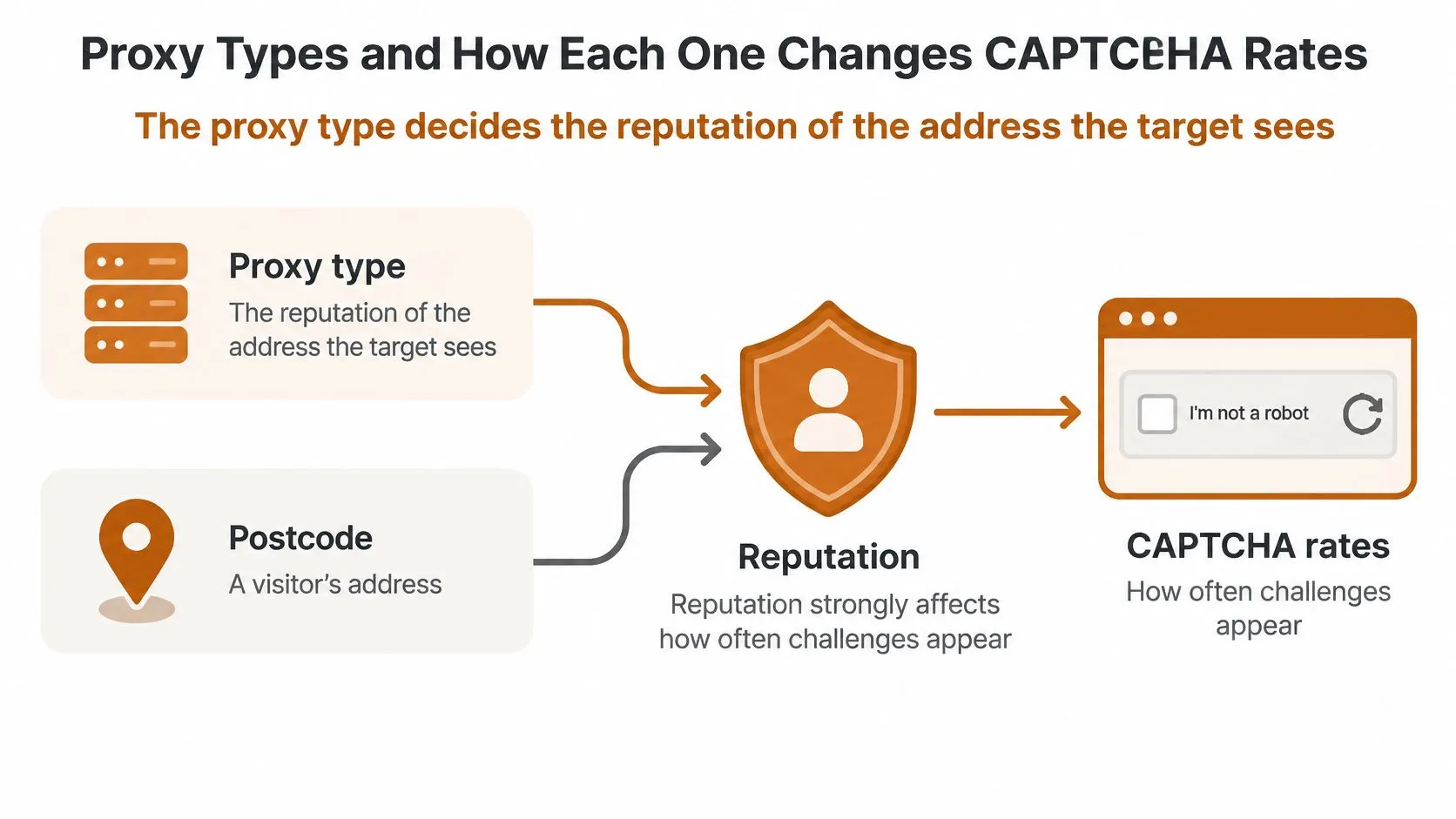
The proxy type decides the reputation of the address the target sees, and reputation strongly affects how often challenges appear. The useful analogy is a postcode. A visitor from a known consumer neighbourhood starts with more trust than a caller from an address that many suspicious visitors have used before.
That doesn’t mean the most trusted address is always the right purchase. It means you’re buying a starting reputation, a session model, and a billing model at the same time, and each one shapes your CAPTCHA rate differently.
Five Categories in Order of Trust
Datacenter proxies are cheap and fast, but they’re drawn from hosting ranges that protected portals flag often, so they’re best treated as a baseline instrument. Rotating residential proxies use consumer ISP addresses that change per request, which lowers block rates but breaks multi-page sessions that depend on continuity.
Sticky residential proxies hold a consumer address for a session, so they suit paginated navigation where cookies and identity must remain stable. Static ISP proxies use ISP-registered addresses hosted in datacenters, which suits recurring monitoring with a fixed identity. Mobile proxies use carrier addresses shared by many users, making them the most trusted and the most expensive option.
Proxy Types Compared on CAPTCHA Exposure and Cost
| Proxy Type | IP Source | Relative CAPTCHA Exposure | Relative Cost | Best Use |
|---|---|---|---|---|
| Datacenter | Hosting provider address ranges | High on protected portals | Low | Baseline tests and low-volume checks |
| Rotating residential | Consumer ISP addresses changed per request | Lower | Medium to high per GB | Broad crawls across many listing pages |
| Sticky residential | Consumer ISP addresses held for a session | Lower, with stable sessions | Medium to high per GB | Paginated navigation and multi-step flows |
| Static ISP | ISP-registered addresses hosted in datacenters | Low to moderate | Medium | Recurring monitoring with a fixed identity |
| Mobile | Carrier addresses shared by many users | Lowest | Highest | Hardest targets after other options fail |
Four trade-offs decide whether a category works in practice. Bandwidth billing versus per-port pricing changes which crawl shape is economical, because image-heavy detail pages punish per-gigabyte plans. Polish geography matters for a Polish-language site, since an address, language, and time zone that agree with each other look coherent. Concurrency limits per account cap how you parallelize cities, and session stickiness determines whether pagination and cookies survive from one request to the next.
Start with datacenter proxies for a low-volume baseline and escalate only when your measured CAPTCHA rate justifies the cost. That’s not frugality for its own sake. A cheap baseline tells you how much of your challenge rate is reputation and how much is your own pacing, which you’d otherwise pay residential prices to learn. The mechanics behind that choice are covered in this guide to static versus rotating proxies.
Practical rule: Never upgrade a proxy tier to fix a problem you haven’t separated into reputation, pacing, and session coherence in your logs.
The table above is therefore the starting point for every decision that follows. Pick the cheapest category whose session model matches your navigation pattern, measure it accurately, and let the measured rate, not vendor claims, argue for the next tier.
How to Reduce CAPTCHAs in a Scraping Pipeline
Prevention is a sequence, not a setting. Each step below removes one reason a protection layer would raise your suspicion score, and each one has a common mistake that can undo it.
Eight Steps in Working Order
-
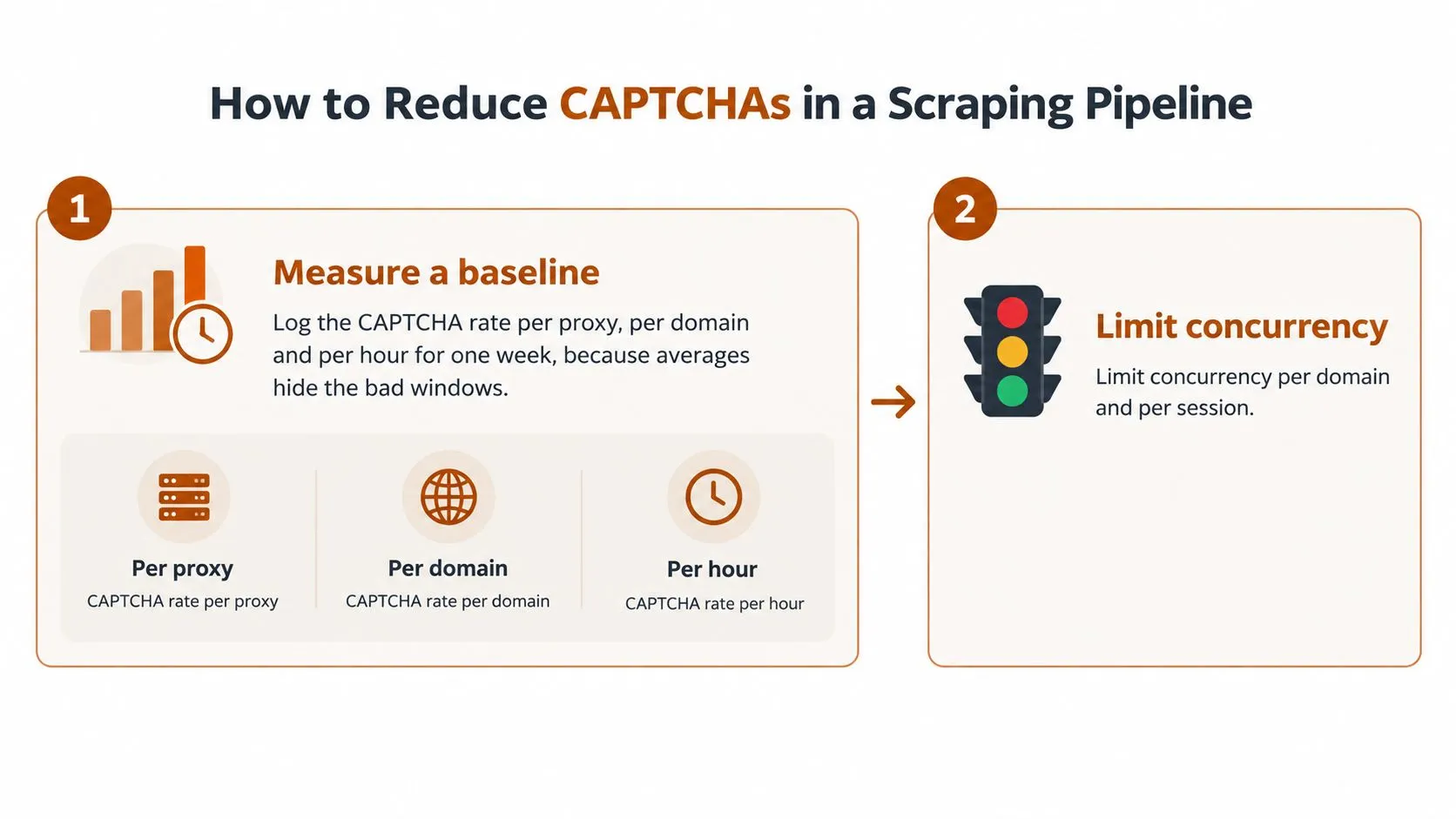
Measure a baseline: Log the CAPTCHA rate per proxy, per domain, and per hour for one week, because averages hide the bad windows. The common mistake is reporting one blended rate, which conceals a single failing address pool or hour. Without that split, you can’t tell whether a change helped.
-
Limit concurrency: Cap simultaneous requests per domain and per session, starting conservatively at one to three, and add randomized delays so the cadence doesn’t look mechanical. Teams often randomize delays but keep unlimited parallelism, which still produces an unnatural burst at the target.
-
Keep each session coherent: Match the user agent, accept-language header with pl-PL for Polish pages, time zone, and cookies to the proxy’s geography, and don’t change identity mid-session. Rotating user agents inside one session is the usual error, since a real visitor doesn’t become a different browser between pages.
-
Render only when necessary: Use a real browser only for pages that require rendering, and only after plain HTTP requests fail, because browser sessions carry heavier fingerprints. Rendering everything by default raises both cost and detectability.
-
Fetch detail pages selectively: Request detail pages only for listings whose data has changed, using listing-level change detection against your last snapshot. Refetching every detail page on every run multiplies requests without adding information, and it’s the fastest way to inflate both proxy spend and challenge exposure.
-
Spread the schedule: Distribute runs across off-peak windows and avoid firing all cities at the same minute. A synchronized start across regions looks like coordinated automation even when each individual session is well behaved.
-
Back off and retire addresses: Pause for an hour when 429 responses or challenge pages spike, and retire any IP whose rate rises for three consecutive runs. Retrying immediately through the same address converts a temporary suspicion score into a durable block.
-
Alert on the threshold: Set an alert at your chosen CAPTCHA threshold so a rise is treated as an incident. The failure mode to avoid is discovering the problem weeks later as a silent gap in the price series, when the missing observations can no longer be recovered.
Notice what this sequence doesn’t contain. It doesn’t ask you to solve anything yet, because most pipelines can remove a large share of their challenges by fixing pacing, coherence, and unnecessary requests first.
CAPTCHA-Solving Services and When They Pay Off
The decision rule comes first. Solving a challenge removes one obstacle but doesn’t remove the reason it appeared, so solvers belong after prevention has been measured, not instead of it.
You’ll meet several challenge families in production. There are image selection grids, checkbox challenges scored by risk, invisible scoring that yields a token, and interstitial challenge pages that gate the content entirely. Each family responds differently to solver approaches, which is why latency and failure mode matter as much as the headline solve price.
CAPTCHA-Handling Approaches Compared
| Approach | Typical Latency | Cost Model | Main Risk |
|---|---|---|---|
| Proxy and pacing changes | No added delay | Proxy bandwidth | Requires tuning and may still trigger challenges |
| Human-powered solver service | Seconds to tens of seconds | Per solved challenge | Latency and terms-of-use questions |
| Automated solver model | Sub-second to a few seconds | Per call or subscription | Accuracy falls on new challenge types |
| Token-based solver API | Seconds | Per token | Tokens rejected on flagged sessions |
| Stop and reschedule | Hours of delay | Lost run time | Gaps in the time series |
Human-powered services return answers in seconds to tens of seconds, which is workable for batch collection but painful inside a tight crawl schedule. Automated models are faster, yet their accuracy falls when a new challenge type appears. Token-based APIs look clean until you discover that tokens may be rejected on sessions the target has already flagged, so you pay for a token that grants no access.
The Threshold and the Real Cost Test
Set a threshold for testing a solver before you need one. A workable example is a sustained CAPTCHA rate that stays high after proxy and pacing changes, for instance above a threshold you define, such as 5% of requests across several consecutive runs. Below that line, prevention is usually cheaper. Above it, a solver trial becomes a legitimate experiment rather than a reflex.
Then judge the trial by cost per usable listing, defined as total proxy spend, solver fees, and retry spend divided by the listings that pass validation in the same week. A solver is justified only when the valid listings it makes accessible, multiplied by their value to your analysis, exceed its fee. Cost per solved challenge is the wrong denominator because a solved challenge that yields a duplicate, stale, or invalid listing has no analytical value.
Pay for listings that survive validation, not for challenges that merely disappear.
Two cautions close the decision. Complete a legal and terms-of-use review before any solver deployment, since the contractual position differs from the technical one. And keep the solver behind a feature flag with its own logging, so you can measure its marginal contribution and switch it off. The broader handling patterns are set out in this guide to handling CAPTCHAs in web scraping.
A Weekly Price Pipeline Built Step by Step
An analytics team tracking weekly asking prices across three large Polish cities needs a series that remains comparable from one run to the next. It does not need every listing in Poland. It needs enough consistent coverage to explain a price change and trace any gap in the underlying data.
Asking prices can shift between weekly snapshots, so missing listings can distort the comparison. A stable collection process helps the team distinguish a genuine change in the listings it tracks from a change caused by incomplete coverage.

How the Team Sequences Its Decisions
The team begins with datacenter proxies and a basic scheduler. Search pages return consistently, but challenges on detail pages leave gaps in the weekly series. Those gaps matter because the missing listings may cluster by address or time rather than appear at random. Logs show failures concentrated in particular hours and for particular addresses, pointing toward IP reputation or inconsistent request pacing.
The team then tests sticky residential proxies with Polish geography, paced sessions, and coherent pl-PL headers. Persistent sessions let pagination proceed without repeatedly changing the apparent client context. If CAPTCHA rates fall and validated coverage improves, those log changes provide evidence that the session and IP choices helped. A solver remains a fallback for residual challenges, activated only at the team’s defined threshold and recorded separately.
Each week, the team compares cost per usable listing with coverage. That measure shows whether any solver spend produces validated listings the analysis can use, rather than merely recording challenges that were solved. The job stores a snapshot timestamp, response type, and proxy identifier for each run, allowing engineers to trace a coverage gap to a specific request condition. A framework such as this guide to building scalable data pipelines with Scrapy can help organize that collection and validation work.
The hardest failure to catch is a silent drop in coverage: the job reports success, yet returns fewer valid listings for one city. An HTTP success alone cannot confirm that the expected records were collected. The team therefore alerts on validated listing counts by city as well as on CAPTCHA rates, then checks the run logs when either measure changes. That makes a missing slice visible before it distorts a later price comparison.
Choosing Your Proxy and CAPTCHA Plan Before You Scale
Complete a short checklist before you commit budget. Guessing at these five items is how teams buy an expensive proxy tier and still miss their freshness target.
Pre-Scale Checklist
- Expected listing pages per day: Your true request volume, including retries and detail pages.
- Required data freshness in hours: How stale a snapshot may be before it loses value.
- CAPTCHA threshold that triggers action: The measured rate at which you’ll change proxies, pacing, or test a solver.
- Budget per thousand successful pages: Successful and validated, not merely requested.
- In-house maintenance capacity: Whether your team can maintain selectors and proxies every month as pages change.
The verdict then splits by situation. For a small test, use datacenter proxies with pacing and baseline logging, and accept that you’re measuring reputation rather than building the final system. For a recurring multi-city feed, use sticky residential proxies with Polish geography, paced sessions, change detection, and alerts on both CAPTCHA rate and validated coverage. Those two configurations suit these scenarios when teams can handle their own maintenance.
The managed-provider decision has a narrower rule. When delivery deadlines, an SLA, or in-house maintenance capacity are fixed requirements, a managed data operation is the better route. Otherwise, the configuration built from your baseline and threshold applies, and buying operations you can run yourself adds cost without adding data quality.
Where a managed route is justified, WebscrapingHQ offers managed web data operations that include proxy management, monitoring, retries, and re-tuning when sites change, with delivery as CSV or JSON feeds, webhooks, or S3 drops, and real estate among its covered sectors. That category of service is described further in this overview of real estate data extraction services.
Your concrete next step doesn’t require a purchase decision. Run the seven-day baseline on the cheapest proxy type, record the CAPTCHA rate per proxy, per domain, and per hour, and decide the next configuration from that measured number. A week of honest logs will tell you more about your Otodom Scraper than any proxy comparison table, including the ones in this article.
If your team needs a recurring Otodom feed with proxy management, anti-bot mitigation, retries, and re-tuning handled for you, WebscrapingHQ builds and runs managed extraction pipelines that deliver structured CSV or JSON feeds, webhooks, or S3 drops on a fixed schedule. Visit WebscrapingHQ to scope your cities, fields, and freshness requirements and get a costed plan based on cost per usable listing.
Want this done for you?
Send us the URLs. We'll quote it in 24 hours.
Paste the URL(s) you want scraped. We'll reply within 24 hours with a feasibility check and a ballpark quote.