Jump to section
- Rethinking Unclaimed Listing Discovery
- Why Legacy Records Complicate Matching
- Set a Compliant Collection Boundary
- What Belongs in a Minimal Opportunity Queue
- Choose a Permitted Data Source
- Comparing the Main Acquisition Routes
- Build a Controlled SERP Collection Workflow
- From Query to Minimum-Field Retention
- Validate Ownership Signals and False Positives
- Building a Confidence Model
- Troubleshoot Collection and Parsing Failures
- Troubleshooting Matrix
- Turn Discovery into a Consent-First Workflow
- Operating Checklist
The most common advice on this topic is dangerously simple. Find a Google profile without an obvious manager, export it in bulk, label it unclaimed, and start outreach. That shortcut confuses a weak public signal with proof of ownership status, and it ignores the legal boundary around Google Maps content. A defensible workflow treats unclaimed as an uncertain verification state and builds a consent-ready opportunity queue instead of a directory copied at scale.
Rethinking Unclaimed Listing Discovery
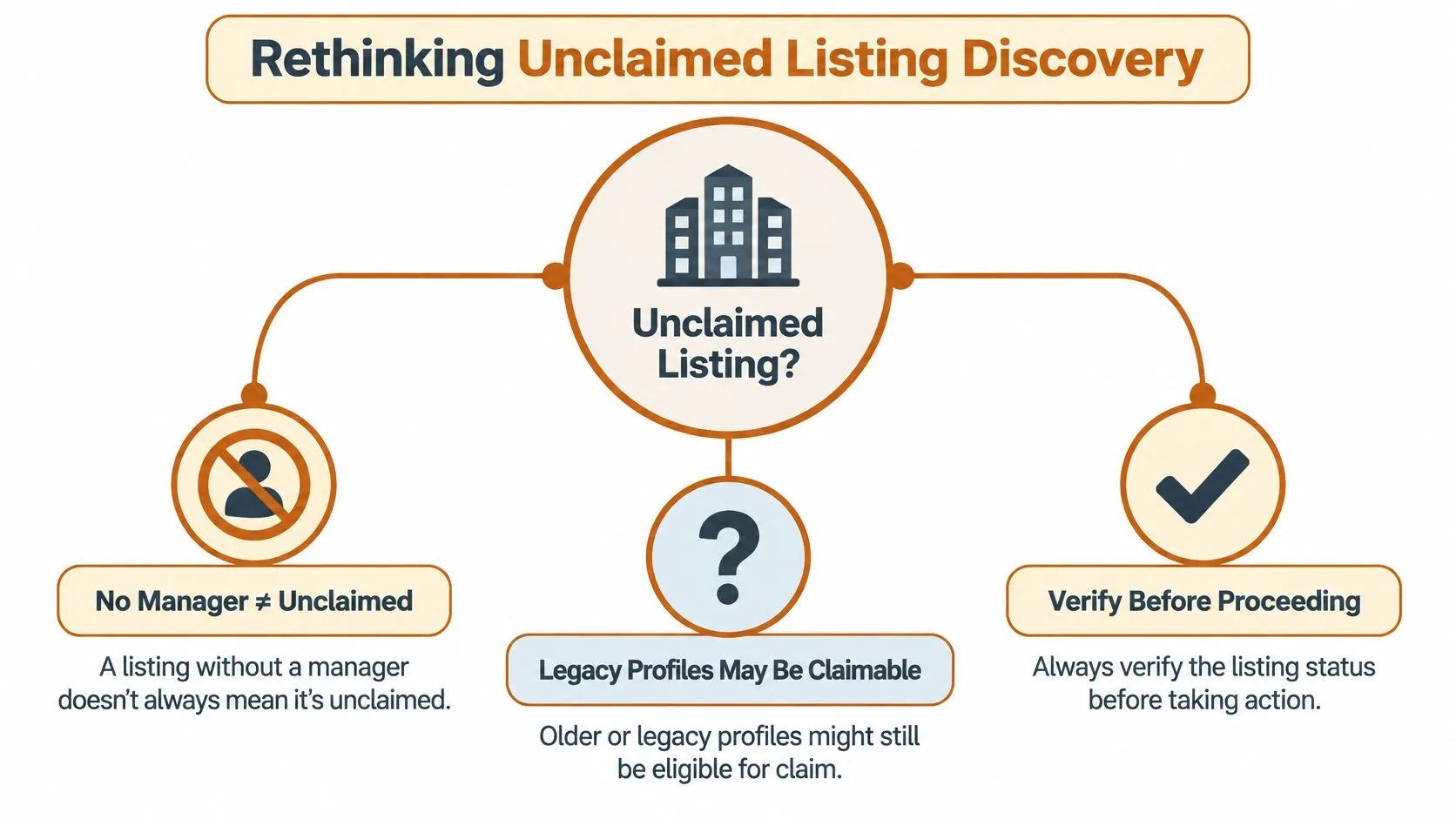
A profile without a visible manager isn’t automatically unclaimed, abandoned, or available to claim. It may be a duplicate, a suspended record, a relocation, a rebrand, or a profile controlled by a former owner or agency. Treating every quiet listing as an open lead creates false positives and wastes outreach on businesses that aren’t eligible for the next step.
History explains part of that ambiguity. Google introduced Google Places in 2010, and contemporary accounts report that approximately 4 million listings had already been claimed by April 20, 2010, according to the historical account of Google Business Profile’s evolution. Google then converted roughly 80 million Place Pages when Google+ Local replaced them in May 2012, launched Google My Business on June 11, 2014, and renamed it Google Business Profile in November 2021, based on that same historical record.
Why Legacy Records Complicate Matching
A business record can exist before the current owner ever verifies it because Google’s ecosystem has been built from crawled web pages, licensed data, and user contributions. An apparent gap may therefore be an inherited record from a platform migration, not a page the business intentionally published. Entity matching has to account for rebrands, migrated records, and duplicates before anyone assigns an ownership label.
Four distinct tasks are often collapsed into one:
- Discovery: Finding a candidate business that may lack active management.
- Enrichment: Adding permitted context from first-party or licensed sources.
- Ownership verification: Confirming who controls the profile through Google’s process.
- Outreach: Contacting the business with consent and a documented purpose.
Practical rule: A candidate profile is a hypothesis for review, not proof that a profile is unclaimed or claimable.
That distinction changes how teams should scrape unclaimed Google My Business listings in practice. The goal isn’t to extract the largest possible list. It’s to identify prospects with enough evidence to justify manual review, while keeping discovery separate from any attempt to claim or manage a profile.
Set a Compliant Collection Boundary
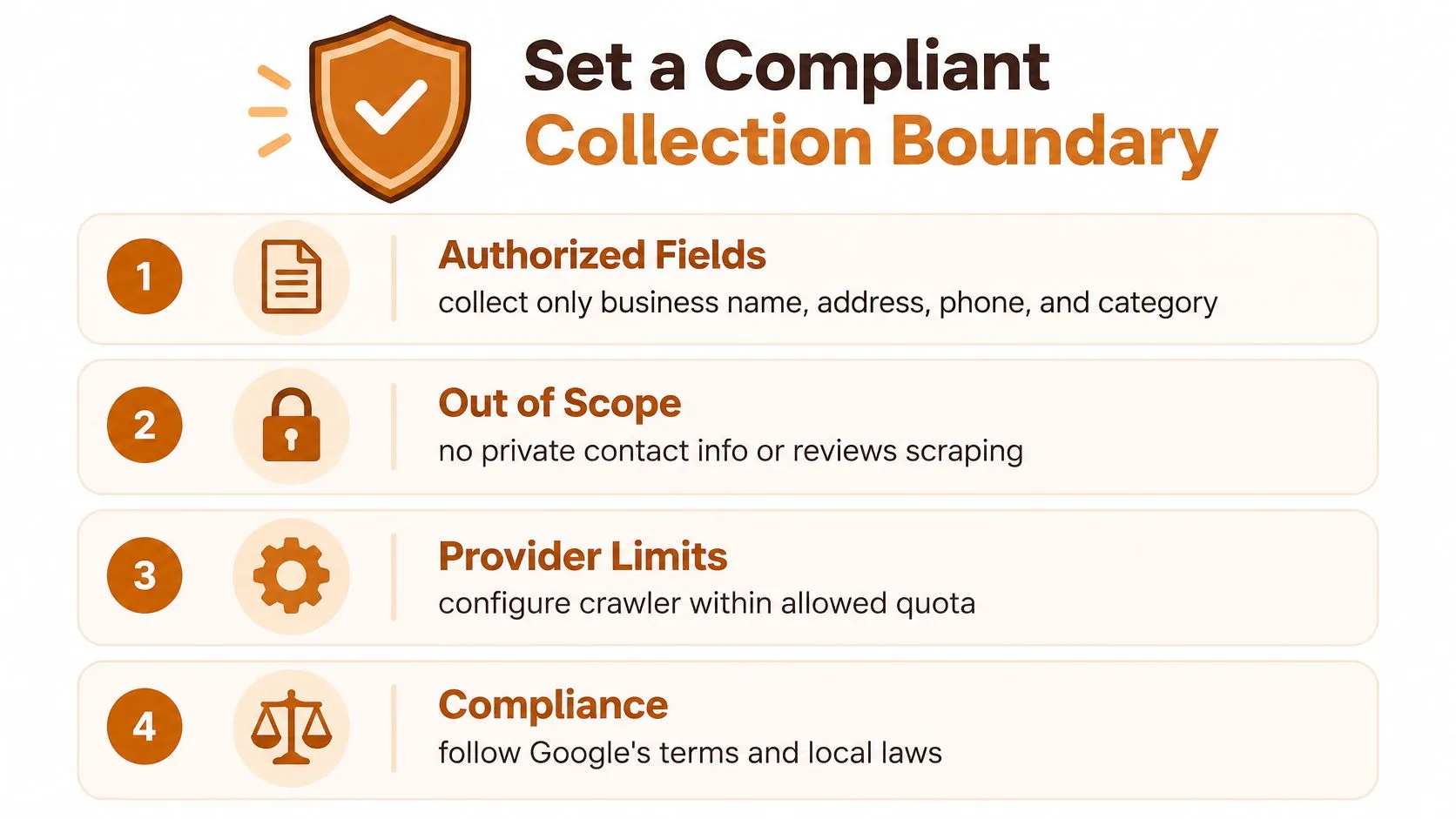
Define the boundary before you configure any crawler or provider. Start with an authorized source, such as a customer-provided dataset or licensed input, then decide which fields you need to test whether a business may have a management gap. If a field doesn’t support identity matching, provenance, or follow-up status, don’t retain it.
Google’s Maps Platform terms prohibit exporting, extracting, storing, or rehosting Maps content outside the services, including copying business names, addresses, and user reviews, as set out in Google’s archived Maps Platform terms. That restriction makes bulk copying of Google Maps content the wrong foundation for a prospecting database. It also means a technically successful extraction can still be an impermissible use.
What Belongs in a Minimal Opportunity Queue
A safer output is deliberately narrow. Keep only the business identifier from your authorized source, the evidence that prompted review, source provenance, collection timestamp, and outreach status. That structure supports triage without turning Google-derived fields into a reusable directory.
- Authorized input: The first-party or licensed record that seeded the candidate.
- Provenance: Source reference, timestamp, country, and language for later audit.
- Evidence note: A brief reason for review, such as inconsistent hours or category data.
- Consent status: Whether the owner has agreed to any next step.
Ownership is the second boundary. Only owners or authorized representatives may verify or manage a Business Profile, and an authorized representative must not claim a profile without the owner’s express consent under the rules summarized in the Maps Platform terms cited above. Discovery therefore ends where profile management begins, and no outreach workflow should blur that line.
An agency can apply this model without exporting reviews or building a shadow directory. It prepares a queue of candidates from licensed business data, attaches a short evidence note, and contacts each business to ask whether help is wanted. Teams reviewing the wider risk picture can consult guidance on legal risks in web scraping and mitigation options before they approve fields, retention, and outreach language.
Choose a Permitted Data Source
Source selection determines whether the rest of the pipeline is defensible. Customer-provided datasets offer the clearest starting point because the business relationship, permitted purpose, and expected fields can be documented in advance. Their weakness is coverage, since they rarely reveal prospects outside an existing client or partner list.
Licensed data suppliers broaden coverage, but a license doesn’t answer every question by itself. You still need to confirm which fields you may store, how often records are updated, which countries are covered, and whether the license permits prospect research and outreach. A supplier that can’t explain provenance creates risk even when its file format looks convenient.
Comparing the Main Acquisition Routes
| Route | Best use | Key limitation |
|---|---|---|
| Customer-provided data | Known accounts and client locations | Narrow discovery range |
| Licensed supplier | Broader candidate research | License scope varies by field and use |
| Purpose-built SERP API | Monitoring permitted search visibility | Doesn’t make downstream use compliant by itself |
| Manual research | Small samples and validation | Slow and difficult to standardize |
A SERP API can help teams monitor whether a business appears for permitted queries, yet the API is only a delivery mechanism. It doesn’t authorize storing Google Maps content, claiming profiles, or reusing reviews for another purpose. Teams weighing collection methods should compare web scraping versus API access in terms of control and maintenance before assuming an API solves the compliance question.
Manual research under an approved workflow remains useful for validation samples. A researcher can check whether a candidate looks duplicated, closed, or inconsistent with licensed records, then record a decision without building a bulk export. That slower route is often the quality control layer that automated collection lacks.
For managed execution, WebscrapingHQ is one option among others for designing controlled collection pipelines around permitted sources and defined schemas. Whichever route you select, score it on source authorization, permitted fields, update cadence, geographic coverage, and operational fit. Don’t select a provider only because it returns a field labeled unclaimed, since that label still requires validation.
Build a Controlled SERP Collection Workflow
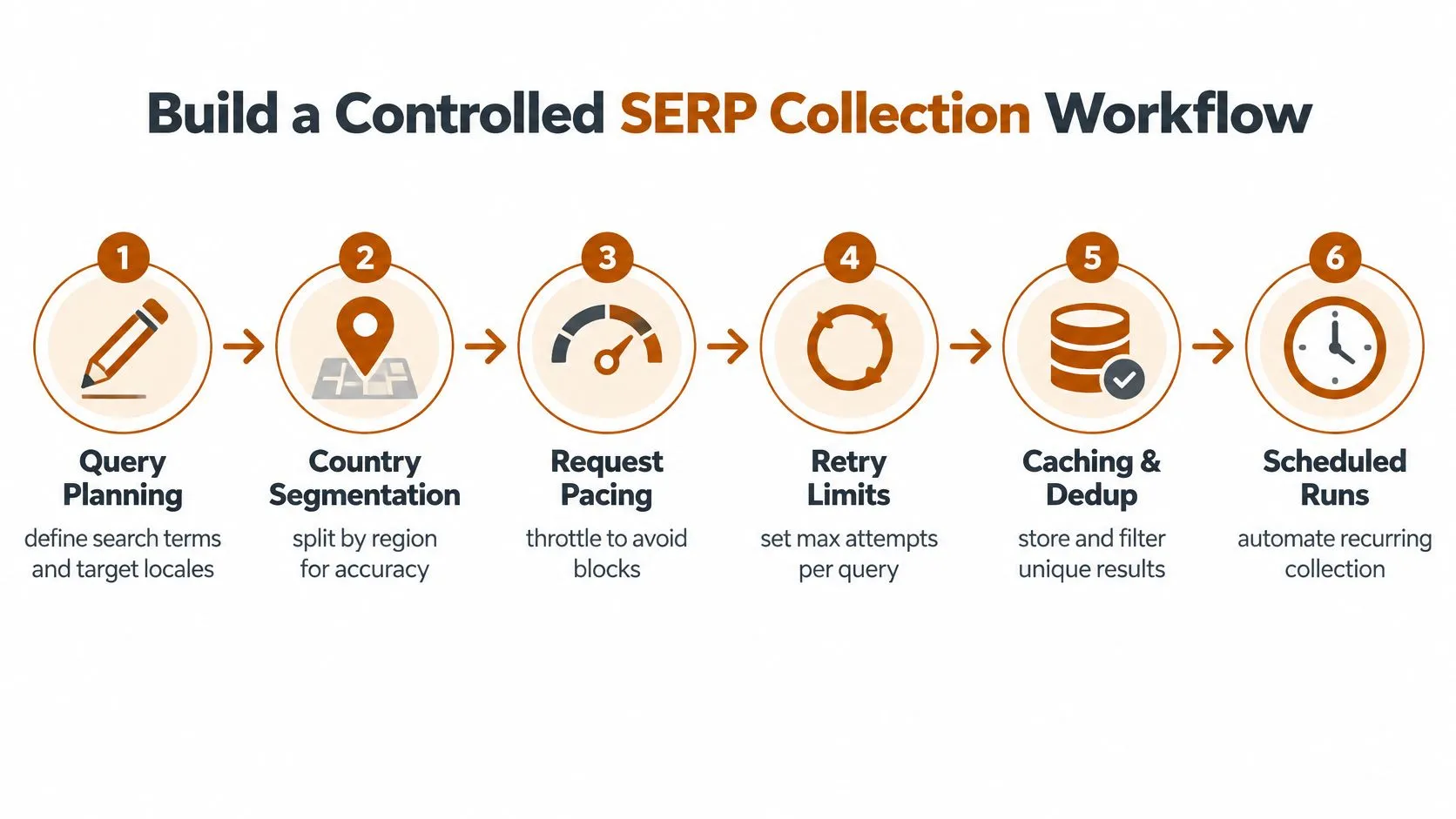
A controlled workflow starts with queries, not volume. Define the business categories, target locales, languages, and research questions before any requests run. Narrow queries produce cleaner identity matches and make it easier to explain why each candidate entered the queue.
Segment collection by country and language from the outset. Local results vary by market, and a pipeline that mixes locales without labels will confuse genuine management gaps with regional coverage differences. Preserve the query, result position, timestamp, country, language, source reference, and match confidence for every retained observation.
From Query to Minimum-Field Retention
- Plan queries: Use approved category and location combinations tied to a documented research purpose.
- Pace requests: Apply provider limits, retry limits, and caching so repeat checks don’t become unnecessary collection.
- Parse modules: Separate business results from ads, sitelinks, and unrelated SERP modules before normalization.
- Match identity: Compare normalized name, address, phone, website, and category against authorized records.
- Route ambiguity: Send conflicts to manual review instead of forcing an ownership label.
- Retain minimally: Keep provenance and evidence needed for triage, then discard unnecessary fields.
Parsing needs particular discipline because search pages combine several result types. Teams that need a clearer map of those components can use SemDash’s SERP breakdown as contextual reading on how search features are organized. That understanding helps a parser avoid treating an advertisement or unrelated place result as the business under review.
A brittle one-off scrape optimizes for rows collected. A controlled pipeline optimizes for decisions that can be explained later.
Scheduled monitoring should answer a specific question, such as whether a known candidate’s public evidence has changed. It shouldn’t become continuous accumulation of listings without a review process. For teams designing the search layer, guidance on ethically scraping Google search results for B2B growth offers a useful operational frame for pacing, purpose, and restraint.
When you scrape unclaimed Google My Business listings through this model, the SERP is a monitoring signal. It shows visibility at a moment in time. It doesn’t prove verification status, and the workflow should never present it as if it does.
Validate Ownership Signals and False Positives
Missing owner-controlled attributes can’t prove that a profile is unverified. A business may have accurate core information and still be controlled by a former agency, while another may look sparse because it’s a service-area business, a duplicate, or a permanently closed location. Validation must therefore separate apparent management gaps from verified ownership facts.
Google permits one profile per business, and duplicate profiles may be suppressed from Search and Maps under Google’s Business Profile guidance on duplicates and ownership. If another owner controls a verified profile, the access request gives that owner 3 days to respond, and no response can create an option to claim the profile, according to that guidance. Those rules show why a profile that looks unmanaged may still have an owner who must be given the proper process.
Building a Confidence Model
Use observable signals to prioritize review, not to declare status. Stronger candidates show consistent identity data in licensed records, plausible category eligibility, and public evidence that management may be absent. Weaker candidates contain conflicting phone numbers, duplicate names at one address, closure indicators, or signs that another party controls the profile.
- Candidate: Identity is consistent and management evidence appears absent.
- Ambiguous: Records conflict or duplicate indicators require manual review.
- Controlled elsewhere: Evidence suggests an existing owner or authorized manager.
- Ineligible: The business appears closed, duplicated, or outside profile rules.
- Verified for follow-up: Manual review supports consent-based outreach.
Google also states that businesses violating its guidelines can be disabled or suspended and become invisible to users until the issue is resolved, as explained in Google’s guidance on requesting ownership of a Business Profile. A suspended profile can therefore distort discovery data if a pipeline assumes invisibility means the business has no profile. Sampling by country and category helps reveal where those errors cluster.
Manual validation should include a review of category eligibility and the business’s own public footprint. A local SEO verification checklist for service businesses can help reviewers structure that check before any outreach is approved. Teams automating parts of the review can adapt principles from automating data validation with Python libraries, provided automated flags remain review aids rather than final ownership decisions.
Troubleshoot Collection and Parsing Failures
Failures usually fall into two groups. A collection problem means the pipeline didn’t retrieve or parse what the permitted source returned. A business-identity problem means retrieval worked, but the records don’t describe the same business clearly enough to support a decision.
Start by comparing raw results with normalized records. If a business disappears after normalization, inspect name punctuation, address formatting, category mapping, and website matching before running more queries. If counts change sharply between runs, check whether SERP modules shifted, localized results changed, or the parser began classifying a module differently.
Troubleshooting Matrix
| Symptom | Likely cause | Corrective action |
|---|---|---|
| Duplicate candidates | Name or address variants | Strengthen identity keys and review shared addresses |
| Missing results | Narrow query or changed module | Compare raw output and revise parsing rules |
| Conflicting phone or website | Rebrand, relocation, or wrong match | Mark ambiguous and validate manually |
| Stale evidence | Old timestamp or cached response | Refresh through the permitted source and record the date |
| Category mismatch | Broad query or supplier taxonomy gap | Narrow terms and review eligibility |
Redirect chains and inconsistent localized results require restraint. Don’t widen collection until you know whether the problem is technical or conceptual, because broader queries usually create more ambiguous entities. Document manual decisions so the next reviewer can see why a candidate was merged, rejected, or held for review.
Diagnostic test: If two reviewers can’t agree whether records describe one business, the pipeline doesn’t have a parsing success. It has an identity problem that needs human judgment.
Some failures shouldn’t be solved with more automation. If authorized data is unavailable, pause and choose a permitted route rather than attempting to bypass CAPTCHAs, rotate identities, or evade access controls. A breakdown of common web scraping errors and their solutions can help teams separate ordinary engineering faults from situations where collection should stop.
Turn Discovery into a Consent-First Workflow
The commercial case for careful validation is substantial. BrightLocal reported that 80% of U.S. consumers searched online for local businesses weekly and 32% did so daily, while 52% began their most recent local search on Google and 71% used Google Search at some point, according to BrightLocal’s summary of local SEO statistics. Those U.S. figures shouldn’t be generalized automatically to every market, but they show why an unmanaged profile can matter during high-intent discovery.
Demand doesn’t create permission. An eligible owner must still use Google’s standard process to claim an unverified profile or request ownership where another party controls it. Your prospect record can justify a conversation, but it can’t confer a right to verify, edit, or manage the profile.
Operating Checklist
- Source authorization: Confirm the input dataset and permitted use before collection begins.
- Data minimization: Retain only identifiers, provenance, evidence, and status needed for triage.
- Entity resolution: Normalize and deduplicate before assigning any confidence label.
- Manual review: Sample results by market and category, then document ambiguous decisions.
- Consent: Ask the owner before participating in any claim or management activity.
- Outcome tracking: Record whether the business declined, claimed, requested ownership, or proved ineligible.
Outreach should describe an observed gap without overstating certainty. Saying a profile appears unmanaged is more accurate than declaring it unclaimed when your evidence comes from public signals and third-party records. That precision protects the business relationship and forces your team to maintain better data.
The durable workflow is therefore simple to state and harder to operate. Start with authorized sources, collect the minimum signal required, resolve identity carefully, score confidence, and let the owner decide the next step. Teams that scrape unclaimed Google My Business listings under that standard produce fewer rows, but they produce opportunities they can defend.
If your team needs a controlled local discovery pipeline built around permitted sources, defined schemas, provenance, and scheduled delivery, WebscrapingHQ can design and operate that workflow for you. Visit the site to discuss a consent-first collection model that keeps prospect research useful without turning Google-derived data into an indefensible bulk directory.
Want this done for you?
Send us the URLs. We'll quote it in 24 hours.
Paste the URL(s) you want scraped. We'll reply within 24 hours with a feasibility check and a ballpark quote.