
Jump to section
- Why Most eBay Price Trackers Break and What a Real Pipeline Looks Like
- Scoping the Tracking Job and Choosing the Right Source
- Choose the source by decision
- Scraping eBay Without Fighting Yourself
- Parse fields, not pages
- Anti-Bot Realities, Proxies, and Smart Cadence
- Match proxies to workload
- Scheduling, Change Detection, and Storing Price History
- Give every job a state
- Store observations as events
- Alerts, Delivery Formats, and Dashboards
- Suppress noise before it reaches people
- From Weekend Script to Production Pipeline
- Increase maturity only when failure demands it
You’re watching a promising eBay listing because its asking price has moved below your target. Before you can act, the seller accepts a Best Offer, edits the listing, or relists the item under a new URL. Your tracker either misses the change, reports the wrong field, or sends an alert that looks actionable but reflects stale inventory.
A dependable eBay price tracker isn’t a one-off scraper. It’s an operating pipeline that identifies the right source, fetches it carefully, extracts fields consistently, preserves history, distinguishes meaningful changes from page noise, and delivers alerts you can trust. The design also has to respect a basic marketplace reality: the price on a live listing, the price achieved by sold items, and a seller’s broader pricing behavior are different datasets.
Why Most eBay Price Trackers Break and What a Real Pipeline Looks Like
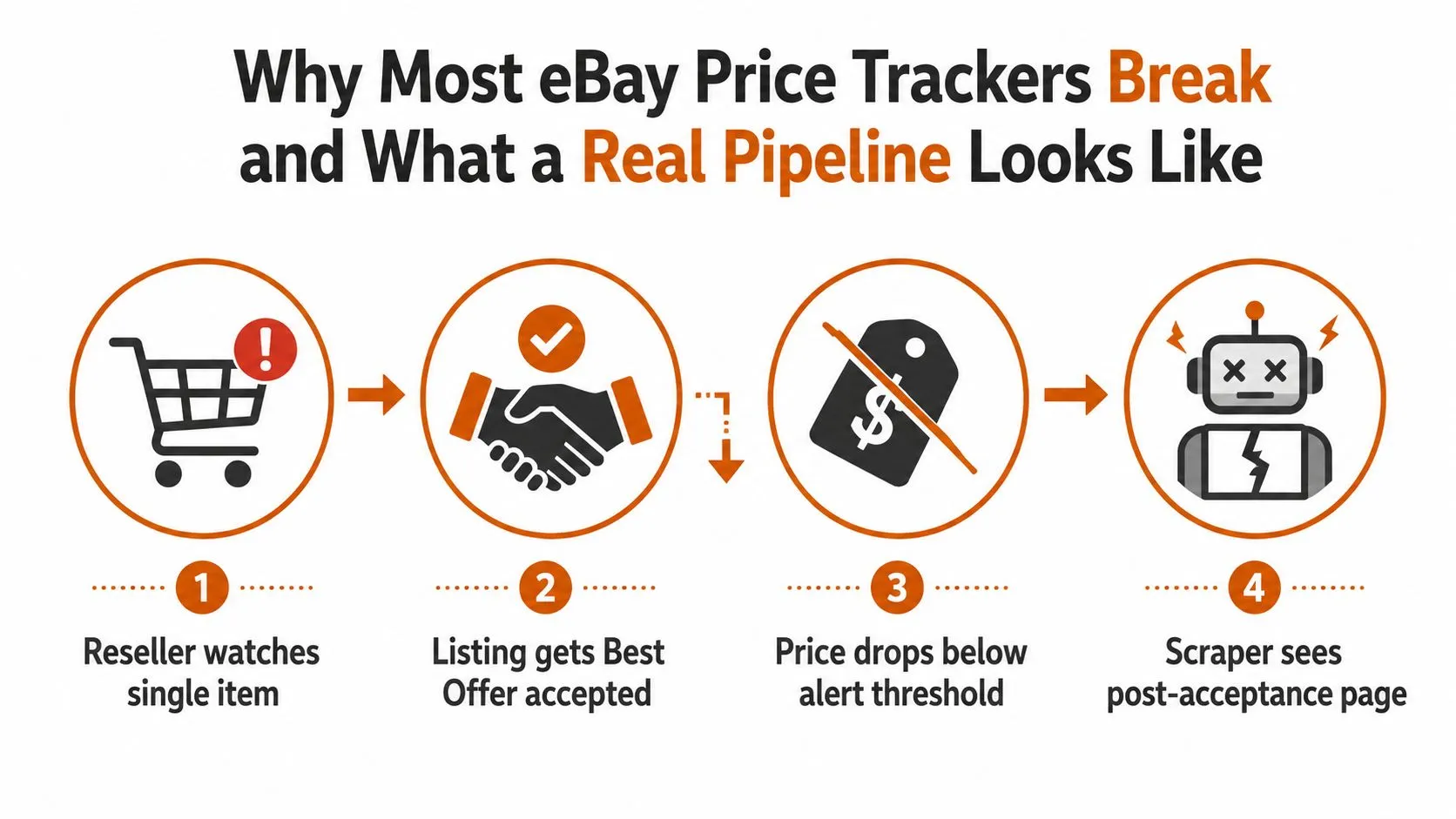
A typical failure starts with a single item page. The seller enables Best Offer, accepts a buyer’s offer, and the public page changes after the transaction. A scraper that checks too slowly may see the post-acceptance state, while a scraper that tracks only the headline price may treat a shipping edit or offer state as a genuine price drop. The result is a false buy signal against inventory that may no longer be available.
Before writing extraction code, separate the job into three tracking modes:
- Live-listing tracking watches a specific
/itm/URL, item ID, or seller listing page. It’s appropriate for inventory decisions, competitor observation, collectible watchlists, and active Buy It Now offers. - Sold-comps tracking examines completed or sold items to estimate realized market value. It’s more useful for repricing and valuation than an active asking price.
- Seller-level monitoring follows a seller’s listings, assortment, and pricing patterns. It helps evaluate inventory velocity and strategy rather than one product.
eBay’s Product Research tool provides a useful benchmark for sold-comps work. The tool exposes the last 3 years of eBay sales data for millions of items, including sales trends, average sales price, sold-price range, shipping costs, free-shipping availability, and sell-through rate for items sold within the last 90 days, as described in this eBay price tracker research overview. That historical window supports trend and seasonal analysis, while a live monitor answers a different question, namely what a particular seller is asking now.
A production workflow normally has six independent stages:
- Source selection, choosing an item page, search page, seller page, or sold-data source.
- Fetch, handling regional behavior, cookies, browser rendering, retries, and access limits.
- Parse and normalize, turning page values into structured price, currency, shipping, condition, format, and offer fields.
- Historical storage, retaining observations rather than overwriting the previous reading.
- Delta detection, comparing normalized records and classifying the change.
- Delivery, sending alerts, feeds, files, or dashboard updates.
Keep those stages separate. If fetching, parsing, alerting, and persistence live inside one script, a selector change can corrupt your database and trigger bad notifications. A modular approach also makes it easier to evaluate why scraping ecommerce websites is essential for price monitoring, particularly when a team needs repeatable observations rather than a single snapshot.
For seasonal planning outside eBay, a calendar such as When is Sale sale calendar can provide useful context, but it shouldn’t replace sold-comps evidence or live listing observations.
Scoping the Tracking Job and Choosing the Right Source
The source determines what your tracker can truthfully claim. An item page can tell you what a seller is asking. A sold-results workflow can tell you what buyers paid. A seller-page sweep can reveal activity across an account. Combining these streams without labels is how teams end up comparing an active ask with a realized transaction as if they were equivalent.
Choose the source by decision
Item-page monitoring is the narrowest and usually the cleanest starting point. Store the canonical /itm/ URL and item ID, then capture the fields that affect the buyer’s actual decision: displayed price, currency, shipping, condition, buying format, variation, Best Offer eligibility, seller identity, and availability. This is the right source for a camera lens you’re considering, a competitor’s comparable listing, or a SKU that should be repriced when its market reference moves.
Search-result sweeps provide coverage rather than identity. They’re useful for discovering new listings below a threshold or following a category query, but results churn as items sell, end, or move in ranking. Use the eBay item ID as the primary join key, then retain a title hash and seller identifier to help distinguish a relist from a new offer.
Sold-listings research belongs in valuation models. Guides aimed at resellers, including this practical explanation of sold data for second hand resellers, correctly emphasize that a sold observation answers a different question from an active listing. Preserve sale price, shipping, condition, format, timestamp, and offer-related status as separate fields.
| Source | Best Use Case | Key Fields | Typical Churn | Watch Out For |
|---|---|---|---|---|
| Item page | Track a known listing or SKU | Item ID, ask, shipping, condition, format, offers | Seller edits, sale, removal | Asking price isn’t necessarily the paid price |
| Search results | Discover category opportunities | Item ID, title, seller, displayed total, position | High listing turnover and reordering | Results aren’t stable product identities |
| Sold results | Estimate realized value | Sold price, shipping, condition, date, format | New completed observations | Completed views have limited recency |
| Seller page | Monitor assortment and strategy | Seller, item IDs, titles, prices, listing status | Inventory additions and removals | Relists can look like new inventory |
URL construction deserves the same care as parsing. Save the filtered query, not just its visible text. Condition, buying format, location, price range, and sold-versus-completed toggles all influence the result set. If those parameters change between runs, your time series no longer describes one consistent market slice.
Pagination also needs an explicit policy. Decide how many pages you’ll inspect, how you’ll handle duplicate item IDs, and what happens when the result count or ordering changes. Search pages are not an append-only feed, so a run should record the query fingerprint and retrieval timestamp alongside each observation. For a broader technical decision about retrieval methods, compare web scraping vs API approaches, then choose based on the fields, permissions, freshness, and operational control your job requires.
Scraping eBay Without Fighting Yourself
The fetch and parse layer should behave like a controlled data-collection system, not a browser macro. Start with a stable request profile that includes a plausible User-Agent, an appropriate Accept-Language, consistent cookies, and the regional eBay domain that matches your intended market. Cookie consent and localization can alter the page structure, currency, delivery terms, and even the visible price block.
A lightweight HTTP client is efficient when the required fields are present in the response and the markup remains stable. A headless browser is safer when JavaScript renders the value you need, but it adds execution cost, timing complexity, and a larger fingerprint surface. Use the smallest capable tool, and keep a browser fallback for routes that require rendering. The best methods to scrape eBay listings are therefore route-specific, not universal.
Parse fields, not pages
On an item page, inspect structured data first. JSON-LD product data can expose a price, currency, availability, and product identity in a form that’s less sensitive to visual layout changes. Then use targeted selectors for the visible value, including the relevant itm.* CSS classes for price and shipping where they’re available. XPath fallbacks can help with sold-result pages, whose markup often changes more than a stable item page.

Don’t store a single price field and call the job complete. A useful normalized record separates:
- Item price, the displayed ask or current bid.
- Shipping cost, including whether the page presents free shipping.
- Currency and locale, retained before conversion.
- Buying format, such as Buy It Now or auction.
- Offer state, including whether Best Offer is available.
- Condition and variation, so unlike items aren’t compared.
- Availability and page status, distinguishing sold, ended, removed, and inaccessible.
Normalization is where many apparently successful trackers become inaccurate. Strip promotional overlays, parse locale-specific currency symbols and separators, and preserve the original string for auditability. A displayed total may combine postage, while another page presents postage separately. An auction’s current bid isn’t the same measure as a Buy It Now ask, and neither should be converted into a sold price.
The accepted Best Offer problem deserves its own flag. eBay’s mobile Product Research announcement emphasized that the tool captures actual sold prices, including accepted Best Offer prices, while a live listing monitor generally sees the asking price. Treat asking_price and realized_price as different fields, even when only one is available. That distinction prevents a tracker from presenting a negotiated transaction as a public list price.
Finally, validate the first extraction manually. Compare the stored value with the visible item page, check shipping separately, and save a representative HTML or screenshot fixture for regression tests. A parser that returns a number on every run can still be wrong if it consistently selects a promotional value, an old price, or the wrong variation.
Anti-Bot Realities, Proxies, and Smart Cadence
eBay defenses usually respond to patterns, not just individual requests. Aggressive volume, repeated access from datacenter ranges, inconsistent cookies and headers, browser automation leaks, and unusual timing can all make a collection job look synthetic. A tracker that rotates proxies but preserves the same excessive cadence hasn’t solved the underlying problem.
The browser path exposes more fingerprint surface than an HTTP client. Navigator properties, WebGL behavior, TLS characteristics, viewport choices, and timing patterns can become signals when they don’t fit together. That doesn’t mean every browser run gets blocked, but it does mean teams should treat consistency and restraint as engineering requirements.
Match proxies to workload
| Proxy Type | Best Workload | Ban Risk | Cost Index |
|---|---|---|---|
| Datacenter | Low-volume development and controlled tests | Higher when traffic is repetitive | Lower |
| ISP | Stable item-page monitoring with a consistent profile | Moderate | Medium |
| Residential | Broader regional search coverage | Lower in some patterns, but not guaranteed | Higher |
| Mobile | Mobile-oriented regional checks and difficult routes | Variable and operationally complex | Higher |
Proxy choice isn’t a license to ignore access rules or overload a site. It should support a measured collection plan, with clear ownership of credentials, route health, and failure handling. A useful reference for the trade-offs is this guide to static vs rotating proxies.
Cadence should reflect the listing type and the decision’s urgency. Practical monitoring guidance places normal Buy It Now checks around every 6 hours, with checks around every 2 hours when a sale is ending soon, as documented in this discussion of eBay price tracking accuracy. Those intervals aren’t a universal rule. They’re a useful starting point for a specific listing, while search-result sweeps may need a separate schedule and auction monitoring needs an end-time-aware queue.
Use jitter rather than a perfectly repeating interval. Cap concurrency per route and domain, schedule broad sold-comps work during quieter periods, and back off exponentially after errors. Maintain an error budget for each route, so a broken search page doesn’t consume all retries intended for item pages.
Watch leading indicators:
- CAPTCHA frequency, rising challenges often precede a hard block.
- Soft 4xx responses, especially when the page body no longer contains expected fields.
- Empty result sets, which may signal a challenge page rather than no inventory.
- Parser confidence, a sudden drop means access or schema changed.
- Proxy-level failures, which can identify a bad exit rather than a site-wide problem.
Stop or slow the affected route when these signals rise. Retrying blindly turns a recoverable access issue into a larger outage.
Scheduling, Change Detection, and Storing Price History
A scheduler should reflect volatility instead of assigning every listing the same polling frequency. Stable Buy It Now inventory can sit in a slower queue, while auctions nearing their end and listings with active Best Offer behavior receive higher priority. eBay-focused monitoring guidance similarly recommends a slower cadence for normal Buy It Now observations and a faster one when a sale is close to ending, but the scheduler should still enforce route limits and backoff rules.
Give every job a state
Each scheduled job needs a durable state record. Include the target URL or query, source type, priority, next-run time, attempt count, lease owner, and last successful observation. A lease lock prevents two workers from fetching the same target after a retry or deployment, while graceful shutdown lets active jobs finish or return to the queue without losing their schedule.
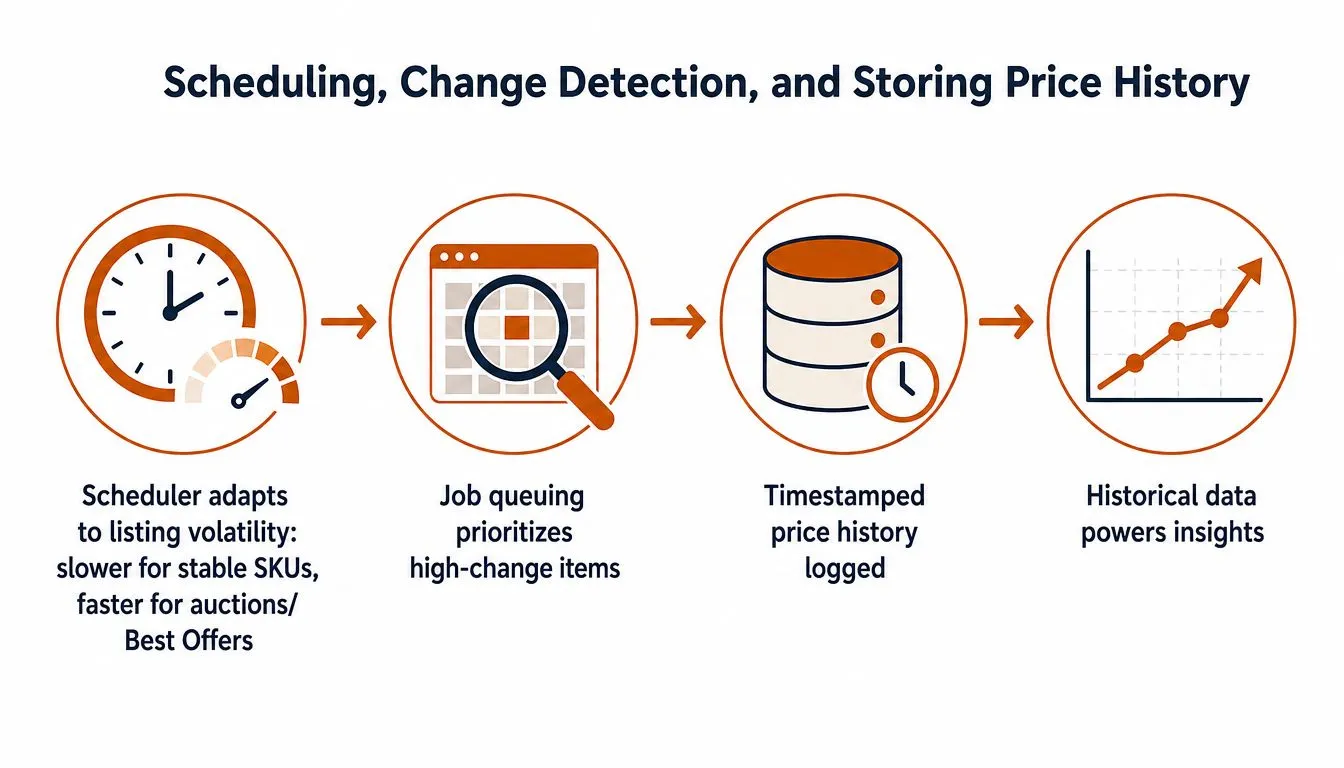
Change detection should compare normalized records, not raw HTML. Build a canonical representation, hash it for fast equality checks, then classify differences by business meaning:
- Economic change, item price, shipping, or a combined buyer-facing total changed.
- Commercial change, Best Offer eligibility, buying format, or availability changed.
- Descriptive change, title, condition text, photos, or item specifics changed.
- Technical change, markup changed but normalized values did not.
Keep shipping deltas separate from item-price deltas. A seller can lower the headline price while raising postage, and an alert that ignores that relationship can misstate the buyer’s effective cost. Tax and currency presentation also need separate treatment, particularly when the same listing is fetched through different regional experiences.
Store observations as events
An append-only observation or event log is safer than overwriting one wide row. Each record should contain target identity, source type, retrieval timestamp, parser version, raw values, normalized values, status, and confidence. Index by item ID and observation time, then add query-oriented indexes for use cases such as lowest observed price over a selected period.
Relists need identity rules. If an item disappears and a similar listing appears, don’t automatically merge them because the title matches. Use item ID, seller, title hash, condition, variation, and relevant images or identifiers to assign a relist relationship with a confidence label.
Sold-comps observations belong in a distinct stream. They aren’t another state of the live listing, and merging them into the same price history makes it difficult to answer whether a value was an ask, a bid, or a realized transaction. Tools for monitoring website changes provide a useful conceptual model for timestamped diffs, but an eBay pipeline still needs marketplace-specific classification and identity logic.
Alerts, Delivery Formats, and Dashboards
Raw changes aren’t alerts. An alert is a business rule applied to a validated observation. For a live listing, that might be an absolute price drop, a percentage move, a combined price-and-shipping decline, or a new listing that breaks below a target derived from recent sold comps. For market intelligence, it might be a breakout against a trailing baseline rather than a single-page change.
The rule engine should know which field changed and why. A shipping edit can deserve a notification for a buyer, but it shouldn’t trigger the same repricing workflow as a change in item price. Best Offer availability may be strategically important while remaining irrelevant to a simple “buy below target” alert.
Suppress noise before it reaches people
Relists are a common source of alert storms. When an ended item is replaced by a near-identical listing, link the records where confidence is sufficient and suppress duplicate notifications unless the commercial terms changed materially. Add cooldown windows after an alert, but preserve every observation in storage so suppression doesn’t erase history.
A good alert payload includes:
- Identity, item ID, URL, seller, title, condition, and variation.
- Before and after values, item price, shipping, combined amount, currency, and availability.
- Classification, price move, shipping edit, relist, offer-state change, or parser warning.
- Evidence, retrieval timestamp, source type, and confidence.
- Action context, the rule that fired and the destination workflow.
Email works for low urgency. Slack or a generic webhook is better for operations, while CSV drops suit analysts who review batches. NDJSON is convenient for streaming consumers, CSV remains accessible for spreadsheet workflows, and Parquet fits warehouse ingestion when the team needs typed columns and efficient historical queries.
For teams working on smart pricing for D2C brands, the same separation between observation, normalization, and decision rules applies, even though eBay’s marketplace structure adds seller, condition, and offer complexity.
A minimal dashboard should show a watchlist grid, current normalized price, shipping, last-seen timestamp, and a sparkline for historical movement. Add a health panel with scrape success, parser confidence, proxy status, stale targets, and alert volume. Operators need to see whether a quiet dashboard means stable prices or a broken pipeline.
From Weekend Script to Production Pipeline
A laptop script is a reasonable prototype. It proves that the target page contains the fields you need and exposes the first selector problems. It isn’t a production system because a laptop can sleep, credentials can expire, retries can overlap, and a parser can return empty values without raising an exception.
Increase maturity only when failure demands it
| Stage | Infrastructure | Failure Mode | Mitigation |
|---|---|---|---|
| Single-item script | Local runtime and simple storage | Machine stops or page layout changes | Fixtures, logs, manual verification |
| Scheduled jobs | VPS or hosted scheduler | Overlapping runs and naive polling | Job state, leases, backoff, cadence controls |
| Queue-based pipeline | Workers, queue, durable database | Bursts, retries, proxy or route failures | Priority queues, error budgets, dead-letter handling |
| Managed infrastructure | Operated collection and delivery stack | Ongoing anti-bot and schema maintenance | Monitoring, proxy operations, parser updates, SLA-backed delivery |
The first upgrade usually arrives when a few targets become many. Naive polling can produce IP blocks, while a CAPTCHA wall can stop every job that shares one route. Later, eBay may change a listing layout, and a selector can fail by returning an empty string or an unrelated price. Those failures are more dangerous than explicit exceptions because the pipeline appears healthy.
Observability has to measure data quality, not just uptime. Emit structured logs for target, route, parser version, response classification, extracted fields, and alert outcome. Track per-run success, stale targets, unexpected empty results, and the distribution of price deltas. A sudden shift in the median or range of extracted values can expose a selector regression before an analyst notices.
Synthetic monitors should use known listings or controlled fixtures. They can detect whether an expected field is present, whether a page is reachable, and whether a known change is recognized. Weekly diff reviews of extracted fields help catch schema drift, while A/B testing new selectors against golden listings reduces the risk of replacing a working parser with an untested one. Version parser configurations and retain the old version long enough to compare output.
Build internally when the schema is central to your product, the volume is manageable, and your team can own ongoing maintenance. Consider a managed provider when proxy operations, multi-geo collection, retries, parser re-tuning, and delivery reliability would consume more engineering time than the data is worth. WebscrapingHQ, for example, provides managed web data operations, custom extraction, monitoring, retries, proxy management, and recurring CSV, JSON, webhook, or S3 delivery for price-monitoring workflows. Evaluate it as an operational option against your own workload, compliance requirements, source coverage, and internal expertise.
The practical starting point is narrow: select a few item pages, define the exact distinction between asking and realized price, store every observation, and test alert suppression before expanding search coverage. A tracker earns trust when it can explain not only that a value changed, but which field changed, when it changed, and whether the listing still represents the same commercial opportunity.
If maintaining selectors, proxy health, retries, and historical eBay data is pulling engineers away from product work, visit WebscrapingHQ to discuss a managed monitoring pipeline. Share your target listings, fields, geography, cadence, and delivery format, and the team can scope an extraction workflow built for recurring operations rather than a one-time scrape.
Want this done for you?
Send us the URLs. We'll quote it in 24 hours.
Paste the URL(s) you want scraped. We'll reply within 24 hours with a feasibility check and a ballpark quote.